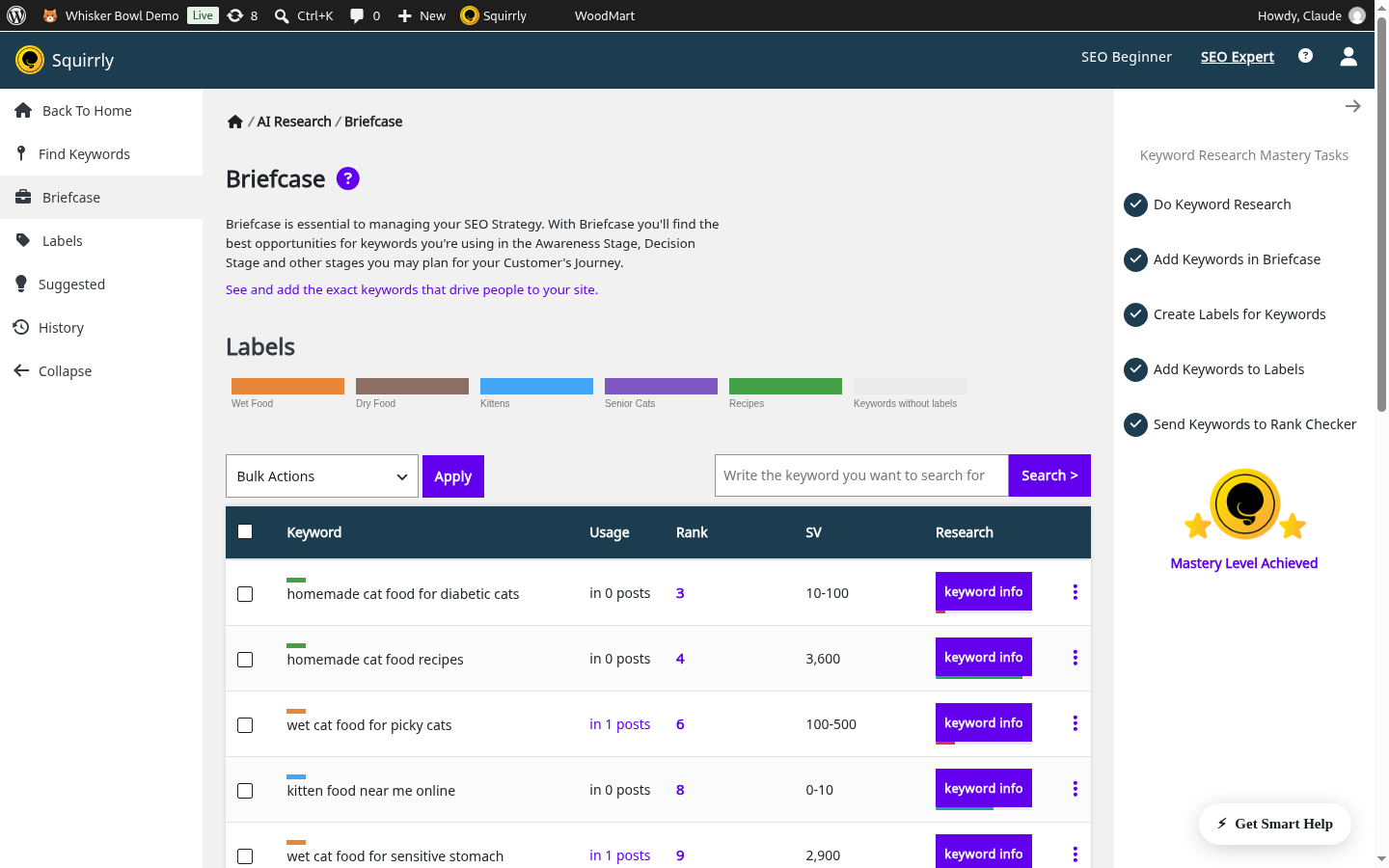
When I import a large number of keywords, is there a way to get the research data for all of them at once?
Right now, the only actions you can perform in bulk for Briefcase keywords are:
Send keywords to Rankings
Assign Label
Delete keywords
The way we thought the process was this – first research keywords using Squirrly’s keyword research tool and then save the best keyword opportunities to Briefcase.
Does Squirrly work like Yoast regarding the ability to see whether a page or post has been optimized correctly?
Q: Does Squirrly work like Yoast regarding the ability to view whether a page or post has been optimized correctly for:
Meta Title
Meta Description
Keyword
^^ with a “traffic light” type of interface (red, orange, green).
Can I do that with Squirrly?
A: yes, you can do that with Squirrly SEO as well.
Both for making the content Search Relevant (with our SEO Live Assistant that gives you instant feedback in real-time) and also for optimizing the Snippet (using the Snippet editor).
The SEO Live Assistant provides real-time SEO feedback on your content as you type in the WordPress editor, along with suggestions for 100% on-page optimization.
I want to be able to use the SEO audit but don’t want Squirrly to load the GA Tracking Script for me. What do I do?
Squirrly ONLY adds the Google Analytics tracking script IF you turn it on and add your Google Analytics ID in Squirrly > Technical SEO > Connect Tools > Place Trackers.
For the script to load, all of these need to be on:
the Google Analytics Tracking feature in Squirrly > All Features (it’s off by default);
your Google Analytics ID in the Place Trackers tab (the field shows only when Google Analytics Tracking is on);
Load Google Analytics Tracking Script for the post types where you want it, in Squirrly > Optimize > Automation.
For the GEO Audit and Focus Pages, Squirrly only uses the Google Analytics connection (from Squirrly > Technical SEO > Connect Tools > Connect Tools) to get the traffic report.
If you connect your Google Analytics account in the Connect Tools tab but DON’T let Squirrly SEO add the tracking script in the Place Trackers tab, the plugin only reads your Google Analytics data for the audits and never loads the script on your site.
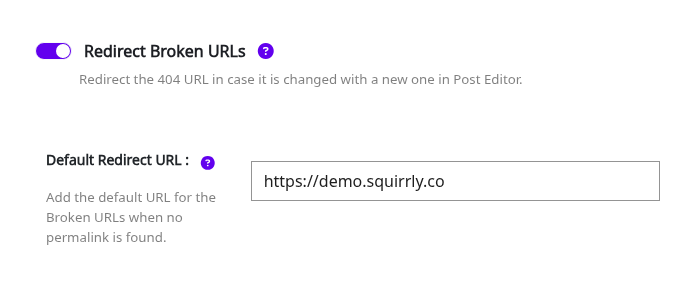
The plugin handles the broken URLs when you change a slug in a post type (Squirrly will redirect the 404 URL to the current valid URL with a 301). This is the Redirect Broken URLs switch in Squirrly > Optimize > Automation > Configuration, set for each post type. It is on by default for Posts, Pages and Products.
We also added the Default Redirect URL on the 404 tab of Squirrly > Optimize > Automation > Configuration, to redirect the broken URLs when no valid permalink is found. Turn on Redirect Broken URLs on that 404 tab too, or the default redirect doesn’t run. Details: Redirect Broken URLs in Automation.
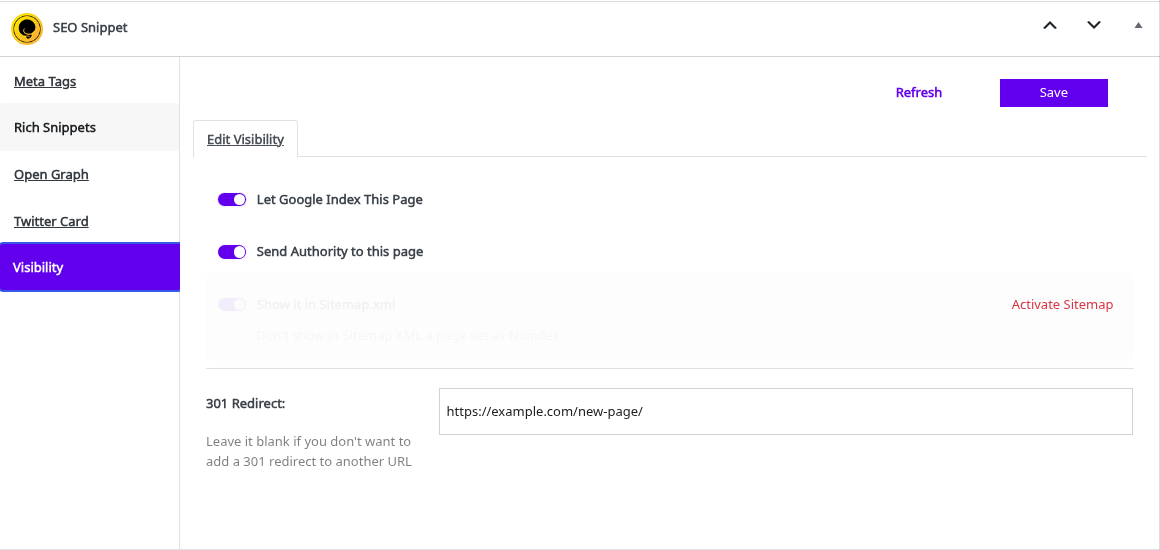
Squirrly also has a 301 Redirect option. One of the best ways to fix a broken link is to redirect it to another page. You can do this by setting up 301 redirects. (recommended for SEO because it’s a permanent redirect that passes full link equity, ranking power, to the redirected pages.)
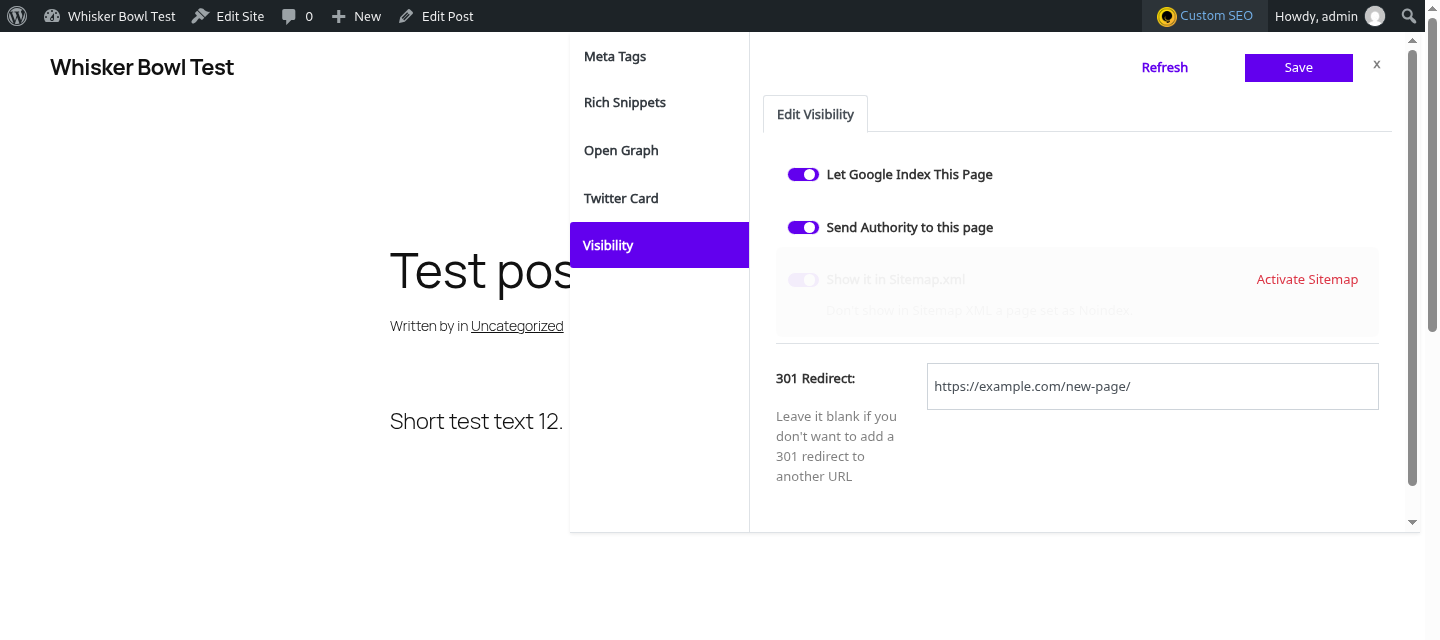
Without the Advanced Pack, the 301 Redirect field is in the Visibility tab of the SEO Snippet, in SEO Expert mode. You find the SEO Snippet in:
Snippets in Bulk SEO
Snippets when Editing Page
Snippets on the Front-End
With the Squirrly SEO Advanced Pack installed, the Visibility tab shows a Manage Redirects link instead of the field. It opens Squirrly > Redirects, where you add redirect rules and see the addresses that returned a 404 in the 404 Monitor.
You can now decide when to redirect an existing page, custom post type, blog post, product, etc. to a new URL.
Note! Squirrly SEO also works well with the free Redirection plugin from WordPress.
Does Squirrly come with training on how to rank for certain keywords on Google?
Yes. You can start the 14 Days Journey Course to GEO, from Squirrly > Home > 14 Days Journey. It gives you one recipe a day for 14 days, all built around one Focus Page. It was called the Journey to Better Rankings before Squirrly SEO 14.
Also, we have a large knowledge base, a YouTube channel, and other documentation that will help you understand how Squirrly SEO works, and how it helps you rank on Google.
You can also create a free account for Education Cloud PLUS, and get access to 3 premium courses every month (courses get changed by rotation). The courses cover a wide array of topics that help you achieve better business and marketing results, and we have a lot of really great courses on SEO that can help you strengthen your knowledge.
How Can I use Squirrly for Google Business Profile (Google My Business) Content Optimization?
Just like traditional website SEO, Google uses a variety of signals to serve search results.
Google Business Profile is the new name of Google My Business. Including important keywords and search phrases in your business profile will be very helpful, especially since your business website is listed directly within your Google Business Profile.
You can use Squirrly’s keyword research tool to do keyword research and the Live Assistant to optimize your business description. (Write the description in a WordPress draft, optimize it with the Live Assistant in the post editor, then copy the optimized text to your Google Business Profile.)
What happens if I replace my Focus Page with another? Will all the work I’ve done be lost?
The Focus Pages system gives you the flexibility to change your Focus Pages as often as you need.
The way we thought about it is: There are over 113 ranking factors to tweak and improve for every single focus page.
A team can influence the ranking factors for about 10 pages at a time. A single user, about 5 pages at a time. Getting traffic, social media shares, writing better and longer content, making sure visitors have a good experience on a page: all these take a lot of focus.
By influencing the ranking factors and turning those Red Dots to Green, you start ranking higher and improving the chances of ranking on the first page.
Once a page starts ranking in TOP 10 on Google, then you no longer need to focus on tweaking the page and you can just check its ranking in Squirrly > Google Rankings to make sure it stays in the top 10.
This frees up space for new pages you want to start ranking.
So, once a page hits the top 10, you can switch it for another one. (this is a best practice, something we recommend; you can switch a Focus Page whenever you want).
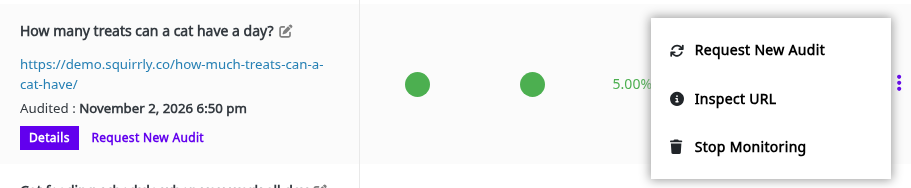
To remove a page, go to Squirrly > Focus Pages, open the three-dot menu at the end of its row and click Stop Monitoring. Then add the new page from Add New Page. The steps are in Focus Pages: stop monitoring a Focus Page.
To make sure a page stays in the top 10, we recommend monitoring the ranking in Squirrly > Google Rankings (it needs the Business plan or one of the Web Dev Kit plans, see Google Rankings). You can monitor your Rankings even after you remove a page from Focus Pages. And if you see the ranking decrease, you can add it again as a Focus Page and run a fresh analysis of your page.
Every time you add a Page as a Focus Page, the system will run a fresh analysis of that page.
However, that doesn’t mean your work will be lost.
For example: if you add page x as your Focus Page, fix the task that says to optimize using the Live Assistant, stop monitoring page x, but then one week later, you add page x back to the Focus Pages section, the system will know that your text is optimized. (because you’ve already done that)
You won’t have to go back and re-optimize using the Live Assistant (unless you decide to change your main keyword and want to optimize for a different keyword).
What is the difference between Focus Pages and the SEO Live Assistant?
The Live Assistant (SLA) and Focus Pages are two completely different features. Meaning: you get to build “search relevance” (and also enhance your content and your strategy) by using the Live Assistant from Squirrly SEO (in the post editor). But that is just a sub-set of what needs to be done in order to rank your focus pages.
All your pages should be optimized using the Live Assistant, but you shouldn’t place ALL your pages as Focus Pages inside Squirrly SEO. Let us tell you more:
Focus Pages analyzes a page’s chances of ranking by analyzing and providing feedback on over 113 ranking factors that Google also takes into account when deciding if it should rank a page on Google and on which position.
One of the things the Focus Pages system checks for is whether your page is optimized using the Live Assistant (to make sure you have Search Relevance). But it also looks at things like:
the keywords you are targeting,
the competition for those keywords and their place inside your strategy,
traffic health (how good and how well targeted is the traffic and do people spend time on the page?),
whether you have backlinks for that page,
whether you have inner links,
and many other factors (again… over 113 factors) that impact your chances of ranking.
A team can influence the ranking factors for about 10 pages at a time. Getting traffic, social media shares, writing better and longer content, making sure visitors have a good experience on a page : all these take a lot of focus.
By influencing the ranking factors and turning those Red Dots to Green, you start ranking higher and improving the chances of ranking on the first page.
Once a page starts ranking in TOP 10 on Google, then you no longer need to focus on tweaking the page and you can just check its ranking in Squirrly > Google Rankings, to make sure it stays in top 10. Google Rankings needs the Business plan or one of the Web Dev Kit plans (see Google Rankings).
And as an extra measure, also add that page to the GEO Audit (Squirrly > GEO Audit). From Google Rankings and the GEO Audit, you’ll get to know how well your previous focus pages keep performing. But you won’t continue to actively invest in those pages, because those are already ranked high.
This frees up space for new pages you want to start ranking (new pages that you can set as Focus Pages).
You’ll start focusing on a new set of pages and you’ll increase the monthly organic visits to your site by ranking the new set of pages. Your previous focus pages will also keep bringing in traffic, so you’ll be compounding a lot of organic visits over time, while also working step by step and being able to focus your efforts.
Does Squirrly SEO Offer Any Internal Linking Features?
With Squirrly SEO, you get access to:
Inner Links Assistant in Squirrly > Focus Pages > Inner Links (two parts: one that finds link opportunities in all your previous content, and one that helps you build new inner links). Read more details here.
Inner link suggestions in Squirrly > AI Research > Suggested, part of Keyword Research. Next to a suggested keyword you’ll find the Add to Inner Links option, and the Related Questions Found list gives you ideas for more content to link to. Read more details here.
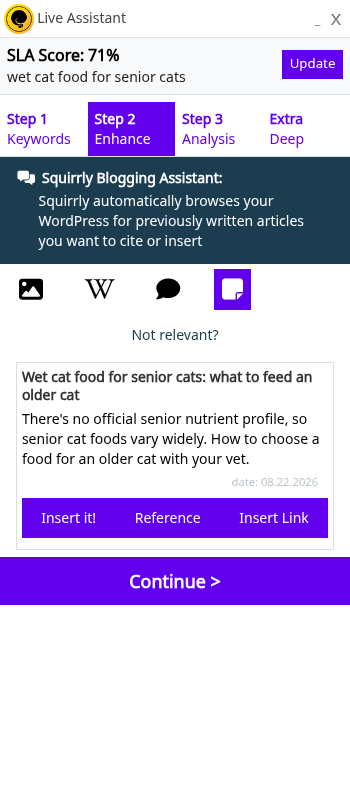
Plus, the My articles tab of the Blogging Assistant (shown below) in the Squirrly Live Assistant lets you search the existing content on your site. That way you can see if you’ve written about the Main Keyword before and add references or internal links.
You can even add snippets of other articles you’ve already written, along with the inner link and the reference to your own content.
Also, for each Focus Page, Squirrly runs an Inner Links check. It uses the internal WordPress data to see if you’ve added links from other pages on your WP site to that Focus Page.
How does the size of Squirrly’s keyword database compare with the likes of Ahrefs and SEMRush?
We don’t have a keyword database.
All the research is made in real time using the Google Search API and social media.
Our keyword research data is fresh, since we don’t use cached databases. Our maximum caching time is about 48 hours, not a whole year or two like in other tools.
We use the Google API and run the results through our own proprietary technology to define search volumes and more, and we use social media for the Discussion data. So the data is FRESH every time.
We have our very own algorithms to offer the industry’s best data for Keyword Research. We’ve been building research algorithms since 2012.
This is why a research can take a little while: many processes are running. But it also means Squirrly users get real-time, fresh info every day / every time they run a new keyword research in Squirrly > AI Research > Find Keywords.