Add Custom Open Graph Metadata
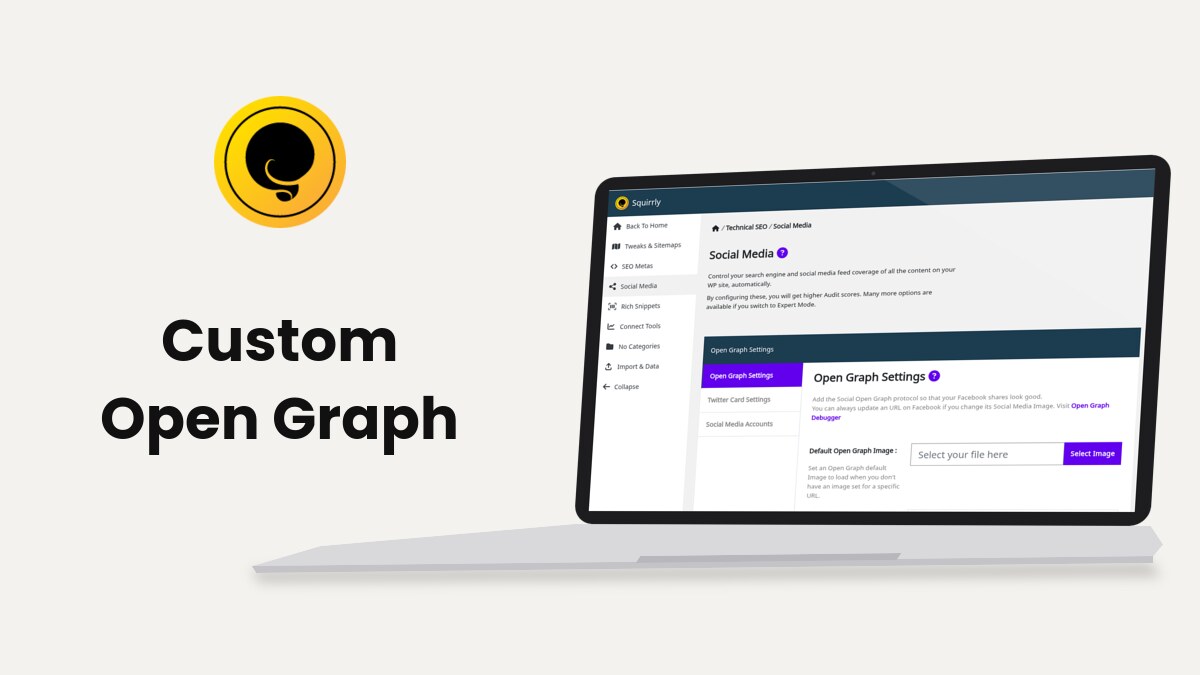
Squirrly SEO lets you change the Open Graph tags of one page from the Open Graph tab of its SEO Snippet, and of many pages at once with the sq_open_graph filter. The global defaults are in Social Media Settings.
The Bulk SEO task text says these tags control “the way your post looks when people share this URL to Facebook, LinkedIN and other social networks”. The examples come from demo.squirrly.co with Squirrly SEO 14.2.9.
The tags Squirrly writes
The tags go in the page head as <meta property="og:...">. On the demo post “How to feed multiple cats with different diets”, they start like this:
<meta property="og:url" content="https://demo.squirrly.co/feeding-multiple-cats/" />
<meta property="og:title" content="How to feed multiple cats with different diets" />
<meta property="og:type" content="article" />
<meta property="og:image" content="https://demo.squirrly.co/storage/2026/10/feeding-multiple-cats.jpg" />
<meta property="og:site_name" content="Whisker Bowl Demo" />
<meta property="og:locale" content="en_US" />| Tag | Where Squirrly takes it from | Change it in |
|---|---|---|
og:url | The URL of the page | The sq_open_graph filter |
og:title | The Open Graph title, or the SEO title cut at Open Graph Title Length | Open Graph tab |
og:description | The Open Graph description, or the meta description cut at Open Graph Description Length | Open Graph tab |
og:type | The OG Type of the page, or the one of its post type | OG Type, or Automation |
og:image | The snippet image, the images of the post, then the default image | Media Image |
og:site_name | The WordPress Site Title | Settings > General in WordPress |
og:locale | The site language, or Facebook Share Language | Social Media Settings |
Change the Open Graph of one page
- Open the page in the editor and scroll to the SEO Snippet box. You can also click the page’s dot in the Open Graph column of Squirrly > Optimize > Bulk SEO.
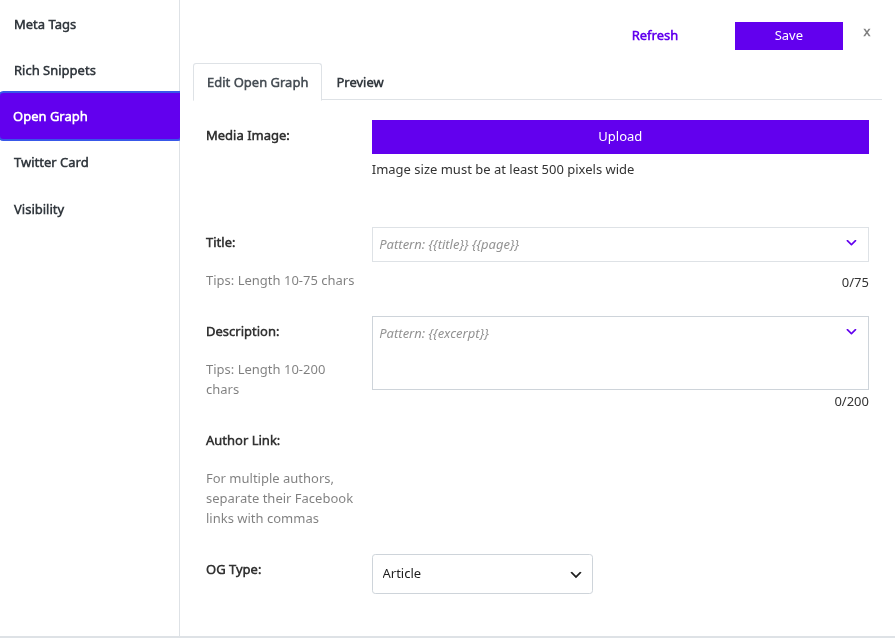
- Open the Open Graph tab and click Edit Open Graph.
- Click Upload under Media Image and pick an image at least 500 pixels wide.
- Write the Title and the Description, or leave them on the pattern.
- Add the author’s Facebook profile in Author Link. For several authors, separate the links with commas.
- Pick an OG Type, or keep (Auto) to use the type of the post type.
- Click Save, then Validate Snippet to open the page in the Facebook Sharing Debugger.
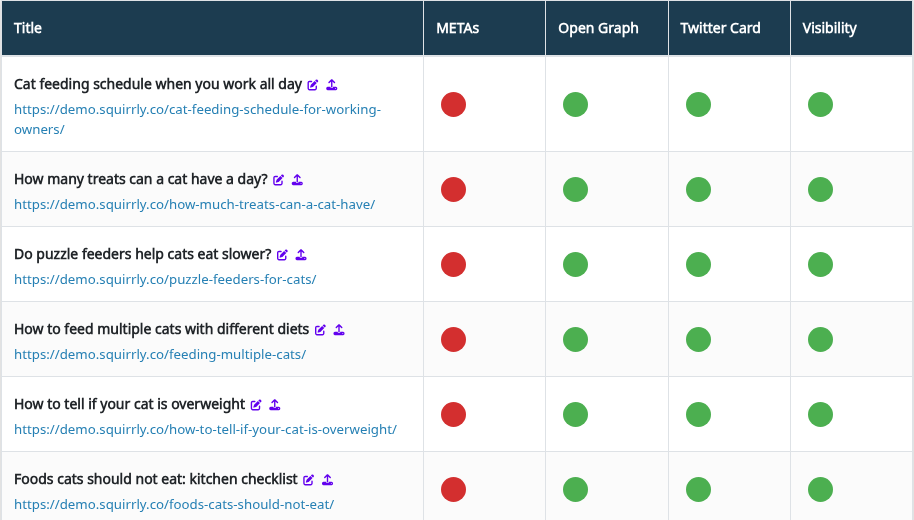
The preview under the fields is titled “How this page appears on Social Media”. Bulk SEO lists the tasks behind the green and red dots, such as OG title not empty and OG Image.
Example on the demo store
The Open Graph tab shows the pattern each empty field falls back to. The page source shows the values that come out:
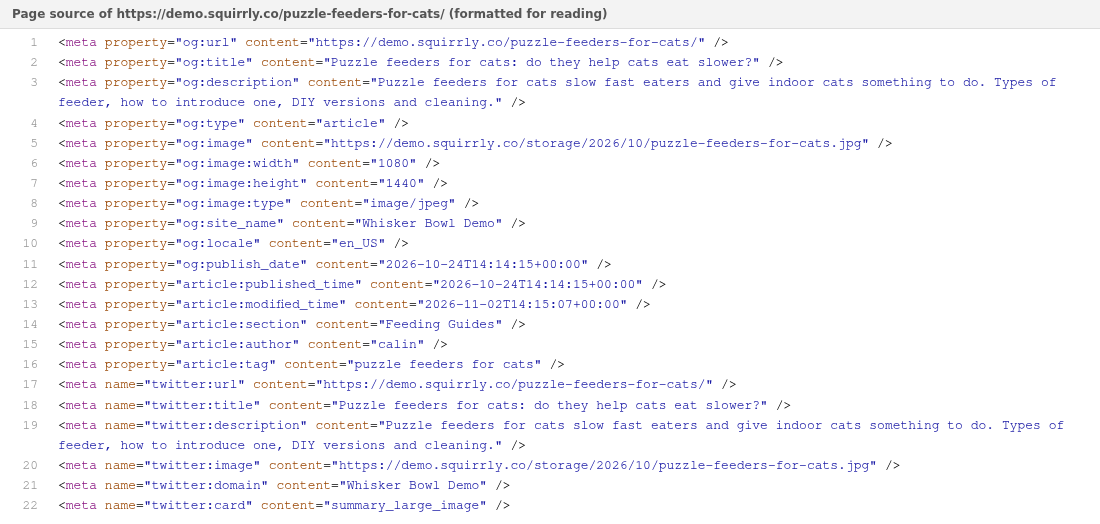
Change the Open Graph with a filter
sq_open_graph passes the tags as an array, with the tag name as the key. Squirrly builds the array at priority 10 and turns it into meta tags at 99, so a filter at priority 11 sees every value and can change it.
add_filter( 'sq_open_graph', function ( $og ) {
    // Add a description of the image on every product page
    if ( is_singular( 'product' ) ) {
        $og['og:image:alt'] = get_the_title();
    }
    return $og;
}, 11 );
Put the code in the functions.php of a child theme or in a small plugin. Always return $og, because a filter that returns nothing removes all the Open Graph tags from the page.
| To | Do this in the filter |
|---|---|
| Change a tag | $og['og:title'] = 'New title'; |
| Add a tag | $og['og:image:alt'] = 'Text'; |
| Add the same tag twice | Give it an array: $og['og:image'] = array( $url1, $url2 ); |
| Remove a tag | unset( $og['og:locale'] ); |
The same mechanism exists for JSON-LD, described in Add Custom JSON-LD Structured Data. Squirrly escapes every value and prints it as <meta property="key" content="value" />. The filter runs only while Open Graph Optimization is on in Squirrly > All Features.
Troubleshooting
“Image size must be at least 500 pixels wide”
The SEO Snippet shows this next to Media Image. Upload a wider image.
Facebook still shows the old title or image
Click Validate Snippet and fetch the page again in the Facebook Sharing Debugger.
“Post Type (…) was excluded from Squirrly > Automation”
Squirrly doesn’t load on the front end for that post type, so the tags aren’t printed. Add the post type back in Squirrly > Optimize > Automation.
Frequently asked questions
Does the Open Graph title replace my SEO title?
No, it changes only og:title, and the page title in Google stays the same.
Do other plugins’ Open Graph tags stay on the page?
No, while Open Graph Optimization is on Squirrly removes the other og: and article: tags.
Can I set the Open Graph of a category page?
Yes, the term editor of a category has the same SEO Snippet box.
Related tutorials
- Social Media Settings: the default image, language and accounts.
- Add Custom Twitter Card Metadata: the same for the X preview.
- Bulk SEO & Snippet: fix the Open Graph of many pages from one list.
- How To Customize the Squirrly SEO Snippet Image: pick the image the snippet shows.