
14 Days Journey Course to GEO
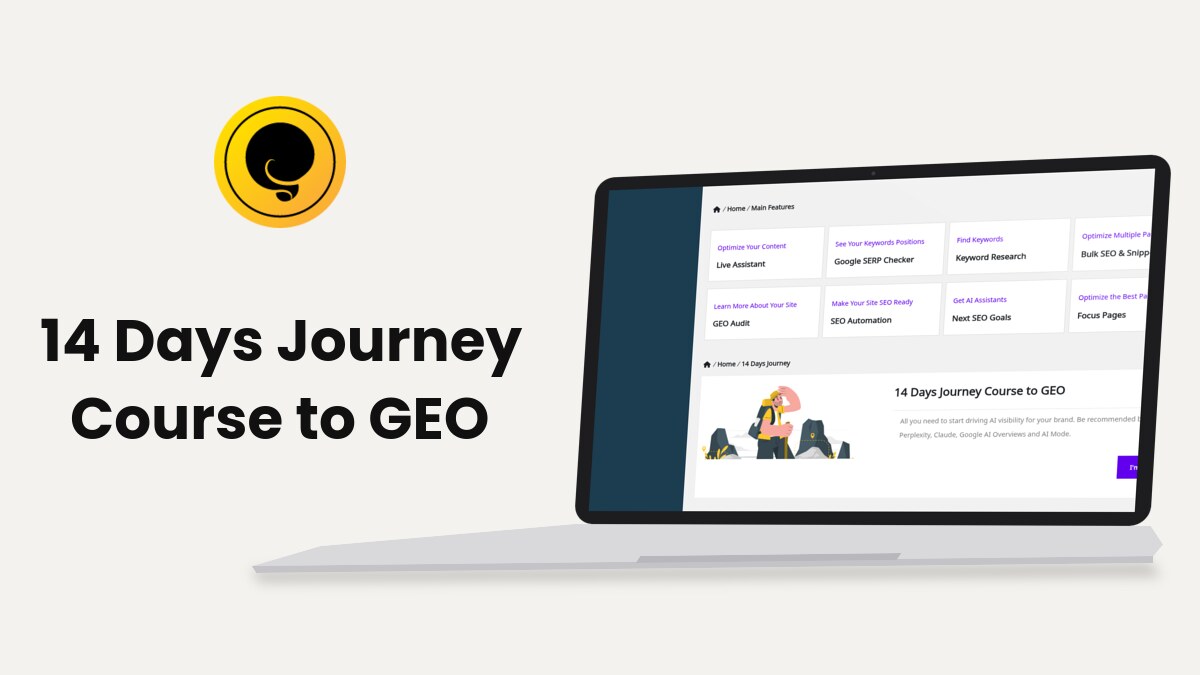
The 14 Days Journey Course to GEO is a course inside Squirrly SEO, started from Squirrly > Home > 14 Days Journey. It gives you one recipe a day for 14 days, all built around one Focus Page.
The screenshots come from demo.squirrly.co, a test store for cat food, with Squirrly SEO 14.2.9 and the Advanced Pack 2.5.11.
What the course does
The block on Home describes it as “All you need to start driving AI visibility for your brand. Be recommended by ChatGPT, Perplexity, Claude, Google AI Overviews and AI Mode.” Each day links to a recipe on this knowledge base, and the course page shows which day you’re on.
Squirrly counts the days from the date you click I’m ready. On that date you’re on Day 1, the next calendar day is Day 2, and so on. Every day up to today gets a check mark, whether or not you did its tasks.
The course uses the features of a connected site: Focus Pages, the Briefcase, the Live Assistant, the GEO Audit and Google Rankings. Connect the site to Squirrly Cloud first (see Connect Squirrly SEO to Squirrly Cloud).
Where to find it
| Place | What you see |
|---|---|
| Squirrly > Home, block 14 Days Journey | The start button before you begin, then the row of 14 days |
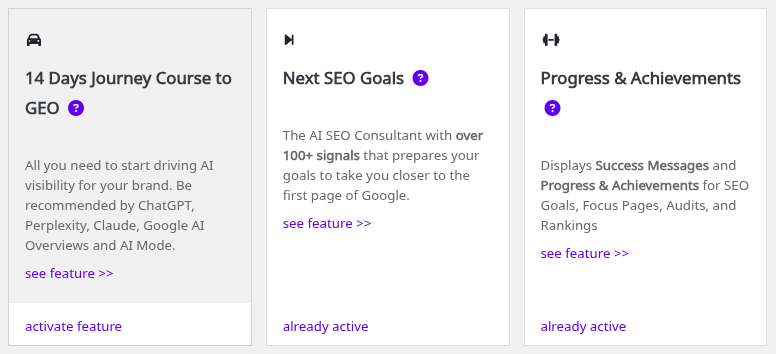
| Squirrly > All Features, section Unique SEO Features | The card 14 Days Journey Course to GEO, with activate feature before you start |
| The Squirrly menu in the WordPress admin bar | Home > 14 Days Journey, while the block is shown on Home |
The course page needs the Squirrly SEO Editor role. Without it the page says “You do not have permission to access this page. You need Squirrly SEO Editor role.”
How to start the course
- Go to Squirrly > Home and scroll to the 14 Days Journey block.
- Click I’m ready.

Squirrly saves today’s date as the start of the course and opens the course page. It has the heading Your 14 Days Journey To AEO / GEO Visibility, a row with Day 1 to Day 14, and a large button for today.
- Click Day 1: Open the GEO recipe for today. The recipe opens in a new tab.
- Do the tasks in the recipe. Most of them take you to a Squirrly screen, such as Focus Pages or the Briefcase.
Come back the next day. The button changes to Day 2: Open the GEO recipe for today on the course page and on the Home block.
The 14 daily recipes
Each recipe has a “Goal for today” at the top. Day 1 asks you to pick one Focus Page, and the other days work on that page.
| Day | Goal for the day |
|---|---|
| Day 1 | Choose a Focus Page and look at its red elements |
| Day 2 | Find a direct keyword to target on that Focus Page |
| Day 3 | Save the keyword in the Briefcase, optimize the page for it, then index it with Google Search Console |
| Day 4 | Run a new SEO test, get the visibility settings green and start tracking the page’s ranking |
| Day 5 | Add secondary (SEO Context) keywords and optimize the page to at least 30% for them |
| Day 6 | Get the snippet all green, add Google Analytics and share the page on social media |
| Day 7 | Read your audit and start raising its score |
| Day 8 | Check the ranking data and build authority for the page |
| Day 9 | Fix the SEO images, the bounce rate and the outbound links |
| Day 10 | Add inner links from satellite pages, re-index with Google Search Console and check for SEO errors again |
| Day 11 | Send traffic to the Focus Page, for example from your email list |
| Day 12 | Get the page to 1,500 words and fix the issues left |
| Day 13 | Get the satellite pages green in Bulk SEO and re-index them |
| Day 14 | Tell the JourneyTeam you finished and send your feedback to Squirrly |
The 1,500 words of Day 12 are the same target the AI Consultant uses in its goal for long Focus Pages, which links to the Day 12 recipe.
Menu names in the recipes
The recipes were written for earlier versions of the plugin, so some screens have new names in Squirrly SEO 14.2.9.
| The recipe says | In Squirrly SEO 14.2.9 |
|---|---|
| SEO Live Assistant | Live Assistant, under Squirrly > Optimize |
| Research, Keyword Research | Squirrly > AI Research > Find Keywords |
| Performance Analytics, Rank Checker | Squirrly > Google Rankings |
| SEO Audit, Site Audit | Squirrly > GEO Audit |
| Bulk SEO Settings | Squirrly > Optimize > Bulk SEO |
| SEO Settings, SEO Configuration | Squirrly > Technical SEO |
| Run a New SEO Test, Next SEO Goals | Run New SEO Test on the AI Consultant screen |
For the screens themselves, use the current guides: Bulk SEO & Snippet, Inner Links and Connect Tools.
If you miss a day
The count doesn’t stop when you skip a day. The button moves on to the current day, but every day in the row stays a link to its recipe.
- Go to Squirrly > Home and scroll to 14 Days Journey.
- Click the circle or the name of the day you missed, for example Day 3.
- Do that recipe, then go on with today’s.
Today and the days before it show a check circle. Days still ahead show an empty circle.
After day 14
From the 15th day the heading changes to “Congratulations! You’ve completed the 14 Days Journey To AEO / GEO Visibility”. All 14 days keep their links, and the Home block adds the line “If you missed a day, click on it and read the GEO recipe for it.”
- Go to Squirrly > Home.
- Click I’m all done. Hide this block. under the row of days.
The block leaves Home and the admin bar. The course page still opens from the 14 Days Journey Course to GEO card in Squirrly > All Features, with every recipe linked.
Squirrly SEO 14.2.9 has no button that restarts the count. To use the course on a second Focus Page, open the recipes from the day links in your own order.
The JourneyTeam group
The course page invites you to “Join the rest of the JourneyTeam on the Facebook Group”, where you can tell the members you started. The link opens facebook.com/groups/squirrlyjourneyteam, and the Day 14 recipe asks you to post there when you finish.
Troubleshooting
The 14 Days Journey block isn’t on Home
It’s hidden after I’m all done. Hide this block., or a Dev Kit package turned it off. Open the course from Squirrly > All Features instead.
“You do not have permission to access this page. You need Squirrly SEO Editor role.”
Your WordPress user lacks the Squirrly SEO Editor role. Ask an administrator to give it to you.
The day number is ahead of my work
The count follows the calendar from your start date. Open the day you’re on from the row of days and keep going.
A recipe names a menu I can’t find
The screen got a new name in version 14. Check Menu names in the recipes.
Frequently asked questions
Can I read a recipe before its day?
Yes, every day in the row is a link from the moment you start, so you can open Day 14 on Day 1.
Where do the recipes open?
Each one opens in a new browser tab, on the Squirrly knowledge base.
Can I work on more than one page?
The Day 1 recipe asks you to pick just one Focus Page for the 14 days.
Does Squirrly check that I did the tasks?
No, the course only counts days, while the AI Consultant and Focus Pages check the page itself.
Related tutorials
- How to start the 14 Days Journey if I already have the plugin installed: the course on an older install.
- Focus Pages & Page Audits: add the page you pick on Day 1 and read its red elements.
- Keyword Research and SEO Strategy: find the keyword for Day 2 and save it on Day 3.
- AI Consultant (Next SEO Goals): run the SEO test of Day 4 and work on its goals.
- 14 Days Journey Section Inside Squirrly SEO: a video of the course block.







0 Comments