Yes, you can stack more than one Squirrly subscription under the same Squirrly account. That is License Stacking: the limits of the subscriptions add up, so the account gets more websites, more keyword researches, more Focus Pages and, with Business plans, more SERP Checker credits.
What goes up when you stack
With PRO subscriptions you get more:
websites on the account
keyword researches on the account
Focus Pages on the account
Stacking Business plans, or a PRO with a Business plan, also gives you more SERP Checker credits.
See your limits
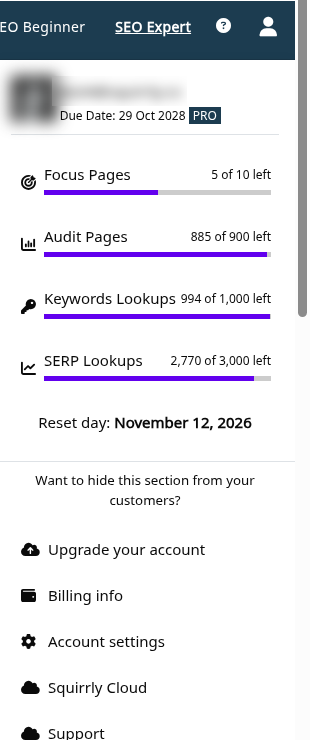
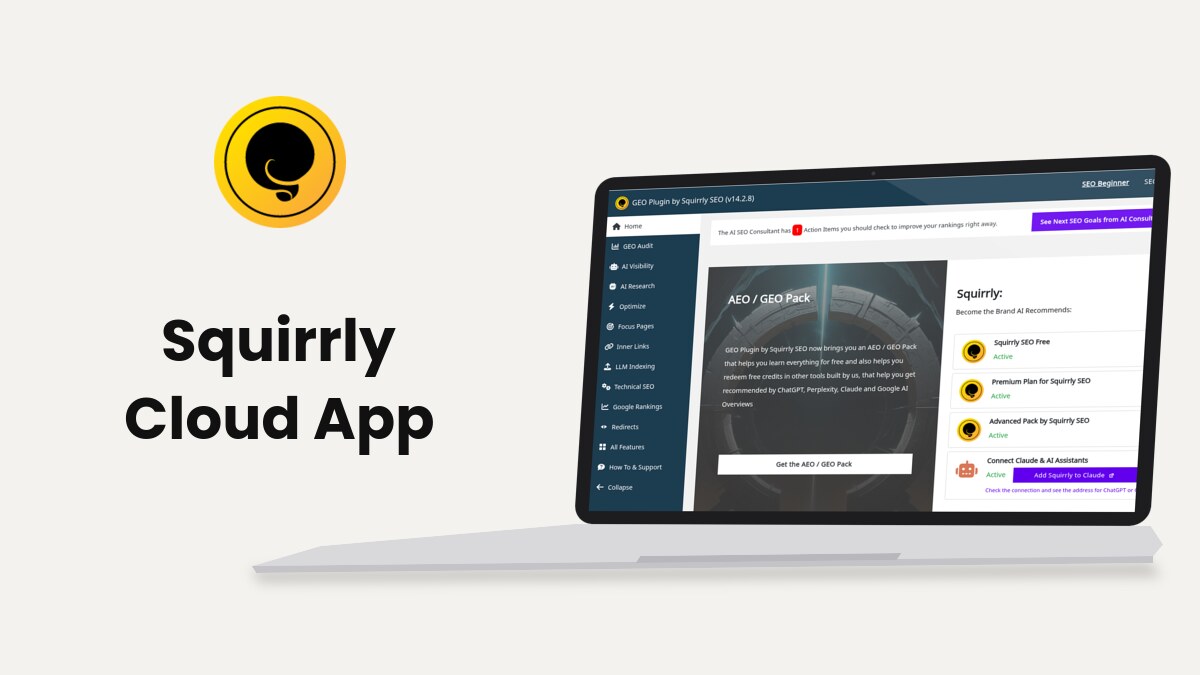
The limits of your own account show in the Squirrly account menu in WordPress. Click the plan name to open your account in Squirrly Cloud. See Squirrly Cloud App: your plan in the account menu. For current plans and prices, check the pricing page.
How Can I Change My Squirrly Account?
In this short tutorial, we’re going to show you how to change an account that’s currently connected to Squirrly SEO. This may come in handy in situations such as:
you’ve created a Squirrly SEO account using the wrong email address, want to disconnect it from Squirrly SEO and connect with the correct email address
you want to change an old account used to connect to Squirrly with a new account
Disconnecting doesn’t delete your SEO work. Your titles, descriptions and settings stay in WordPress. Keyword Research, Focus Pages, audits and rankings stop until the site is connected again.
Step 1: In your WordPress Admin Menu, open the Squirrly SEO plugin
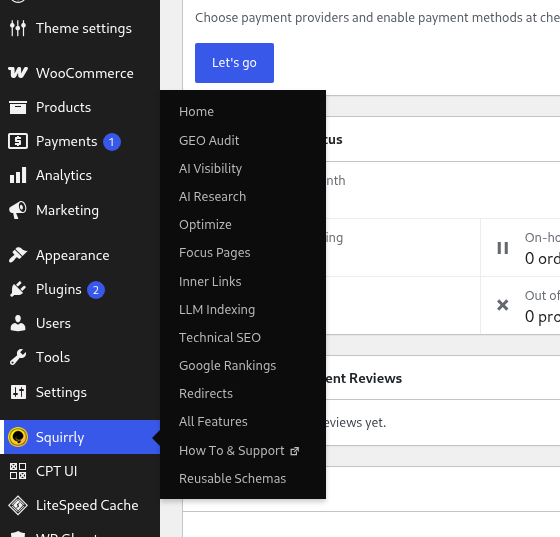
From the left-hand menu in your WordPress dashboard, click on Squirrly.
Step 2: Open the account menu
Click the person icon at the right end of the dark Squirrly header, next to SEO Beginner and SEO Expert. The account menu opens with the email address of the connected account at the top. The icon shows only to WordPress administrators.
Step 3: Disconnect the current account
Click Disconnect at the bottom of the account menu. This disconnects your site from the currently connected Squirrly account and from the Squirrly Cloud. The menu item Squirrly > Home is now called First Step.
Step 4: Connect using the new account
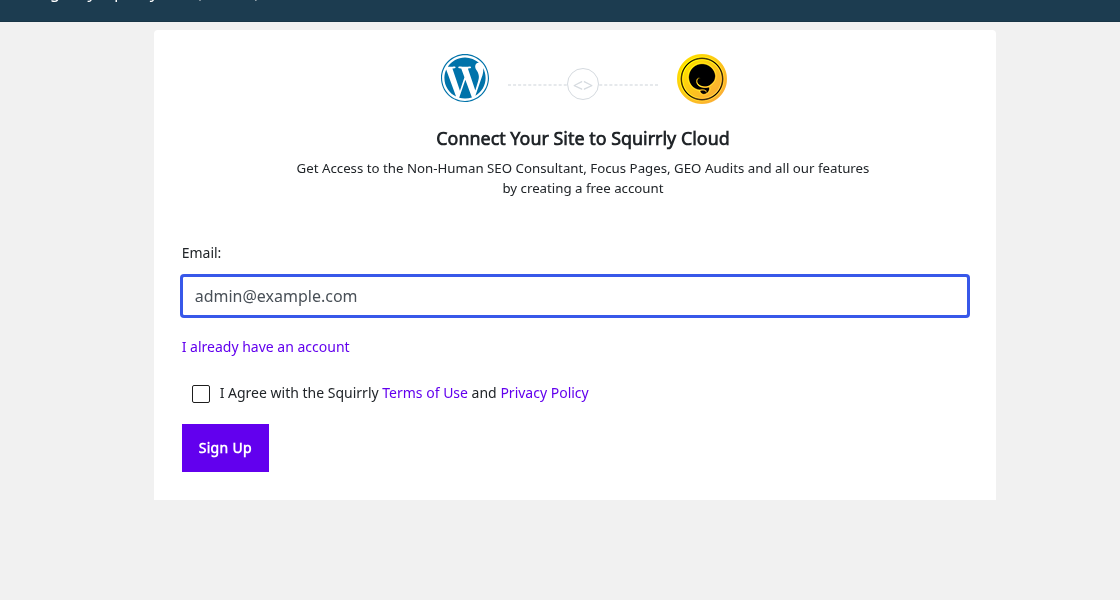
Go to Squirrly > First Step, the screen Connect Your Site to Squirrly Cloud. Then sign in with the correct email address (or the new account you want to use):
For an account you already have, click I already have an account, type the Email and Password, and click Login.
For a new account, type the email, tick I Agree with the Squirrly Terms of Use and Privacy Policy and click Sign Up.
You don’t need to change the account when you copy a site to staging, clone it or move it to a new address. WordPress shows a red notice and the screen This site needs to reconnect to Squirrly Cloud instead. Click Reconnect this site: Squirrly drops the old site keys and connects again with the same Squirrly login. After you move a site or change its address explains it.
What Special Features Does Squirrly Offer for Local SEO?
Squirrly provides Schema for Local Business. Coordinates, opening hours, menus and more are available. You can learn more about this here.
Meta data for GEO and location: especially helpful for Local SEO and the Knowledge Graph.
Add the coordinates (latitude and longitude) and the address of your main location.
Squirrly uses them for your Organization and for the Publisher details on your WordPress site.
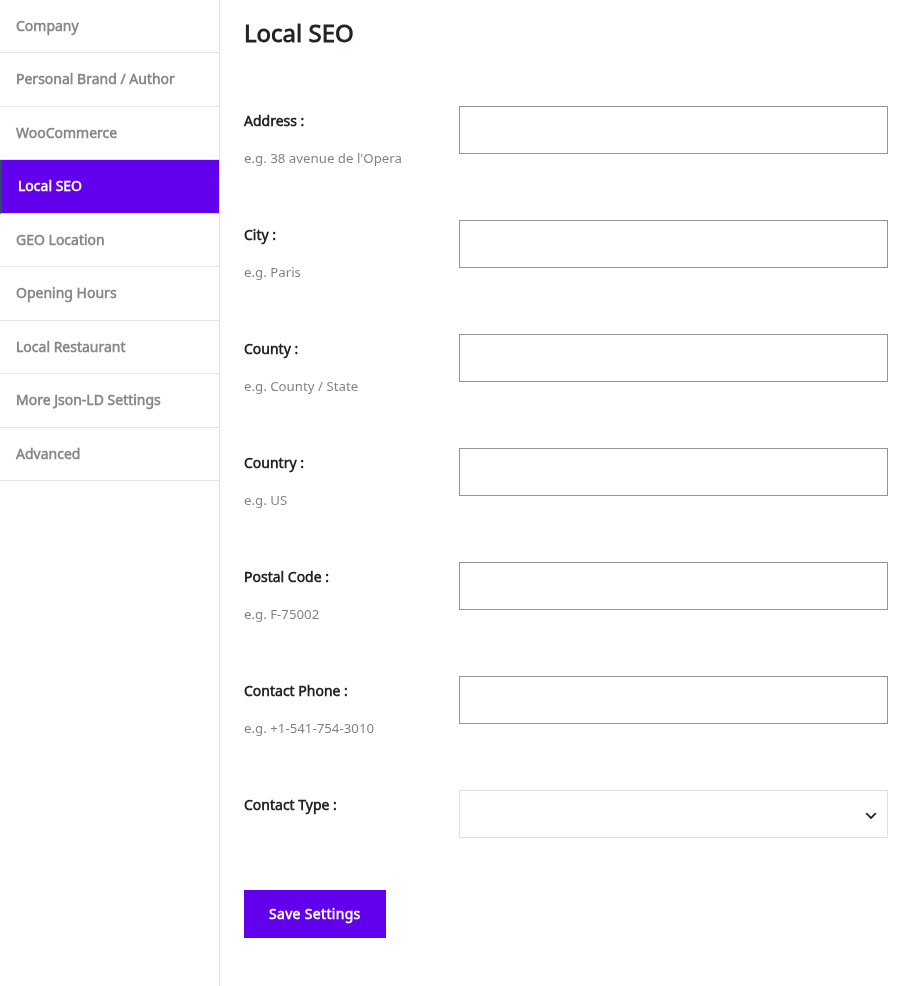
You build the Schema for Local SEO directly in WordPress, in Squirrly > Technical SEO > Rich Snippets. The tabs are Local SEO, GEO Location, Opening Hours and Local Restaurant.
For multiple locations, you can build the Schema yourself with the Custom Code option. Open the SEO Snippet of the page, go to the Rich Snippets tab, set Custom Schema to Custom Code and paste your own JSON-LD. The steps are in Add Custom JSON-LD Structured Data.
Squirrly also builds a KML file (/locations.kml) with your GEO coordinates, so you can add your local business to Google Earth. The download link is in the GEO Location tab.
Squirrly SEO guides you step by step and explains each task, so people who aren’t SEO experts can also get visible on Google.
How is Squirrly Addressing the Core Web Vitals SEO Scoring Method?
Squirrly SEO doesn’t show the Core Web Vitals scores (LCP, INP, CLS) themselves. It checks the page experience signals around them in Focus Pages and in the GEO Audit.
Page experience has been one of the main reasons we’ve created Focus Pages and it goes a little beyond just page speed and coding propriety. Time on page, bounce rates and the number of visitors a page gets are part of the Focus Pages checks too.
What Focus Pages checks
Task in Focus Pages
What it checks
SEO speed
The loading time of the page, in seconds, from the site audit
Mobile-friendly
Whether the page works well on mobile devices
Below 50% Bounce Rate
The bounce rate of the page, from Google Analytics
Time on page is 2 minutes
The average time visitors spend on the page, from Google Analytics
The traffic tasks need Google Analytics connected in Squirrly > Technical SEO > Connect Tools.
Page load time in the GEO Audit
The GEO Audit report (Squirrly > GEO Audit) has a Page load time check. It uses Google PageSpeed Insights to get the Average Loading Time of your website. Details are in GEO Audit: Page load time and Google PageSpeed Insights.
To see the Core Web Vitals numbers for one URL, run that URL in Google PageSpeed Insights.
What is the SERP Checker Cloud?
The SERP Checker Cloud is a service that Squirrly developed to provide accurate ranking data inside the Focus Pages section and inside Squirrly > Google Rankings.
Google Rankings with the SERP Checker Cloud needs the Business Plan of Squirrly SEO or one of the Web Dev Kit plans. On those plans, the Tips line in Google Rankings reads “SERP Checker Business: We update the best ranks for each keyword, daily. 100% accurate and objective.”
Without the SERP Checker Cloud, the ranking data in Google Rankings is taken from Google Search Console, which is not an exact position: it’s an average (the Avg Rank column). Also, you can’t use it to check data for any kind of keyword whenever you want. You can only check keywords from within GSC’s database for your site.
So, one of the benefits of getting a plan that includes the SERP Checker Cloud is this:
Ranking data will come from our Private SERP Checker Cloud Services and you will see exact positions for any keyword you want to check.
How to add keywords, read the Rank and Best columns and recheck a rank: Google Rankings.
What is the difference between Focus Pages and the SEO Live Assistant?
The Live Assistant (SLA) and Focus Pages are two completely different features. Meaning: you get to build “search relevance” (and also enhance your content and your strategy) by using the Live Assistant from Squirrly SEO (in the post editor). But that is just a sub-set of what needs to be done in order to rank your focus pages.
All your pages should be optimized using the Live Assistant, but you shouldn’t place ALL your pages as Focus Pages inside Squirrly SEO. Let us tell you more:
Focus Pages analyzes a page’s chances of ranking by analyzing and providing feedback on over 113 ranking factors that Google also takes into account when deciding if it should rank a page on Google and on which position.
One of the things the Focus Pages system checks for is whether your page is optimized using the Live Assistant (to make sure you have Search Relevance). But it also looks at things like:
the keywords you are targeting,
the competition for those keywords and their place inside your strategy,
traffic health (how good and how well targeted is the traffic and do people spend time on the page?),
whether you have backlinks for that page,
whether you have inner links,
and many other factors (again… over 113 factors) that impact your chances of ranking.
A team can influence the ranking factors for about 10 pages at a time. Getting traffic, social media shares, writing better and longer content, making sure visitors have a good experience on a page : all these take a lot of focus.
By influencing the ranking factors and turning those Red Dots to Green, you start ranking higher and improving the chances of ranking on the first page.
Once a page starts ranking in TOP 10 on Google, then you no longer need to focus on tweaking the page and you can just check its ranking in Squirrly > Google Rankings, to make sure it stays in top 10. Google Rankings needs the Business plan or one of the Web Dev Kit plans (see Google Rankings).
And as an extra measure, also add that page to the GEO Audit (Squirrly > GEO Audit). From Google Rankings and the GEO Audit, you’ll get to know how well your previous focus pages keep performing. But you won’t continue to actively invest in those pages, because those are already ranked high.
This frees up space for new pages you want to start ranking (new pages that you can set as Focus Pages).
You’ll start focusing on a new set of pages and you’ll increase the monthly organic visits to your site by ranking the new set of pages. Your previous focus pages will also keep bringing in traffic, so you’ll be compounding a lot of organic visits over time, while also working step by step and being able to focus your efforts.
How Does Squirrly Determine if a Keyword is Easy to Rank for?
For keyword research: To determine if a keyword is easy to rank for, we look at the TOP 10 positions in Google for that keyword and compare your web authority against theirs.
We use our Market Intelligence for this. You can learn more about it below:
Over 8 years of stored data inside our databases, using APIs from our own Squirrly SPY, ContentLook, Workers (processing technology created by Squirrly), Crawlers, SERP Checker Cloud by Squirrly.
Plus APIs from: MOZ, Majestic, Piwik, Google Search Console, Google Analytics, SEMrush. Plus Plus: data collected and stored from those APIs for many years.
We have proprietary technology and algorithms working around the clock for our Market Intelligence service that we use in Squirrly SEO tools such as:
GEO Audit,
Focus Pages,
AI Research (Keyword Research).
Such proprietary tech designed by the Squirrly Company was used by Telenav, Microsoft, Ann Handley, Neil Patel, Top Gear, CyberGhost, SeedCamp.
I Create YouTube Videos. How Can Squirrly Help Me Rank My Videos?
You can use some of the features from Squirrly for platforms like YouTube.
For example, you can use the keyword research tool to determine what topics you should tackle when creating content that you want to distribute via YouTube.
Using the SEO LIVE Assistant feature, you can also optimize your video descriptions for your target keyword (you can do the optimization inside the Cloud App or using the WordPress plugin and then simply copy/paste the optimized content as your YouTube description).
Can I use Squirrly for a Site That’s Not Built on WordPress?
The Squirrly Cloud App can help if you want to use Squirrly for sites that are NOT on WordPress.
Watch the VIDEO below to learn more about how to use Squirrly with Wix, SquareSpace or any CMS.
Some features such as Focus Pages are not available, but the Cloud App can be used to:
perform keyword research
build your keyword portfolio
optimize using the Live Assistant
Audit pages (GEO Audit)
Monitor rankings (Google Rankings, on the Business plan or the Web Dev Kit plans)
+ more
A comparison between Squirrly SEO for WordPress and Squirrly SEO Cloud App (for all other kinds of websites) can be seen here:
https://completeseofunnel.com/squirrlyseocloud
^^ The ! mark you see on the graphic means that you need to look further inside that place and you will see that some features have red dots with NO, which means they are not included in the Cloud App.
So perfect green means all is included. Green with! requires attention, because some parts of that are not included in Cloud, only in Plugin+Cloud.
Related Questions:
Q: If I don’t use WordPress, can I still use all the features? Would there be any feature I can’t use? How much will the fact that I’m not on WordPress and can only use your cloud version affect my ability to rank high on Google?
A: Some features are not available in the Cloud App. For example, you will not be able to use Focus Pages. Because of how the Focus Pages system works, we are unable to offer this feature unless you use WordPress. Also, the Cloud App won’t help you optimize the metadata and descriptions. That is only available with the Squirrly SEO WordPress plugin.
However, all the following features are included Cloud version, which means you can use the cloud app to perform key SEO tasks to rank higher.
Keyword Research;
Briefcase;
GEO Audit (called SEO Audit in earlier versions);
Live Assistant to optimize content in real-time;
Google Rankings (called SERP Checker in earlier versions). It needs the Squirrly SEO Business plan or one of the Web Dev Kit plans.
^^ all are included. So it’s still a solid SEO software, even though it’s missing: the AI Consultant (called Next SEO Goals in earlier versions) and Focus Pages, which we can only fully provide when used together with the WordPress plugin.
Q: For non-WordPress sites, do we install a script, or does Squirrly connect to GA and GSC or something?
A: Squirrly connects to Google Analytics and Google Search Console.
Q: My website is done by a third party (Promote my Place) and I’ve not been able to add any personal plugin which is why have never used Yoast. Can I still use Squirrly?
A: Yes, if you can’t install the plugin, then you can use the Cloud App, which doesn’t require you installing anything on your website.
Q: Can Squirrly SEO be used as a stand-alone application? Or does it have to be implemented as a WordPress plug-in to function properly?
A: The Cloud App can be used for websites that are NOT on WordPress as a standalone app.
Q: Is this application valid for a drop shipping store?
– Keyword research. You can use Squirrly’s keyword research tool to find keywords that people are typing into Google and analyze their potential;
– Keyword Management for different SEO Strategies using Labels;
– On-Page SEO. You can use the Live Assistant to create optimized product descriptions or optimized blog posts, for example. (you would create the optimized content on the Cloud App and then copy-paste it on your website)
– GEO Audits for the pages you want to track
– Google Rankings monitoring (Business plan or Web Dev Kit plans)
Changing URL in WordPress Block Editor (Gutenberg)
Changing the permalink in the sidebar
Open the post or page in the WordPress Block Editor. In the right sidebar, click the Post (or Page) tab and find the Slug row. On the page set as your front page, the row is called Link.
Click the slug in that row. A box titled Slug opens, with the line “Customize the last part of the Permalink.” Type the new slug there and close the box.
Then click Save at the top of the editor (Publish, on a post that isn’t published yet) to apply the change right away.
If the post was already published, Squirrly SEO sends visitors from the old URL to the new one with a 301 when Redirect Broken URLs is on for that post type in Squirrly > Optimize > Automation. It is on by default for posts, pages and products.
If you are using the Squirrly SEO Live Assistant to optimize your article, make sure you include the keyword in the post/page URL.
Before you leave
Future of AEO GEO and AI Search!
Free Now. Free Forever.
Trusted by 139,000+ students who've learned from AISQ Growth