GEO Audit
The GEO Audit at Squirrly > GEO Audit checks the pages you pick for AI answer engines and for classic search, then gives the site a score from 0 to 100 and a list of tasks. It replaced the SEO Audit Suite and adds an AEO/GEO section to the report.
The screenshots come from demo.squirrly.co, a test store for cat food, with Squirrly SEO 14.2.10 and the Advanced Pack 2.5.12.
How the GEO Audit works
You choose the pages, and only those pages are audited. The screen text says the audit checks “how ready your website is to be found and cited by AI answer engines like ChatGPT, Perplexity and Google AI Overviews, as well as classic search”.
The GEO Audit runs on Squirrly Cloud, so the plugin must be connected to Squirrly Cloud. A new audit is made every week and sent by email, and you can ask for one sooner. The number of pages you can add comes from your Cloud plan.
Each audit groups its tasks in seven sections. A task is either done (thumbs up) or not (thumbs down), and the score goes up as you finish tasks.
| Section | What it checks |
|---|---|
| AEO/GEO | Answer and generative engine readiness: AI crawlers, llms.txt, answer-ready schema, page structure, depth, freshness |
| Blogging | Recent posts, average content optimization, the DcPublisher meta |
| Traffic | Top ten pages this week and page traffic, from Google Analytics |
| SEO | Indexing, titles, descriptions, canonical, JSON-LD, sitemap, robots.txt, page load time |
| Social | Shares, share and follow buttons, Open Graph, Twitter Card |
| Links | Moz backlinks and links with noFollow |
| Authority | Page Authority, Semrush Rank, domain age, site icons |
Where to find it
The GEO Audit has three screens in the left menu of Squirrly > GEO Audit: Overview, Add New Page and Settings. The Squirrly > AI Visibility menu item opens a fourth screen with the AI traffic from Google Analytics.
The Overview screen
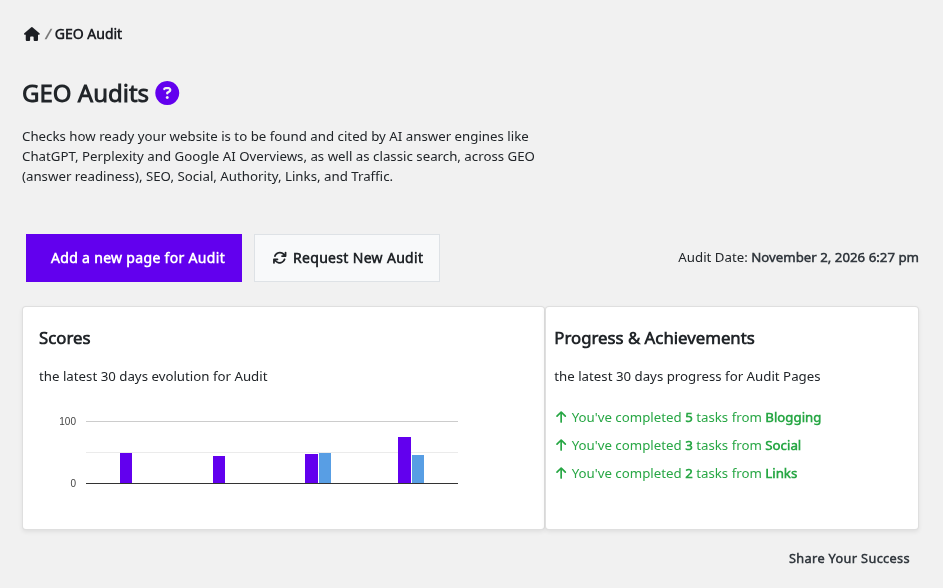
Squirrly > GEO Audit > Overview has the two main buttons, Add a new page for Audit and Request New Audit, and the date of the latest audit on the right. On the demo it reads November 2, 2026 6:27 pm.
Scores and Progress & Achievements
Scores is a chart of the last 30 days, with an On-Page and an Off-Page bar for each audit. Progress & Achievements adds a line for each section where you completed tasks in the same period, starting with “You’ve completed” and the number of tasks. Before your first completed task it shows “No progress found yet”.
AI Visibility box
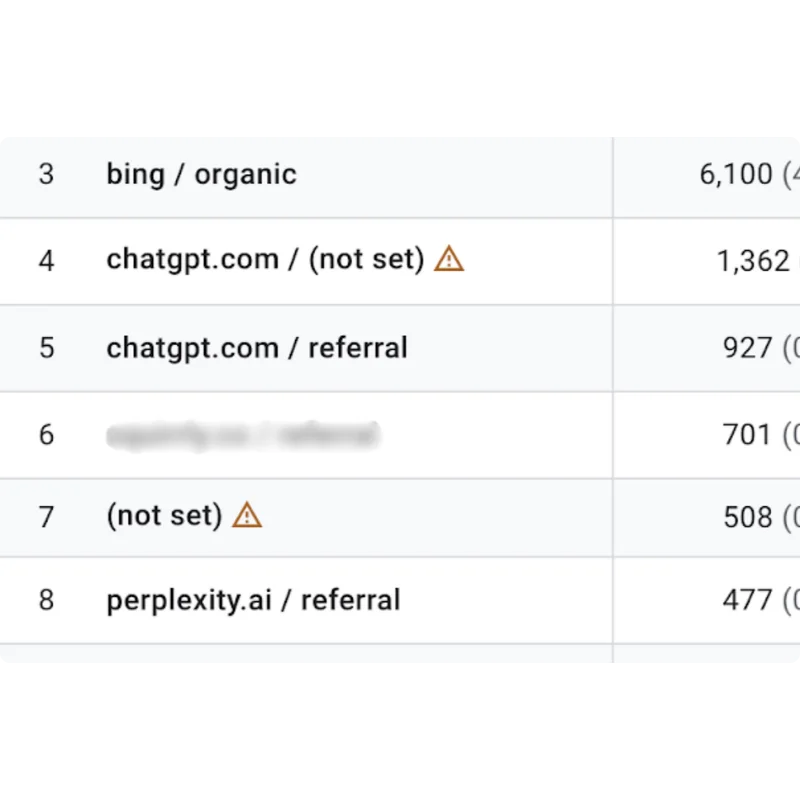
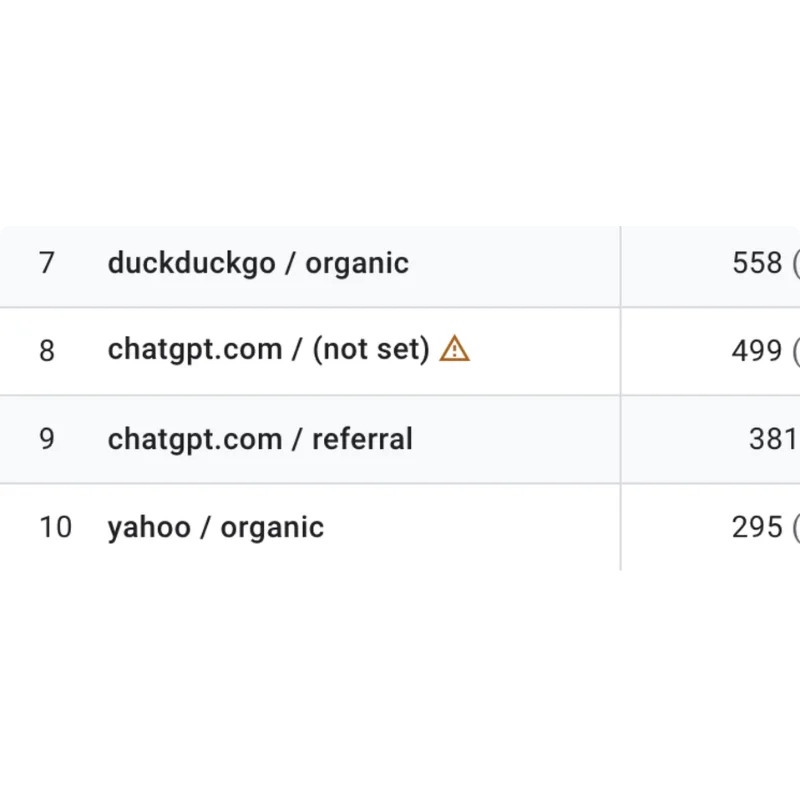
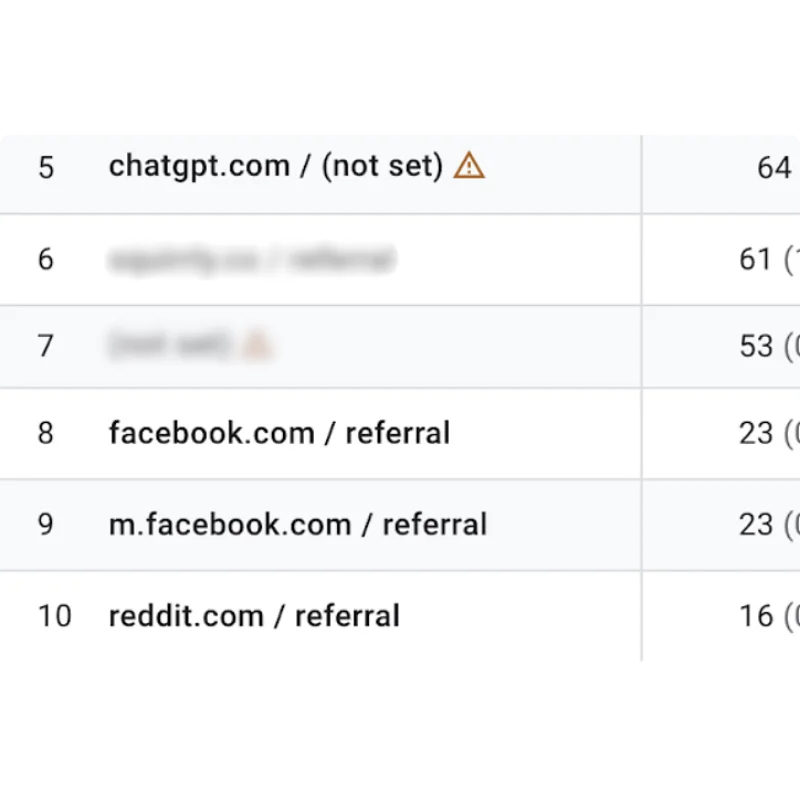
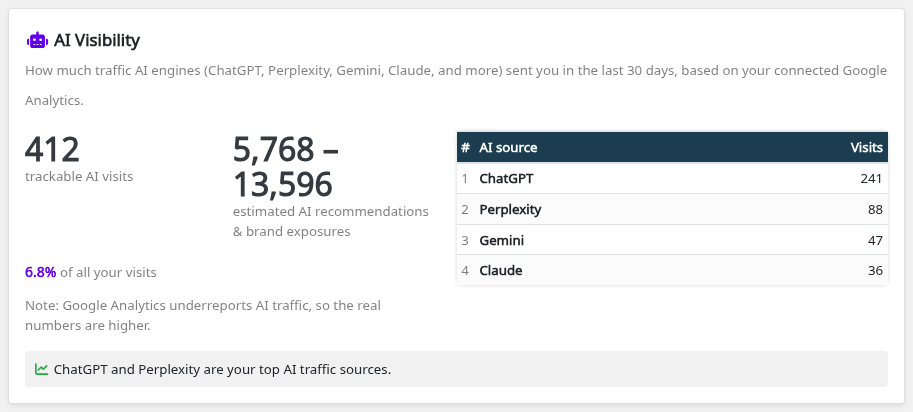
When Google Analytics is connected and has AI traffic, the Overview also shows an AI Visibility box with the visits from ChatGPT, Perplexity, Gemini, Claude and other AI engines in the last 30 days. AI Visibility explains each number.
Request a new audit
- Go to Squirrly > GEO Audit > Overview.
- Click Request New Audit to audit all pages again, or open the three-dot menu of one page and click Request New Audit there.
- Wait for the message “Audit page sent for recheck. It may take a while so please be patient.”
The audit for all pages can be made once an hour, and each page can be audited once an hour. For 5 minutes after you request a site audit, the button is hidden and the date shows In progress.
Audit History and Compare Audits
Audit History lists each audit with its Audit Score, the number of pages and the date. Show Latest Audit opens the newest report and Show Audit opens an older one.
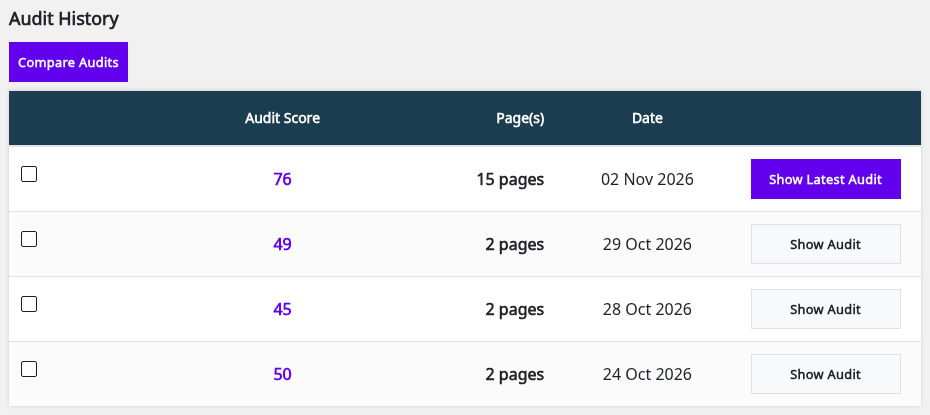
The score depends on the pages in the audit. The demo audited 2 pages from 24 Oct to 29 Oct 2026, with scores of 50, 45 and 49, and 15 pages on 02 Nov 2026, with a score of 76. Compare two audits with the same pages to see what changed.
- Tick two or more audits in Audit History.
- Click Compare Audits.
- The Audit – Compare screen opens with the audits you ticked. Click Show All to go back.
Add a page to the audit
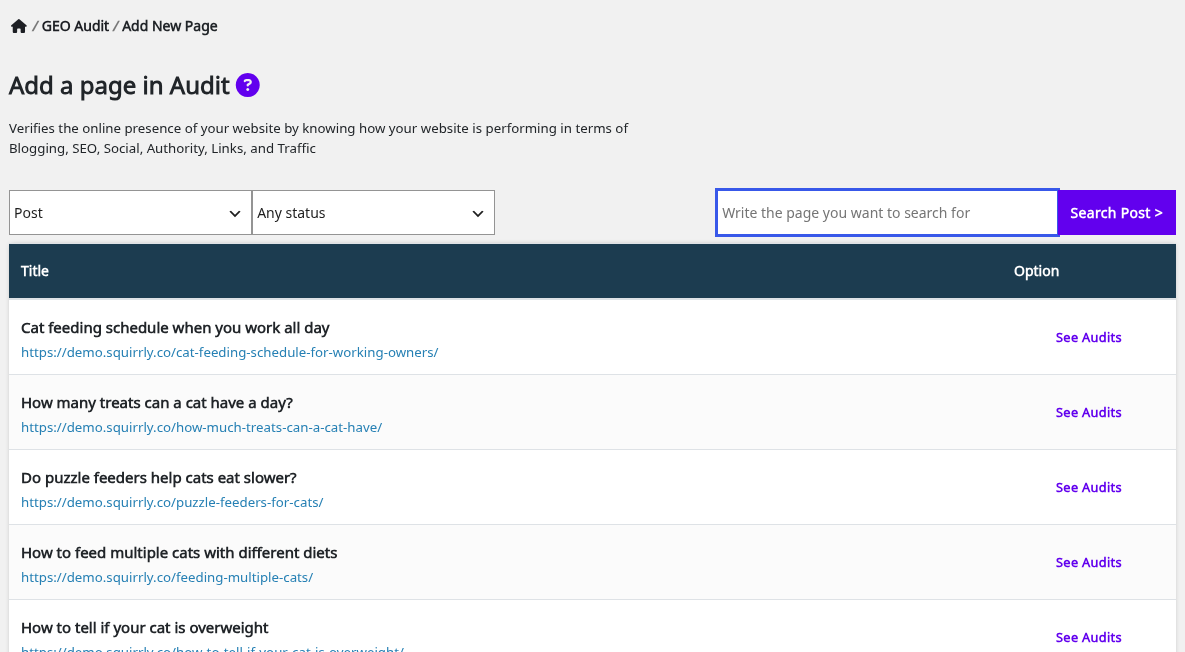
- Go to Squirrly > GEO Audit > Add New Page, or click Add a new page for Audit on the Overview.
- Pick the content type in the first list (Post by default) and a status in Any status, or type a title in Write the page you want to search for and click Search Post >.
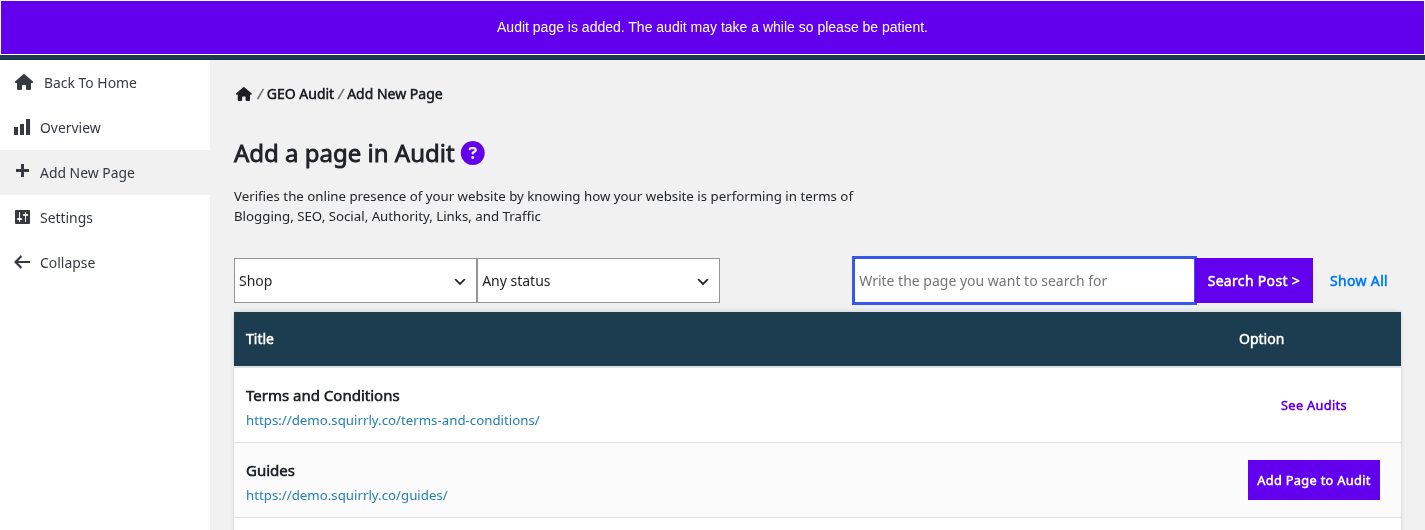
- Click Add Page to Audit next to the page.
The screen then shows “Audit page is added. The audit may take a while so please be patient.” The button next to that page changes to See Audits.
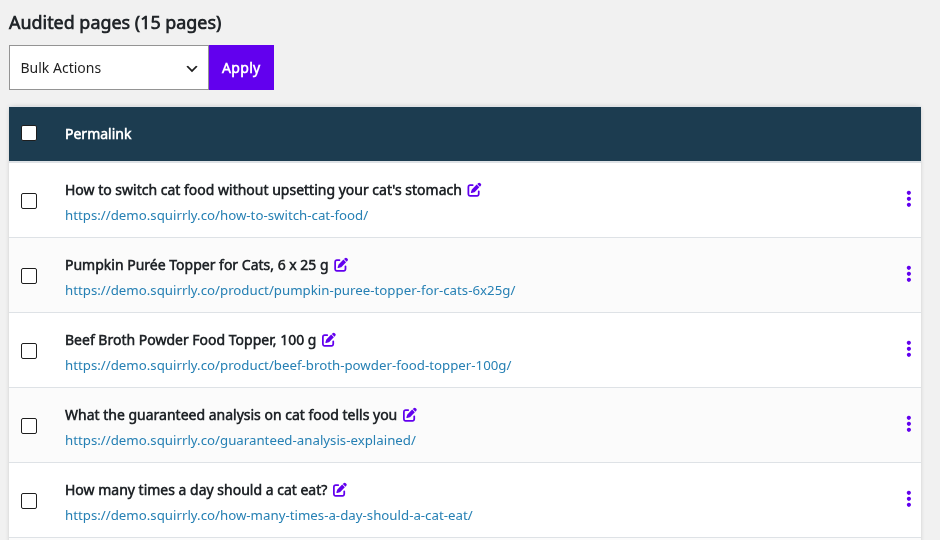
Every page you add appears under Audited pages on the Overview, with its title, a link to edit it and the permalink. The demo list has 15 pages, from blog posts such as “How many times a day should a cat eat?” to products and the home page.
Inspect a page
Open the three-dot menu of a page and click Inspect URL. The Squirrly Inspect URL window opens a report that shows if you fixed the issues on that page, without waiting for the next audit. Inspect URL covers the report.
Stop monitoring a page
The option the older plugin called “Remove Page from Audit” is now Stop Monitoring.
- Open the three-dot menu of the page and click Stop Monitoring.
- Confirm the message “Are you sure? You can always monitor it again in the future.”
The page leaves the list with “The page is removed from GEO Audit.” For several pages, tick them, pick Stop Monitoring in Bulk Actions and click Apply. The same menu has Re-audit Selected Pages.
Read the audit report
Click Show Latest Audit in Audit History. The report opens with the score, a message and the list of Audit Pages that were checked.
| Score | Message on the report |
|---|---|
| Under 50 | Your score is low. A medium score is over 50, and a good score is over 80. |
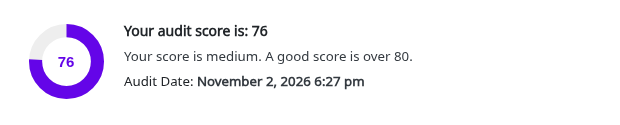
| 50 to 79 | Your score is medium. A good score is over 80. |
| 80 to 99 | Your score is good. Keep it as high as possible for good results. |
The demo store’s latest report reads “Your audit score is: 76”, so it gets the medium message.
Two buttons filter the tasks: Show Only Completed Tasks and Show Only Incompleted Tasks. Each section header shows its done tasks over its total tasks.
The report menu
The left menu of the report replaces the GEO Audit menu. It starts with Back To Audit, then one link per section: AEO/GEO, Blogging, Traffic, SEO, Social, Links and Authority. Click a link to jump to that section.
Fix these first and How to fix this
Above the sections, Fix these first lists up to 6 unfinished tasks, starting with the AEO/GEO ones, each with its section name. Under each red task, How to fix this opens the explanation, with a PRO TIP when the task has one. A green task shows Details instead.
On the demo store, Fix these first has 3 tasks. The first one, “Expand thin pages so they fully answer the topic”, carries the GEO tag.

The right column of the GEO Audit screens holds the Audit Mastery Tasks: Connect Google Analytics, Connect Google Search Console, Set the Audit Email and Get your score over 60.
AEO/GEO
The AEO/GEO section comes first in every report, with up to 8 tasks.
| Task | What passes | Where to fix it |
|---|---|---|
| Allowed for AI crawlers? | robots.txt doesn’t block GPTBot, ClaudeBot, PerplexityBot, Google-Extended and the other AI crawlers | Robots File |
| llms.txt file present? | The site serves an llms.txt file | LLMs File |
| Answer-ready structured data? | Pages have schema such as FAQPage, QAPage, HowTo or Article | JSON-LD and the Live Assistant |
| Opens with a direct answer? | A 2-4 sentence answer sits right below the main heading | The page content |
| Uses question-style headings? | H2/H3 headings are phrased as the questions people ask | The page content |
| Has extractable lists or tables? | Steps, options or specs are in lists and tables | The page content |
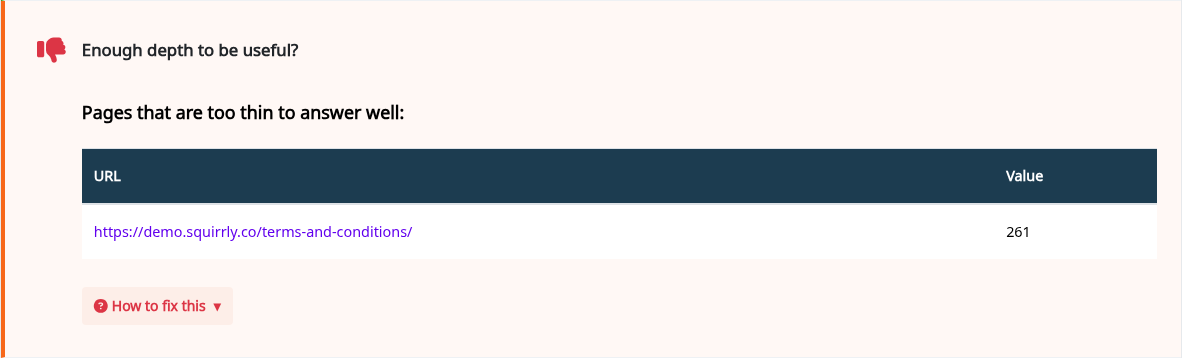
| Enough depth to be useful? | The page covers the topic and its follow-up questions | The page content |
| Is the content fresh? | The page was updated recently and its schema date is current | The page and its schema |
A failed task lists the pages that caused it. On the demo store the section header reads Geo 7/8, and Enough depth to be useful? fails under “Pages that are too thin to answer well”.
The Live Assistant and Bulk SEO are where most page fixes start.
Blogging
Blogging has up to 3 tasks. Recent blog posting? looks only at your blog-post sitemap. Average Content Optimization shows one percentage for the audited pages. DcPublisher Meta checks the Dublin Core publisher tag.
Traffic
Top Ten Pages This Week lists the audited pages with the most visitors in the last week, with Visitors and Bounce columns. Page Traffic shows the total visits per month. Both need the Google Analytics connection, and without it the report shows “No traffic data found”.
SEO
The SEO section has up to 22 tasks, from Visible for search engines? and Duplicate Titles to Meta Json-LD?, Canonical Link and Does your site have a robots.txt file?. Each failed row lists the URLs to fix. Most of these metas are set from SEO Metas.
Page load time and Google PageSpeed Insights
Page load time is the average load time of the audited pages, in seconds, with a table of the time for each URL. The All Features list says this average loading time comes from Google PageSpeed Insights. The fix text suggests compressing images, turning on caching, then checking the score again in PageSpeed Insights.
Social
Social has up to 6 tasks: Top Shared Pages, Shares (Facebook reactions, Facebook shares, Reddit shares and Pinterest shares per URL), Share Buttons in your articles?, Social ‘Follow me’ Buttons?, Open Graph protocol? and Twitter Card?. Social Media Settings turns on Open Graph and Twitter Card.
Links
Links has Moz Backlinks and Links with noFollow?. Each shows a table with the URL and its total.
Moz backlinks
The Moz Backlinks Count comes from Moz.com. The All Features list describes it as backlinks and authority from Moz.com, shown in the GEO Audit report. Moz backlinks are on the PRO and Business plans.
Authority
Authority holds Page Authority, Semrush Rank, Domain Age, Site Icon and IPad and IPhone Icons. Upload the icons from Website Icon Settings.
Semrush Rank
Semrush Rank is a global position based on organic search traffic, so a lower number is better. The task is hidden when Semrush returns 0 for your site.
Audit Settings
The weekly audit goes by email. Set the address on the Settings screen, for example the person who will fix the tasks.
- Go to Squirrly > GEO Audit > Settings.
- Type the address in Audit Email.
- Click Save Settings.
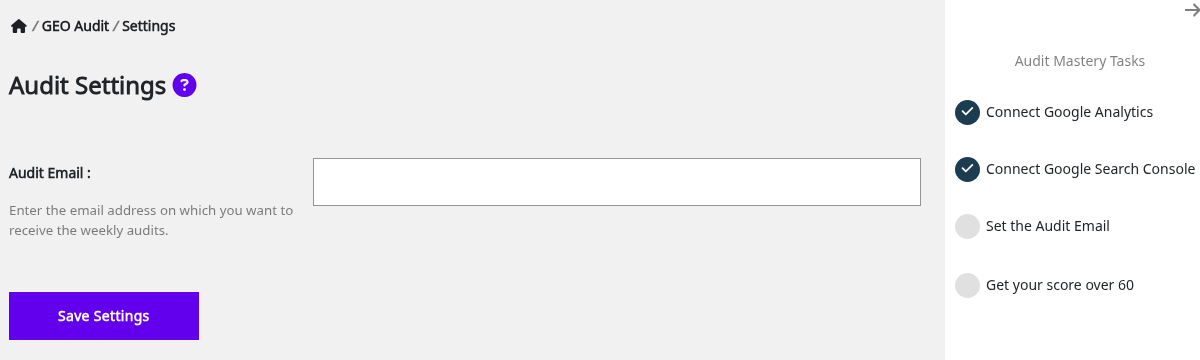
The address is saved in Squirrly Cloud too. Saving the field empty shows “Not a valid email address.”
Connect Google Analytics and Search Console
The Traffic section and AI Visibility read Google Analytics, and the Audit Mastery Tasks ask for Google Search Console too. Both connections live at Squirrly > Technical SEO > Connect Tools. Connect Tools has the full steps.
Connect Google Analytics
- Go to Squirrly > Technical SEO > Connect Tools.
- Click Sign in next to Google Analytics, log in with Google and pick the GA4 property of your site.
- Check that the field reads “You are connected to Google Analytics”.
Connect Google Search Console
- Add your site in Google Search Console first, with the same Google account.
- On Squirrly > Technical SEO > Connect Tools, click Sign in next to Google Search Console.
- Check that the field reads “You are connected to Google Search Console”.
The next audit after the connection includes the data. Both Mastery Tasks turn green on the Audit screens.
Troubleshooting
“You reached the maximum number of audit pages for your account.”
Your Squirrly Cloud plan has no audit pages left. Click Stop Monitoring on a page you no longer need, then add the new one.
“Could not create the audit for this URL (error code: …)”
Squirrly’s crawler couldn’t read the page. If every page shows it, ask your host to whitelist the crawler IP 5.161.83.61. If only some pages show it, click Stop Monitoring on them, add them again and request a new audit.
“You’ve made too many requests, you can request one page audit per hour.”
The page was sent for an audit less than an hour ago. The site-wide button gives “The audit for all pages can be made once an hour.” in the same case.
“Audit not ready yet”
The first audit after you add pages takes a while. Come back later, or click Request Website Audit when it’s active.
“Error! Could not find the audit page in your website.”
The post was deleted or has no ID. Only content with an ID can be added to the audit.
Frequently asked questions
How often does Squirrly audit my pages?
Once a week, plus any audit you request, at most once an hour.
Why did my score drop after I added pages?
The score is worked out from all the pages in the audit, so new pages with open tasks lower it.
Can I audit pages for a client’s site?
Can I audit my client’s websites using the Cloud App answers that, and the Audit Email field sends each site’s report to the client.
Can an AI assistant run the audit?
Yes, Connect Squirrly to AI Assistants exposes the tools Add page to GEO Audit and Request GEO Audit.
Related tutorials
- AI Visibility: the traffic AI engines send to your site, from Google Analytics.
- Inspect URL: a live report for one audited page.
- Robots.txt File Settings: allow the AI crawlers the AEO/GEO section checks.
- LLMs.txt File Settings: publish the llms.txt file.
- Focus Pages & Page Audits: a deeper audit for the pages you want to rank.
- Connect Tools: connect Google Analytics and Search Console.