LLM Indexing
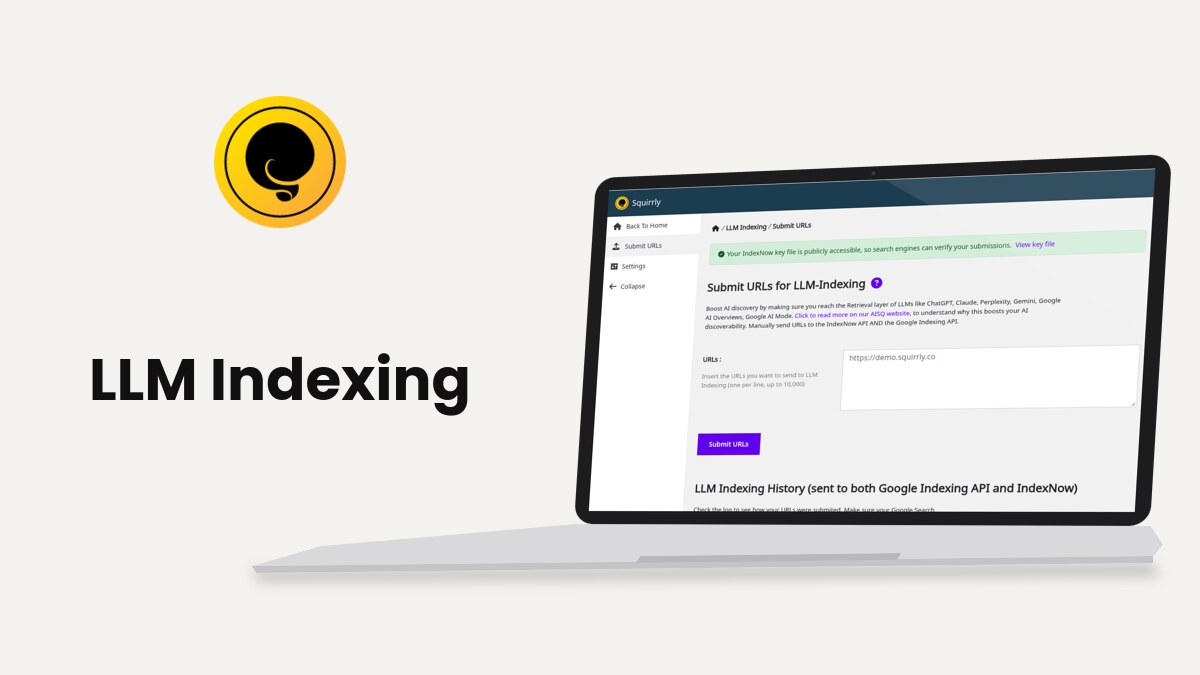
Squirrly SEO sends your new and updated URLs to IndexNow from Squirrly > LLM Indexing, and to the Google Indexing API when Google Search Console is connected. This guide covers the two screens, Submit URLs and Settings, plus the submit links in the WordPress posts list and in Bulk SEO.
The screenshots come from demo.squirrly.co, a test store for cat food, with Squirrly SEO 14.2.11 and the Advanced Pack 2.5.12.
What LLM Indexing does
IndexNow is an open API run by search engines. A site posts a list of URLs to it, and the engines that take part get told the pages changed. The IndexNow Endpoints help text in Squirrly names Bing, Yandex, Seznam, Naver and Yep among them.
Squirrly calls this feature LLM Indexing because the submit screen ties it to AI answer engines. The text under Submit URLs for LLM-Indexing names ChatGPT, Claude, Perplexity, Gemini, Google AI Overviews and Google AI Mode.
Each submission carries a key that proves you own the site. Squirrly creates the key, serves it as a small text file at the root of your site and sends it along with the URLs. Engines read that file before they accept the list.
| What happens | When |
|---|---|
| Automatic submit | A post of a selected post type is published for the first time, or its title, content or excerpt changes |
| Manual submit | You paste URLs in Submit URLs, click Submit to LLM in the posts list, or use the upload icon in Bulk SEO |
| Skipped | Posts set to noindex, Quick Edit and Bulk Edit saves, and URLs already sent in the last 24 hours |
| Google Indexing API | The same URLs, every time they go to IndexNow, if Google Search Console is connected |
Turn on LLM Indexing
The feature is on by default. Its switch is still called Auto-Indexing on the All Features screen.
- Go to Squirrly > All Features.
- Find the Auto-Indexing card. It reads click to deactivate when the feature is on.
- If it reads click to activate, click the switch.
- Click start feature setup >> to open Squirrly > LLM Indexing > Submit URLs.
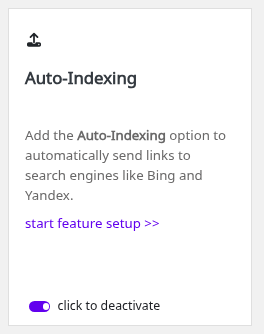
With the switch off, the LLM Indexing menu disappears, no URL is sent automatically and the Submit to LLM link leaves the posts list.
Submit URLs by hand
- Go to Squirrly > LLM Indexing > Submit URLs.
- Check the box at the top. Green means “Your IndexNow key file is publicly accessible, so search engines can verify your submissions.”
- Paste your URLs in the URLs field, one per line. The field takes up to 10,000.
- Click Submit URLs.
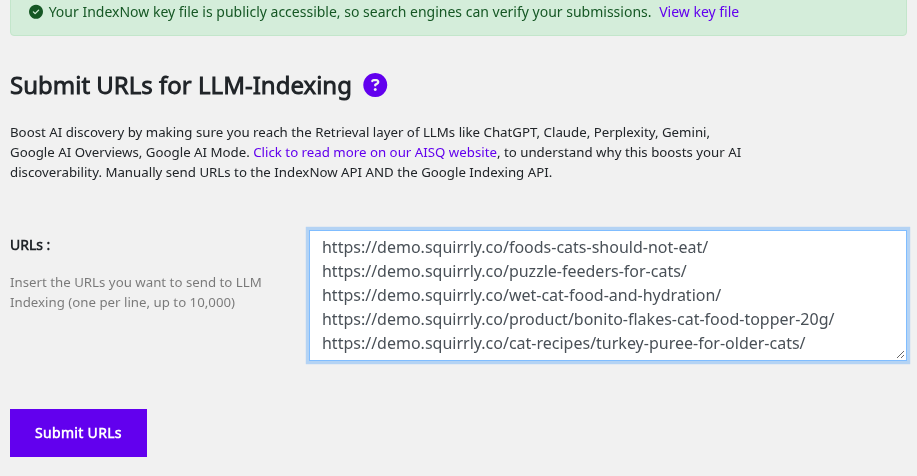
A good submit shows “Successfully submitted 3 URLs.” with your own count. Squirrly removes duplicate lines before it sends the list.
A URL you already sent in the last 24 hours isn’t sent again. The screen says “These URLs were already submitted in the last 24 hours and were not sent again to avoid rate limiting (429).”
To ask Google for one page by hand, outside Squirrly, open the URL Inspection tool in Google Search Console, paste the URL and click Request indexing. Search Console caps these requests per day, so keep them for pages that changed.
LLM Indexing History
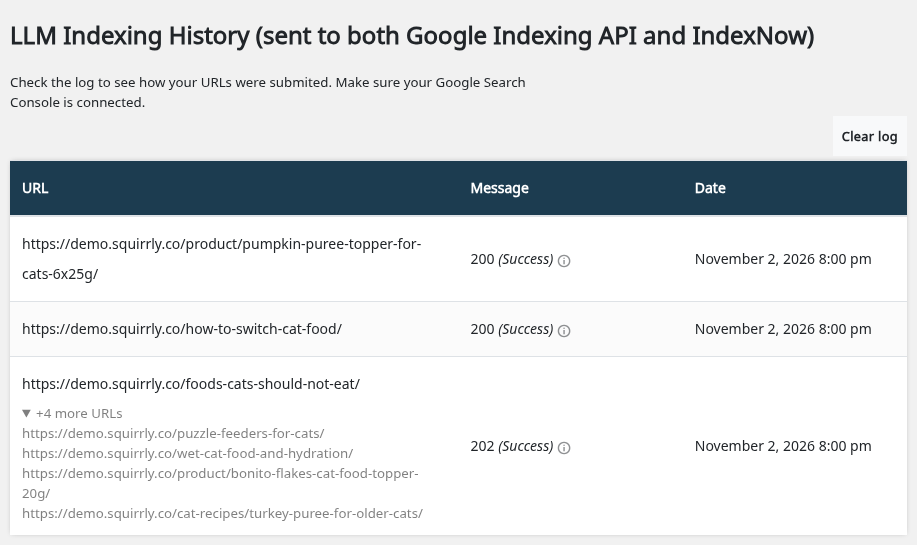
Under the form, LLM Indexing History (sent to both Google Indexing API and IndexNow) lists the last 20 submissions with URL, Message and Date. A batch of URLs takes one row, and a link such as “+2 more URLs” opens the rest.
A cloud icon next to a URL means it was “Submited automatically” when a post was saved. Rows without the icon came from you. Click the message to see the IndexNow endpoints that row went to, and use Clear log to empty the table.
What the Message column means
The Message column shows the HTTP code IndexNow returned and a short text. Codes 200, 202 and 204 show as Success.
| Code | Message in Squirrly | What to do |
|---|---|---|
| 200, 202, 204 | Success | Nothing, the URLs were accepted |
| 400 | Invalid request. | Check that every line is a full URL of this site |
| 401 | Unauthorized. Search engines could not read your IndexNow key file | Open the key file URL in a private window and remove what blocks it |
| 403 | Forbidden. The IndexNow key could not be verified. | Same check, then see How to Fix 403 Forbidden Error with IndexNow? |
| 404 | The IndexNow key file was not found. | Click Check Key in Settings, then Reset Key if it fails |
| 422 | Invalid URL or the key location does not match this host. | Send only URLs of the domain the plugin runs on |
| 429 | Too many requests. | Wait, Squirrly retries on its own |
| 500, 503 | Internal server error. / Service temporarily unavailable. | Wait, Squirrly retries on its own |
After a timeout, a 429 or a 5xx code, Squirrly schedules up to 3 retries, 5, 15 and 45 minutes apart. The message then ends with “retry 1 of 3 scheduled in 5 minutes”.
Failed submits in a row also pause new ones for 1 minute, then 5, then 30. During a pause a manual submit shows “Submissions are paused until” and the time, or “IndexNow is rate-limiting your site (429 Too Many Requests)” for code 429.
Submit posts from the Posts list
The WordPress lists of the post types you picked in Settings get two Squirrly actions. Only published posts have them.
- Go to Posts > All Posts (or Pages, Products, or another post type you selected).
- Move the mouse over a post title.
- Click Submit to LLM.
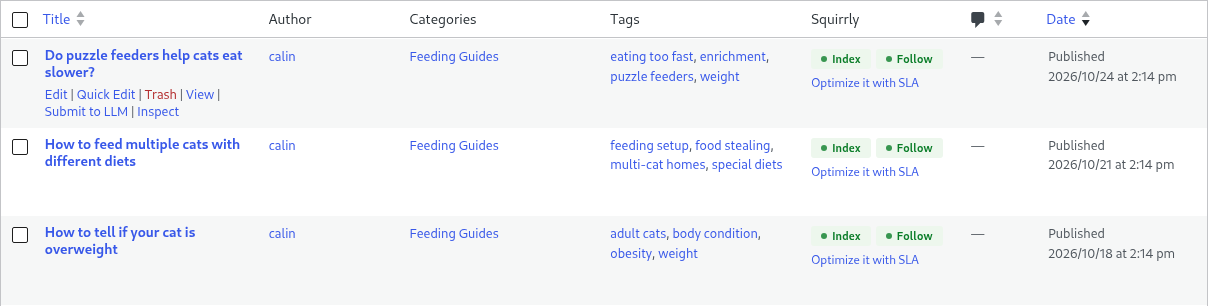
The notice at the top of the list says “1 page submitted to LLM Indexing.” or “Error submitting page to LLM Indexing.”
For several posts at once, tick them, choose Submit to LLM Indexing in Bulk actions and click Apply. Submit to LLM and the Index/Follow status explains the Squirrly column in the same list.
Submit a page from Bulk SEO
Bulk SEO lists your pages with their SEO status at Squirrly > Optimize > Bulk SEO. A published page has a small upload icon in its row, with the tooltip Submit to IndexNow. Click it to send that one URL, with the same 24-hour rule.
LLM Indexing settings
- Go to Squirrly > LLM Indexing > Settings.
- Pick the post types in Automatically Submit Post Types.
- Pick the endpoints in IndexNow Endpoints.
- Click Save Settings.
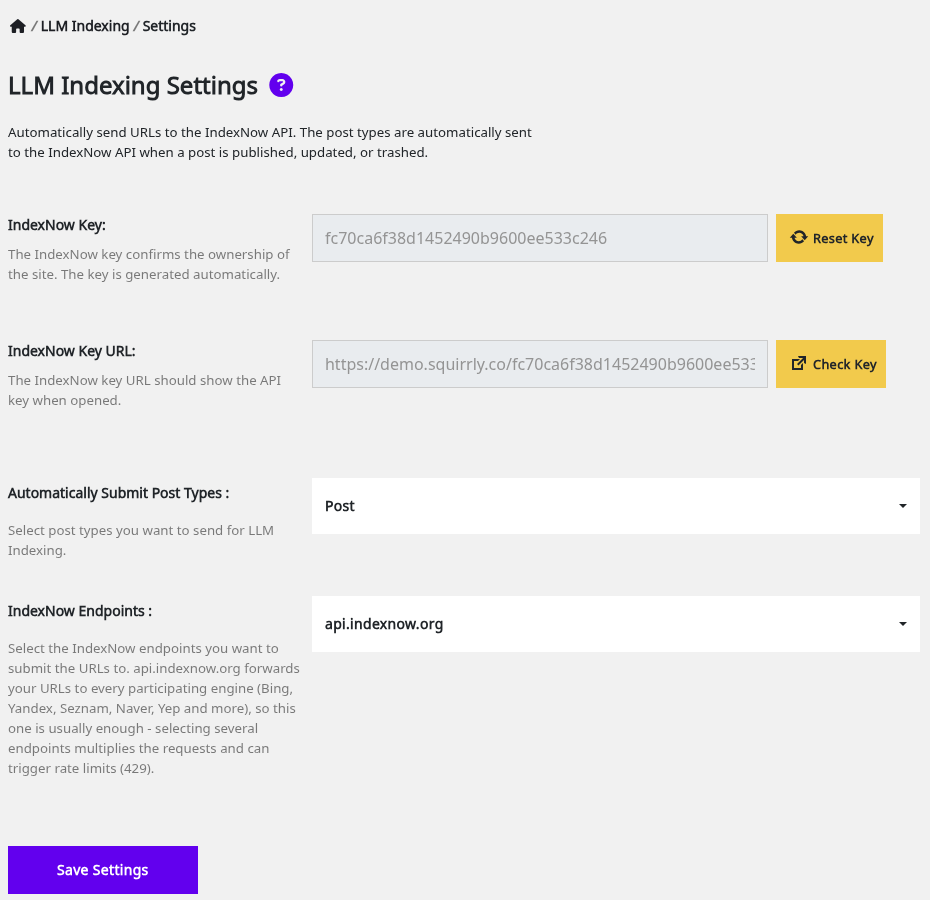
| Label | What it does | Default |
|---|---|---|
| IndexNow Key | The key that proves you own the site. Reset Key makes a new one | Created on first use |
| IndexNow Key URL | Where the key file lives, for example https://demo.squirrly.co/<key>.txt. Check Key opens it in a new tab | Your home URL plus the key |
| Automatically Submit Post Types | Post types sent when a post is published or its content changes. Also decides where Submit to LLM shows | Post |
| IndexNow Endpoints | Where the URLs go: api.indexnow.org, www.bing.com, searchadvisor.naver.com, search.seznam.cz, yandex.com, indexnow.yep.com, web-static.archive.org | api.indexnow.org |
The help text says api.indexnow.org passes your URLs to every participating engine, so one endpoint is usually enough. With several selected, Squirrly tries them in the listed order and stops at the first one that accepts the URLs. Until you save this screen the first time, it sends to api.indexnow.org and falls back to www.bing.com.
The key file opens in the browser as plain text with only the key in it. If Check Key opens anything else, search engines can’t verify the key either.
Google Indexing API
Every URL that goes to IndexNow also goes to the Google Indexing API, through Squirrly Cloud. This part needs Google Search Console connected in Squirrly > Technical SEO > Connect Tools (see Connect Tools). IndexNow works without it.
The History table shows the IndexNow answer only. To see what Google did with a page, use Inspect in the posts list or Inspect URL.
Troubleshooting
“Your IndexNow key file is being blocked.”
The key file returned an error code, shown in bold after the URL. The message lists the usual causes: HTTP authentication, a coming-soon or maintenance mode, a security or firewall plugin, or a CDN bot rule. Allow the key file URL in that tool and reload Submit URLs.
“Your IndexNow key file returns unexpected content.”
The file answers with 200 but holds more than the key, often a cached page or another plugin’s output. Exclude the key file URL from the page cache and purge it.
“Squirrly could not verify your IndexNow key file from your server”
Some hosts block a site from calling itself. Open the linked URL in a new tab and check that it shows only your key.
“No URLs found. Please add URLs to index.”
The URLs field was empty when you clicked Submit URLs. “Invalid URLs provided. Please add valid URLs.” means none of the lines was a valid URL.
Submit to LLM is missing in the posts list
The post isn’t published, or its post type isn’t selected in Automatically Submit Post Types. The link also needs the Auto-Indexing switch on.
“You do not have permission to access this page. You need Squirrly SEO Admin role.”
Your WordPress user lacks the Squirrly role for this screen. An administrator can submit the URLs or change your role.
Frequently asked questions
Does LLM Indexing send every saved post?
No, only first publishes and saves that change the title, content or excerpt of a selected post type.
Why wasn’t my URL sent again after I updated it?
Squirrly skips URLs submitted in the last 24 hours to stay under IndexNow’s rate limit.
Do I need Google Search Console for IndexNow?
IndexNow works without it, and the Google Indexing API part starts once Search Console is connected in Connect Tools.
Is it safe to reset the IndexNow key?
Yes, Squirrly serves the new key file right away and uses it for the next submission.
Are noindex pages submitted?
Automatic submits skip posts set to noindex in Squirrly.
Why don’t my pages have the Submit to LLM link?
The link shows only on published posts of the types ticked in Automatically Submit Post Types, so add Page there in Squirrly > LLM Indexing > Settings and click Save Settings.
Related tutorials
- Submit to LLM & Index/Follow Status: the Squirrly column and the submit links in the posts list.
- LLMs.txt File Settings: the rules file AI crawlers read on your site.
- Sitemap XML Settings: the sitemaps search engines crawl next to IndexNow.
- Inspect URL: what Google reports for one page.
- How to Fix 403 Forbidden Error with IndexNow?: the key file blocked by a firewall or a CDN.