
Inspect URL
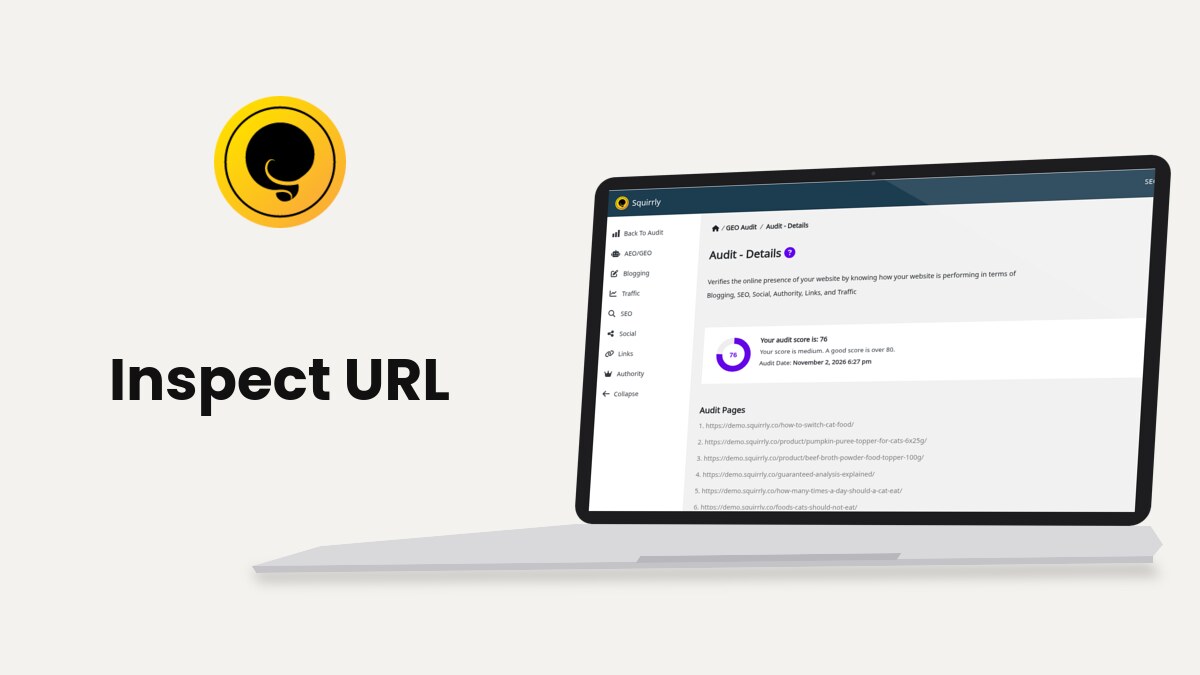
Squirrly Inspect URL opens a report for one page of your site, from the three-dot menu in Squirrly > Focus Pages or Squirrly > GEO Audit, or from the Inspect link in the WordPress posts and pages lists. Use it to see if the issues you worked on are fixed on that page.
The screenshots come from demo.squirrly.co, a test store for cat food, with Squirrly SEO 14.2.8 and the Advanced Pack 2.5.11.
What Inspect URL does
The report opens in a window called Squirrly Inspect URL. Squirrly asks Squirrly Cloud for the report each time the window opens, so it needs the plugin connected to Squirrly Cloud.
The GEO Audit screen describes it in its tips: “This will open a report that will show you if you managed to fix certain issues for that page.” The report also lists the broken links it finds on the page, according to the Squirrly SEO changelog.

Inspect URL doesn’t change the audit scores. A Focus Page or a GEO Audit page gets new scores only after Request New Audit.
Where to find it
| Screen | Where the link is | Which pages |
|---|---|---|
| Squirrly > Focus Pages | Three-dot menu of a row, and next to an audit error | Your Focus Pages |
| Squirrly > GEO Audit | Three-dot menu of a row in Audited pages | The pages added to the audit |
| Posts > All Posts, Pages > All Pages | Inspect under the title, on mouse-over | Any published post or page |
The Inspect link in the posts list shows for administrators, Editors and the Squirrly SEO Admin and Squirrly SEO Editor roles. Drafts don’t get it.
Inspect a Focus Page
- Go to Squirrly > Focus Pages.
- Click the three dots at the end of the page’s row.
- Click Inspect URL.
The same menu has Request New Audit and Stop Monitoring. When the audit of a Focus Page fails, the row shows the error in red with an Inspect URL link next to it, so you can check the page without the menu. Focus Pages covers the rest of that screen.
Inspect a GEO Audit page
- Go to Squirrly > GEO Audit.
- Scroll to Audited pages.
- Click the three dots next to the page and click Inspect URL.
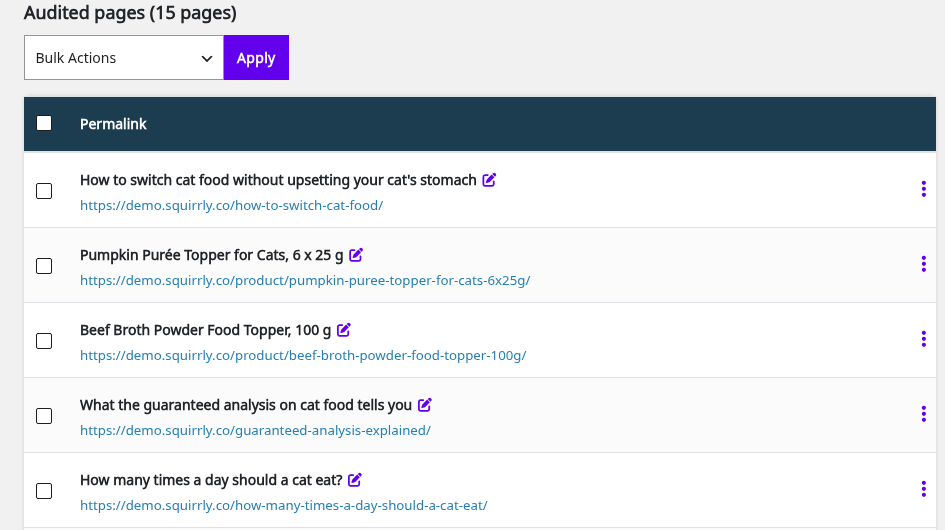
The demo audit has 15 pages, from blog posts to products such as “Pumpkin Purée Topper for Cats, 6 x 25 g”. Add more from Add New Page on the same screen. GEO Audit explains the audit itself.
Inspect any post or page from the posts list
- Go to Posts > All Posts or Pages > All Pages.
- Move the mouse over a published post.
- Click Inspect in the row of links under the title.
This one works for any published post or page, not only Focus Pages and audit pages. The window has a refresh arrow and a close button at the top. Click outside the window to close it too.
The same lists have a Squirrly column with the page’s Index and Follow status and, for post types with the Live Assistant, its optimization score.
Use the report after a fix
Inspect URL fits between a fix and a new audit.
- Fix the task in the page, for example add the main keyword to the SEO Snippet title, and update the page.
- Open Inspect URL for the page and check the part you changed.
- Click the refresh icon next to the window title if you changed the page while the window was open.
- Close the window and click Request New Audit, so the task circle and the score update.
The two kinds of check have different limits.
| Screen | Request New Audit | Inspect URL |
|---|---|---|
| Focus Pages | Every 5 minutes for each page; the audit takes 1 to 5 minutes | No limit in the plugin |
| GEO Audit | Once an hour for each page, according to the tip on that screen | No limit in the plugin |
| Posts and pages lists | Not available | No limit in the plugin |
From Focus Pages and GEO Audit, Squirrly sends Squirrly Cloud the ID the page has in that list. From the posts list it also sends the page’s URL, which is why that link works for pages that are in neither list.
Google Search Console has its own URL inspection, which tells you if Google indexed the page. How to Inspect an URL with Google Search Console shows those steps, and the Visibility category of Focus Pages links to it with Ask Google to Re-Index.
Troubleshooting
“Page could not load”
Squirrly Cloud returned no report. Check the Cloud connection in Squirrly > Home, then click the refresh icon in the window.
The Inspect link is missing in the posts list
The post isn’t published, or your role can’t manage Focus Pages. Authors and Contributors don’t get the link.
An audit error next to Inspect URL
When the audit can’t read the page, the Focus Pages row shows one of these errors. The Squirrly crawler IP in the messages is 5.161.83.61.
| Message | What to do |
|---|---|
| Focus Page was not found (error 404) | If every page has it, ask your host to whitelist 5.161.83.61. If one page has it, stop monitoring it, add it again and request a new audit |
| Your Focus Page is redirected to another page (error 301) | Use the final URL, one that doesn’t redirect, as the Focus Page |
| Error 500 or 503 | Open the page in another browser, and whitelist 5.161.83.61 |
| Make sure your Focus Pages can be audited (error 521) | Check that the server is online, and whitelist 5.161.83.61 |
| Make sure your Focus Pages can be audited (firewall protection) | Whitelist 5.161.83.61 in the firewall |
| Focus Pages – Limit Exceeded | The plan’s Focus Pages are used up; the row shows Upgrade Plan instead of Inspect URL |
Sites behind Cloudflare have their own steps in Focus Page Crawling Error On Websites With CloudFlare.
Frequently asked questions
Who can use Inspect URL?
The users who can manage Focus Pages: administrators, Editors and the Squirrly SEO Admin and Squirrly SEO Editor roles.
Can I inspect a page that isn’t a Focus Page?
Yes, use the Inspect link in the posts or pages list.
Can I inspect a WooCommerce product?
Yes, add the product to Focus Pages or GEO Audit and open Inspect URL from its three-dot menu. The demo store’s GEO Audit has two products in Audited pages.
Does the report update by itself?
No, it loads when you open the window, and the refresh icon loads it again.
Why does the score stay the same after I inspect a page?
Scores change only after Request New Audit, and the audit takes 1 to 5 minutes.
Related tutorials
- Focus Pages & Page Audits: the tasks you check with Inspect URL.
- GEO Audit: add pages to the site audit and request new audits.
- Inner Links: add links to your Focus Pages, then inspect the page.
- Bulk SEO & Snippet: edit the title and description you check in the report.
- How to Inspect an URL with Google Search Console: Google’s own inspection tool.





0 Comments