How Can I Change My Squirrly Account?
In this short tutorial, we’re going to show you how to change an account that’s currently connected to Squirrly SEO. This may come in handy in situations such as:
- you’ve created a Squirrly SEO account using the wrong email address, want to disconnect it from Squirrly SEO and connect with the correct email address
- you want to change an old account used to connect to Squirrly with a new account
Disconnecting doesn’t delete your SEO work. Your titles, descriptions and settings stay in WordPress. Keyword Research, Focus Pages, audits and rankings stop until the site is connected again.
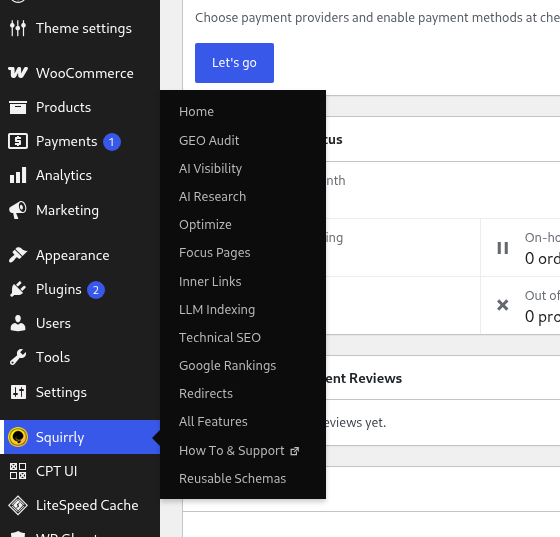
Step 1: In your WordPress Admin Menu, open the Squirrly SEO plugin
From the left-hand menu in your WordPress dashboard, click on Squirrly.
Step 2: Open the account menu
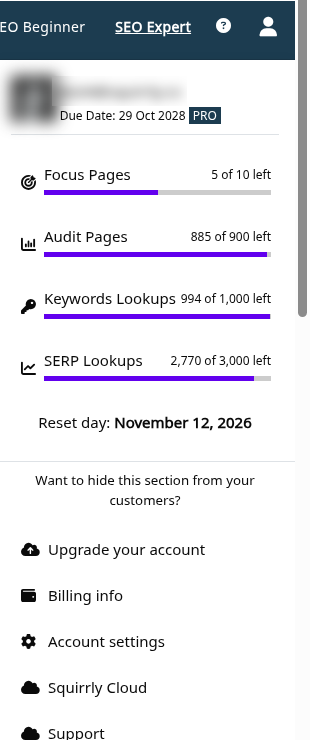
Click the person icon at the right end of the dark Squirrly header, next to SEO Beginner and SEO Expert. The account menu opens with the email address of the connected account at the top. The icon shows only to WordPress administrators.

Step 3: Disconnect the current account
Click Disconnect at the bottom of the account menu. This disconnects your site from the currently connected Squirrly account and from the Squirrly Cloud. The menu item Squirrly > Home is now called First Step.
Step 4: Connect using the new account
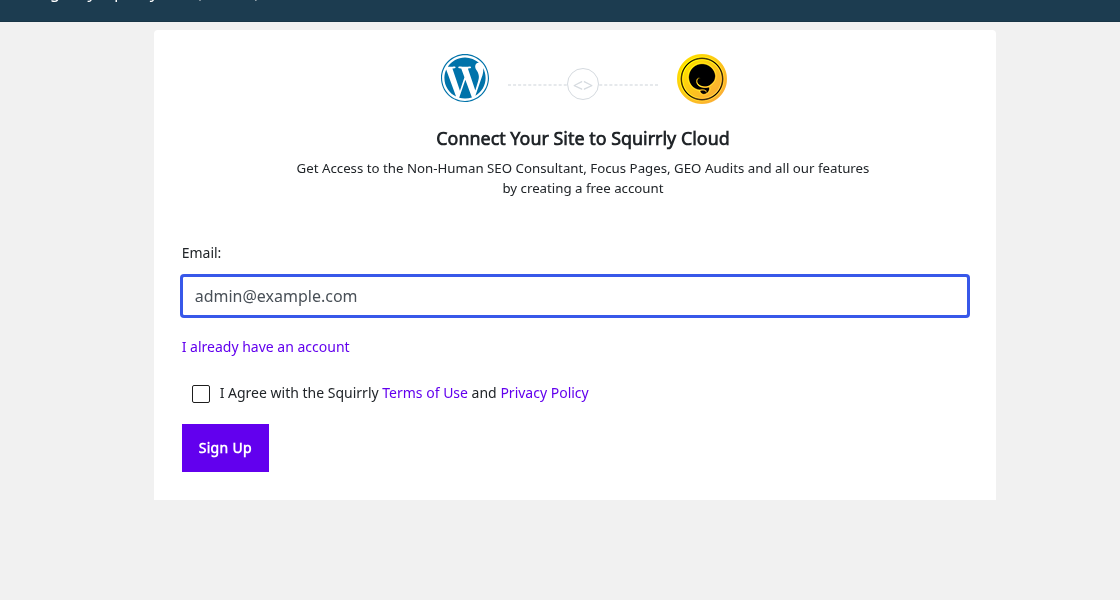
Go to Squirrly > First Step, the screen Connect Your Site to Squirrly Cloud. Then sign in with the correct email address (or the new account you want to use):
- For an account you already have, click I already have an account, type the Email and Password, and click Login.
- For a new account, type the email, tick I Agree with the Squirrly Terms of Use and Privacy Policy and click Sign Up.
Once connected, the menu item changes back from First Step to Home. Connect Squirrly SEO to Squirrly Cloud has the full steps.
If the site was cloned, staged or moved
You don’t need to change the account when you copy a site to staging, clone it or move it to a new address. WordPress shows a red notice and the screen This site needs to reconnect to Squirrly Cloud instead. Click Reconnect this site: Squirrly drops the old site keys and connects again with the same Squirrly login. After you move a site or change its address explains it.