How do I optimize a WooCommerce product category for GEO?
Give the category its own SEO Snippet, make it a Focus Page and add it to the GEO Audit, which checks the page for AI answer engines and classic search.
The example below uses the Wet Food category of the demo store, which has 12 products.
Write the category description
- Go to Products > Categories and click Edit under the category.
- Write the Description. Start with two to four sentences that answer what the category is and who it’s for.
- Click Update.
WooCommerce shows the description on the category page when your theme prints it. The AEO/GEO section of the audit checks for that kind of direct answer under the main heading.
Set the SEO Snippet of the category
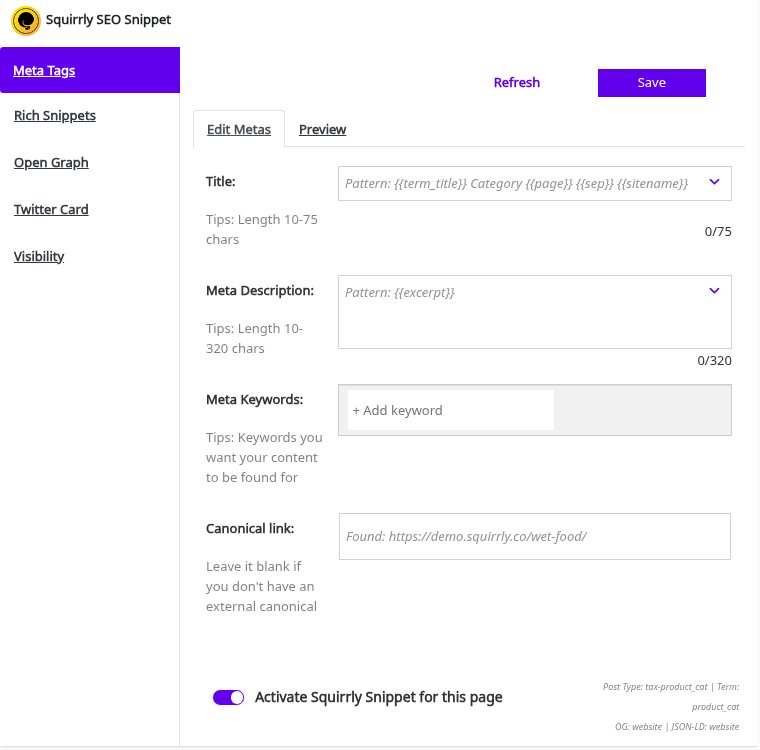
- On the same Edit screen, scroll to the Squirrly SEO Snippet box under the category form.
- Write the title and the description that search results and AI tools should show.
- Click Save in the snippet box.
Make the category a Focus Page
- Go to Squirrly > Focus Pages > Add New Page.
- In the first list, pick the product category type (Tax Product Cat).
- Type the category name and click Search Post.
- Click Set Focus Page next to the category.
Add the category to the GEO Audit
- Go to Squirrly > GEO Audit > Add New Page.
- Pick the same type in the first list, find the category and click Add Page to Audit.
- Read the AEO/GEO tasks of the category in the next audit.