How does Squirrly Handle Broken Links?
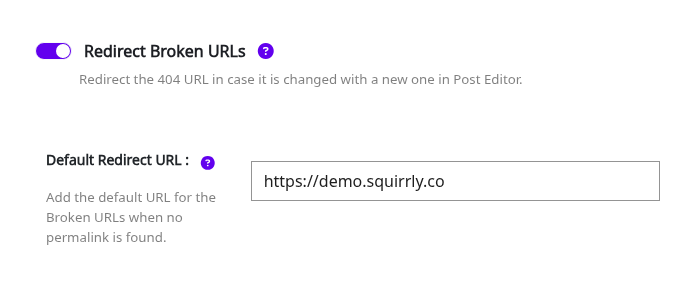
The plugin handles the broken URLs when you change a slug in a post type (Squirrly will redirect the 404 URL to the current valid URL with a 301). This is the Redirect Broken URLs switch in Squirrly > Optimize > Automation > Configuration, set for each post type. It is on by default for Posts, Pages and Products.
We also added the Default Redirect URL on the 404 tab of Squirrly > Optimize > Automation > Configuration, to redirect the broken URLs when no valid permalink is found. Turn on Redirect Broken URLs on that 404 tab too, or the default redirect doesn’t run. Details: Redirect Broken URLs in Automation.
Squirrly also has a 301 Redirect option. One of the best ways to fix a broken link is to redirect it to another page. You can do this by setting up 301 redirects. (recommended for SEO because it’s a permanent redirect that passes full link equity, ranking power, to the redirected pages.)
Without the Advanced Pack, the 301 Redirect field is in the Visibility tab of the SEO Snippet, in SEO Expert mode. You find the SEO Snippet in:
- Snippets in Bulk SEO
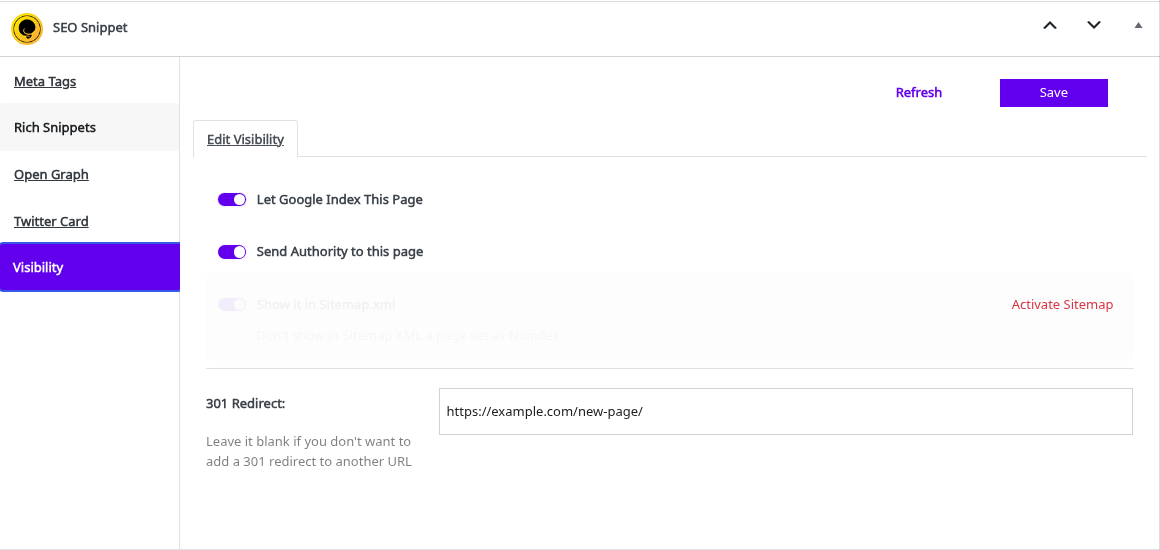
- Snippets when Editing Page
- Snippets on the Front-End
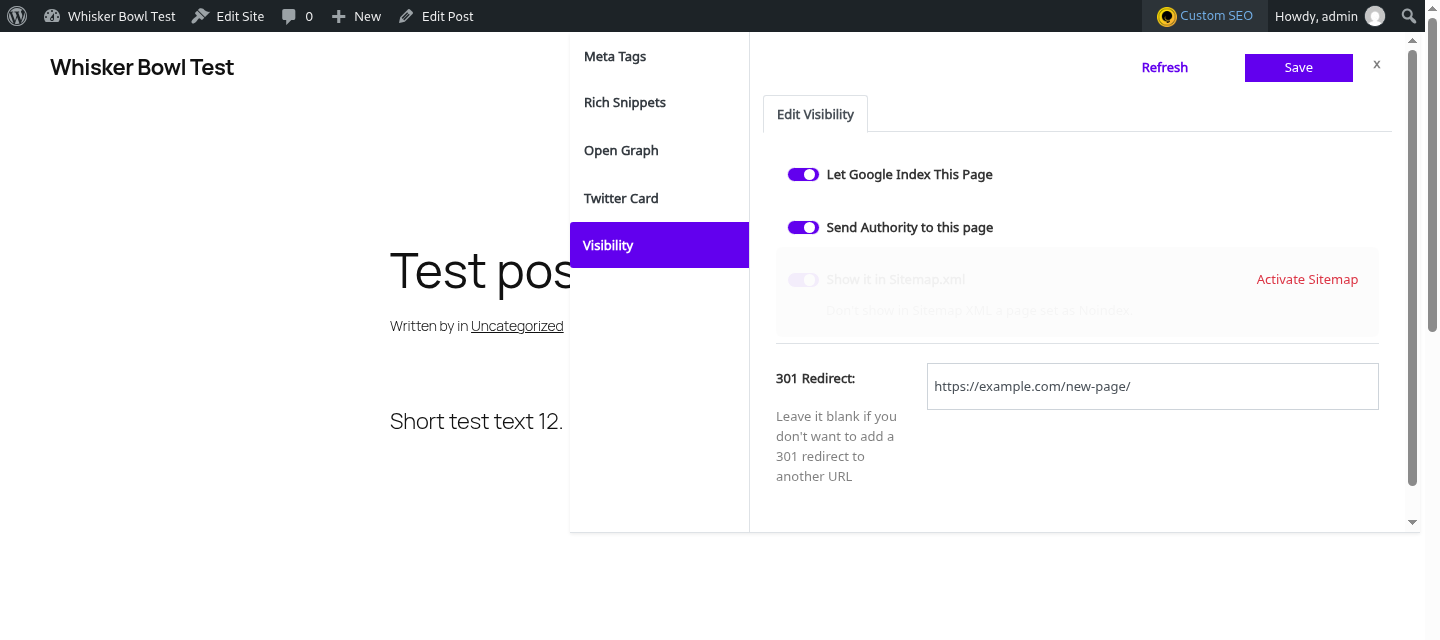
With the Squirrly SEO Advanced Pack installed, the Visibility tab shows a Manage Redirects link instead of the field. It opens Squirrly > Redirects, where you add redirect rules and see the addresses that returned a 404 in the 404 Monitor.
It’s a new way of doing re-directs and complements our automatic redirect feature.
You can now decide when to redirect an existing page, custom post type, blog post, product, etc. to a new URL.
Note! Squirrly SEO also works well with the free Redirection plugin from WordPress.