What’s the Full list of JSON-LD Structured Data/Schema Markup available in Squirrly?
Why JSON-LD?
JSON-LD makes data more accessible by annotating elements on a page, structuring the data. Not just for humans, but also for machines, the kind of machines Google is powered by. Google’s crawlers can miss information that people would find important.
By using JSON-LD, you can highlight various important details of your website to search engines.
Google uses JSON-LD structured data (JavaScript Object Notation for Linked Data) that it finds on the web in order to understand the content of the page, as well as to gather information about the web and the world in general.
In terms of SEO, JSON-LD uses the Schema.org vocabulary. JSON-LD is considered to be simpler to implement, thanks to the ability to simply paste the markup within the HTML document.
A JSON-LD example would be:
<script type="application/ld+json">
{
  "@context": "https://schema.org",
  "@type": "Organization",
  "url": "http://www.example.com",
  "name": "Your Company",
  "contactPoint": {
    "@type": "ContactPoint",
    "telephone": "+1-401-1111-1111",
    "contactType": "Customer service"
  }
}
</script>
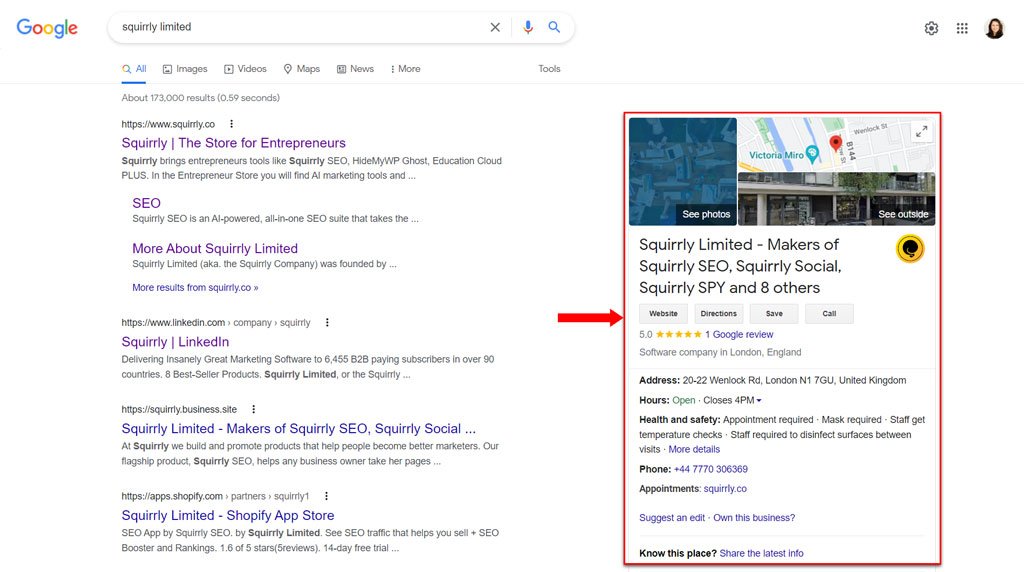
JSON-LD structured data influences how Google will create rich snippets for your URLs. Google uses the JSON-LD for rich snippets and featured snippets and to populate the search results with more data from each website like Breadcrumbs, Reviews, Article data, or Company Info.
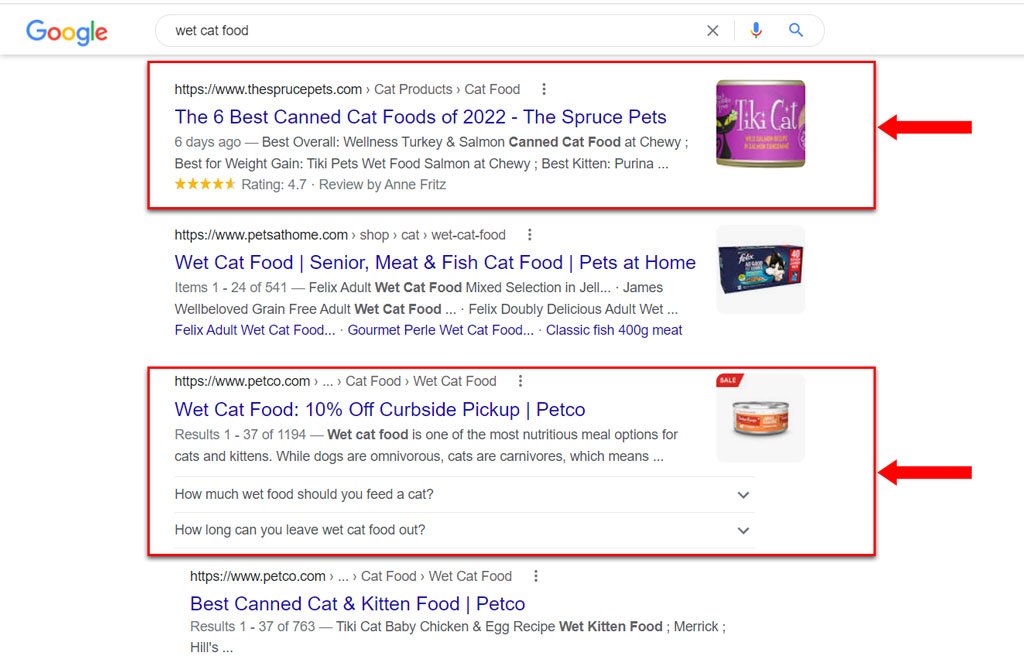
Does JSON-LD as a semantic SEO markup solution sound complicated?
With Squirrly, you set it up from forms in WordPress. No coding skills required.
Organization/ Company Schema
Have you ever wondered how some businesses or even your competition manage to have extra information when displayed in the search engine results page? Or how Google knows to generate that interesting additional information which appears on the right side?
It’s all about structuring the data! And with the JSON-LD feature that Squirrly SEO offers, you can do just that.
Go to Squirrly > Technical SEO > Rich Snippets > Company and fill in the fields.
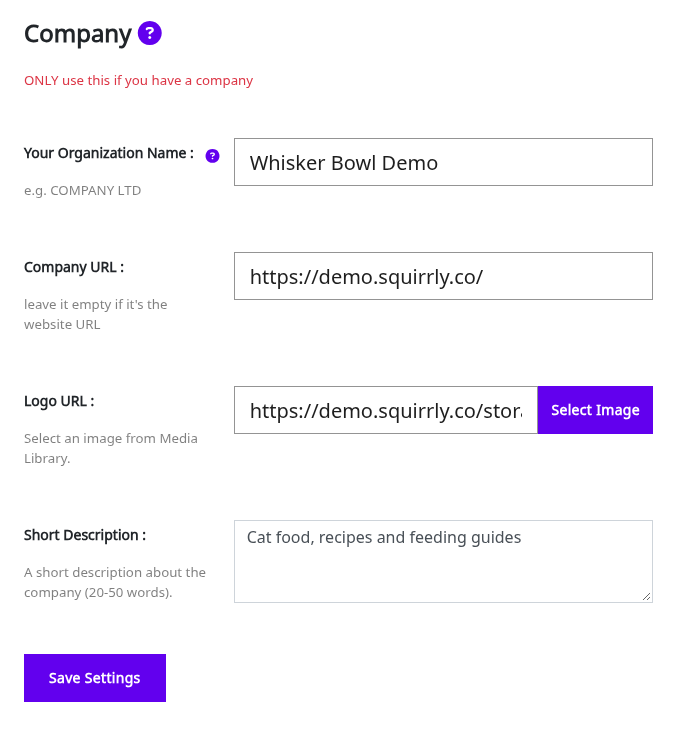
Next time your website will get crawled, Google will be able to offer your future customers that additional information which can make a difference.
For more details, please check out this resource >>
Personal Brand/ Author Schema
If your website is a personal website, add the author data to build a valid JSON-LD. Go to Squirrly > Technical SEO > Rich Snippets > Personal Brand / Author and fill in the fields.
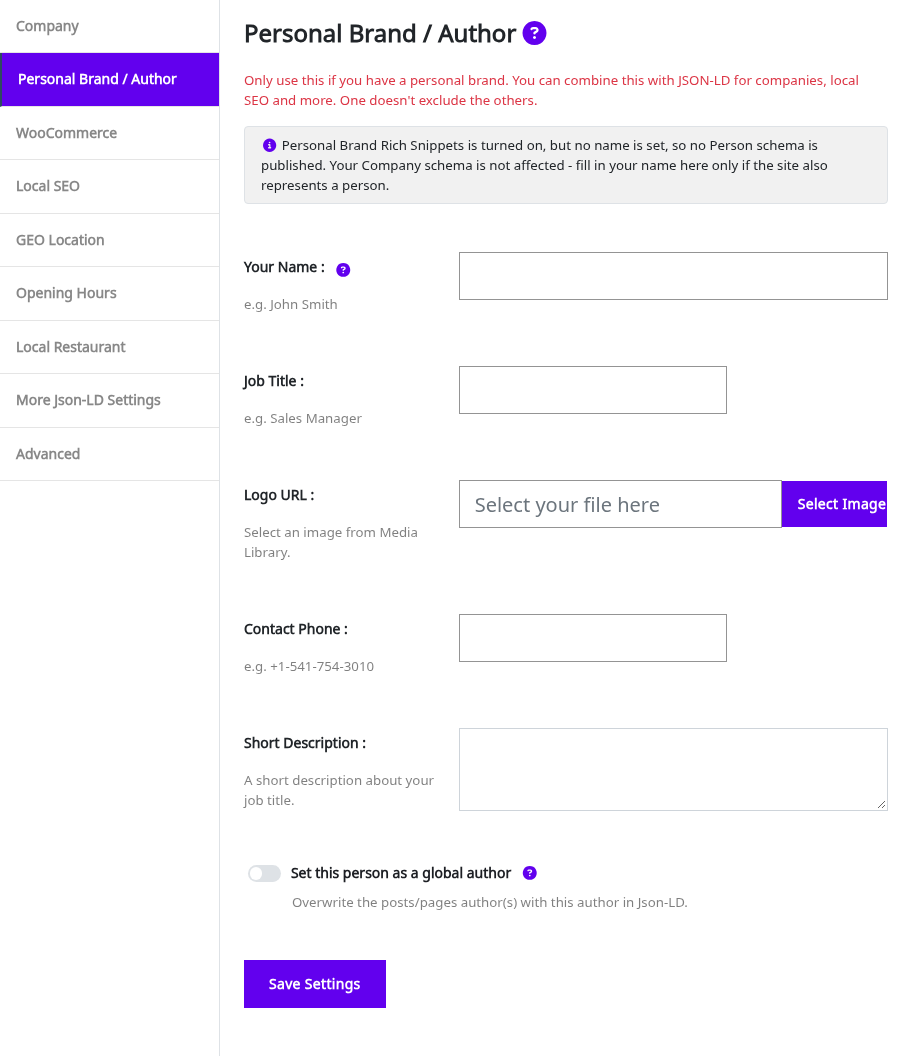
For more details, please check out this resource >>
Local Business Schema
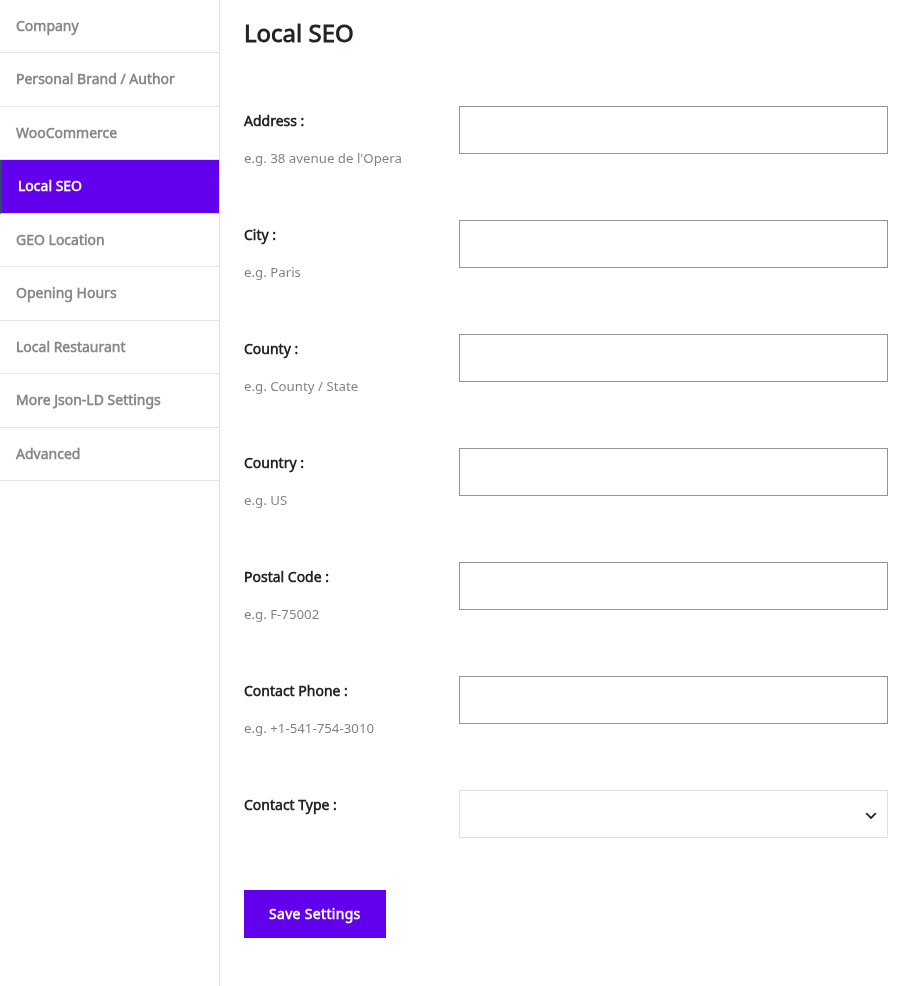
In the Local SEO tab of Squirrly > Technical SEO > Rich Snippets, you can specify:
- Your company’s address.
- City and Country where your company is located.
- Postal Code.
- A phone number where potential customers can reach your company.
- Contact type.
Use this option if you have a local business, like a local hair salon, for example.
With Squirrly SEO, you can also:
- set up GEO Location in the GEO Location tab (tell Google the exact location of your business)
- define Opening Hours in the Opening Hours tab (tell Google your business hours for every day of the week)
Local Restaurant Schema
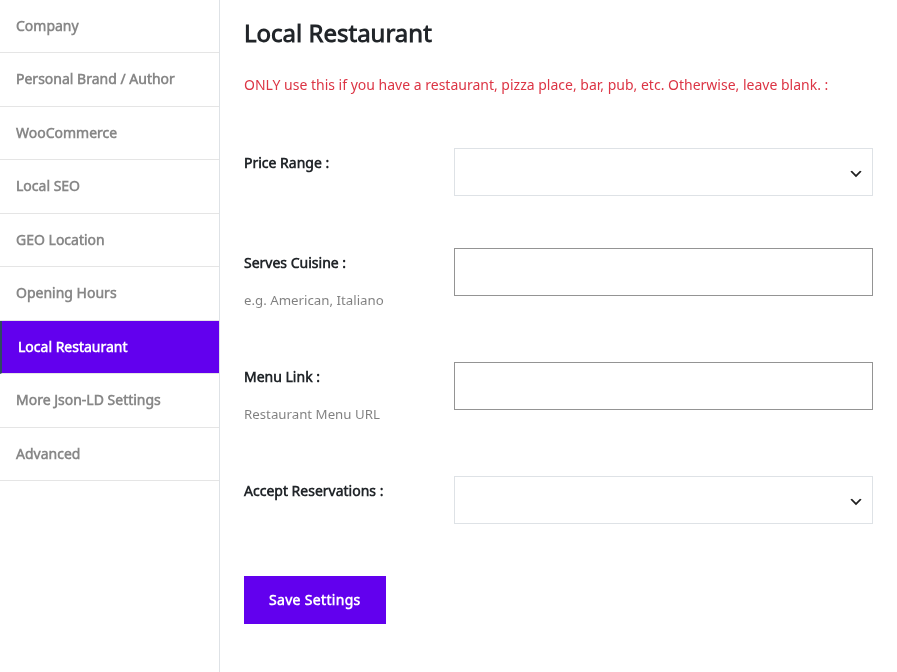
If you have a local restaurant, use the Local Restaurant tab to tell Google about:
- your restaurant’s price range,
- the type of dishes you serve,
- and whether your restaurant accepts reservations or not.
If you have an online menu, you can also link to it.
Breadcrumbs Schema
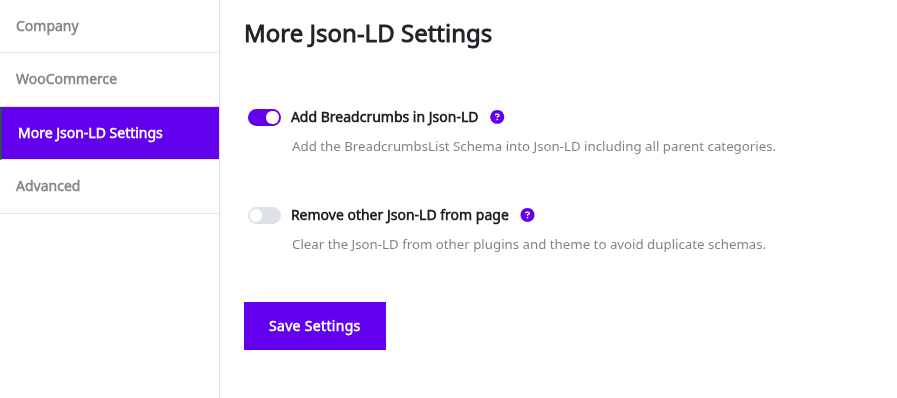
A breadcrumb trail on a page specifies the page’s position in the site hierarchy. It helps users understand where they are on a site and move around it.
Here’s how to set this up using Squirrly >>
Automated Schema / Automated JSON-LD
There are 2 ways to set up the JSON-LD type:
- 1. In Squirrly SEO Automation for each post type (Squirrly > Optimize > Automation > Configuration)
- 2. In Squirrly SEO Snippet for a specific URL (Squirrly > Optimize > Bulk SEO, Rich Snippets tab)
Squirrly SEO has 30 JSON-LD types. Depending on your post type, you can use Squirrly to create:
- Schema for Website
- Schema for Article
- Schema for Newsarticle
- Schema for FAQ Page
Note! By default, Squirrly loads the non-formatting Title and Description to build the FAQ Schema.
For Custom HTML Schema in Squirrly, you can install the free Advanced Custom Field (ACF) plugin and follow the tutorial for creating custom FAQ Schema for each page. (you can learn more about this here)
- Schema for Question
- Schema for Recipe
- Schema for Review
- Schema for Movie
- Schema for Video
- Schema for Local Store
- Schema for Local Restaurant
- Schema for Profile
- Schema for About Page
- Schema for Accommodation
- Schema for Book
- Schema for Collection Page
- Schema for Contact Page
- Schema for Course
- Schema for Event
- Schema for How To
- Schema for Job Posting
- Schema for Music
- Schema for Organization
- Schema for Person
- Schema for Podcast
- Schema for Product
- Schema for Real Estate
- Schema for Service
- Schema for Software Application
- Schema for Video Game
Some page types only offer the types that fit them. Categories, tags, archives, search and 404 pages get Website. The home page and the shop page get Website, Local Store and Local Restaurant. WooCommerce products get Product and Video, and author pages get Profile.
With the Squirrly SEO Advanced Pack and its Custom Rich Snippets feature turned on, you get the Advanced Pack list of schemas instead (it adds types like FactCheck and QAPage), and you can add several schemas to one page and edit every field. You can also build a schema once and reuse it with Reusable Schemas.
Add CUSTOM Structured Data to Build Any kind of Schema You Need
You can add custom structured data for anything that’s NOT handled automatically by Squirrly SEO.
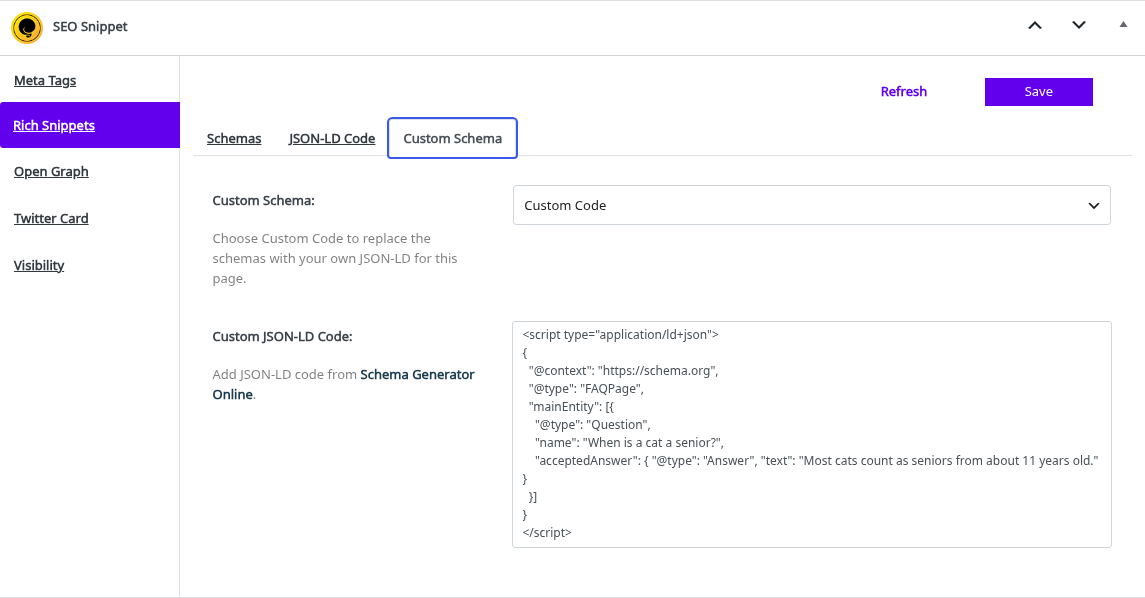
To add it, open the SEO Snippet of the page, go to the Rich Snippets tab, then the Custom Schema tab, and set Custom Schema to Custom Code. Paste your code in the Custom JSON-LD Code field. The field links to a free Schema Generator Online. Custom Code replaces the automatic schema for that page, so we recommend leaving this on (Auto) unless you are an SEO expert and know exactly what you are doing.
The steps are in Add Custom JSON-LD Structured Data.
For more details, please check out this resource >>
JSON-LD WooCommerce Plugin Support
These options are in Squirrly > Technical SEO > Rich Snippets > WooCommerce:
- Improve the WooCommerce Product and Orders schema by enabling Squirrly to add the required data;
- Add default data for JSON-LD Offers, Sku, MPN when they are missing from the product to avoid GSC errors;
- Enable Squirrly to include additional metadata fields (MPN, GTIN, EAN, UPC, ISBN) in the WooCommerce product Inventory section, plus a Brand Name field.
More details available here >>
[RELATED QUESTIONS]