Squirrly SEO & Advanced Custom Fields (ACF) Plugin
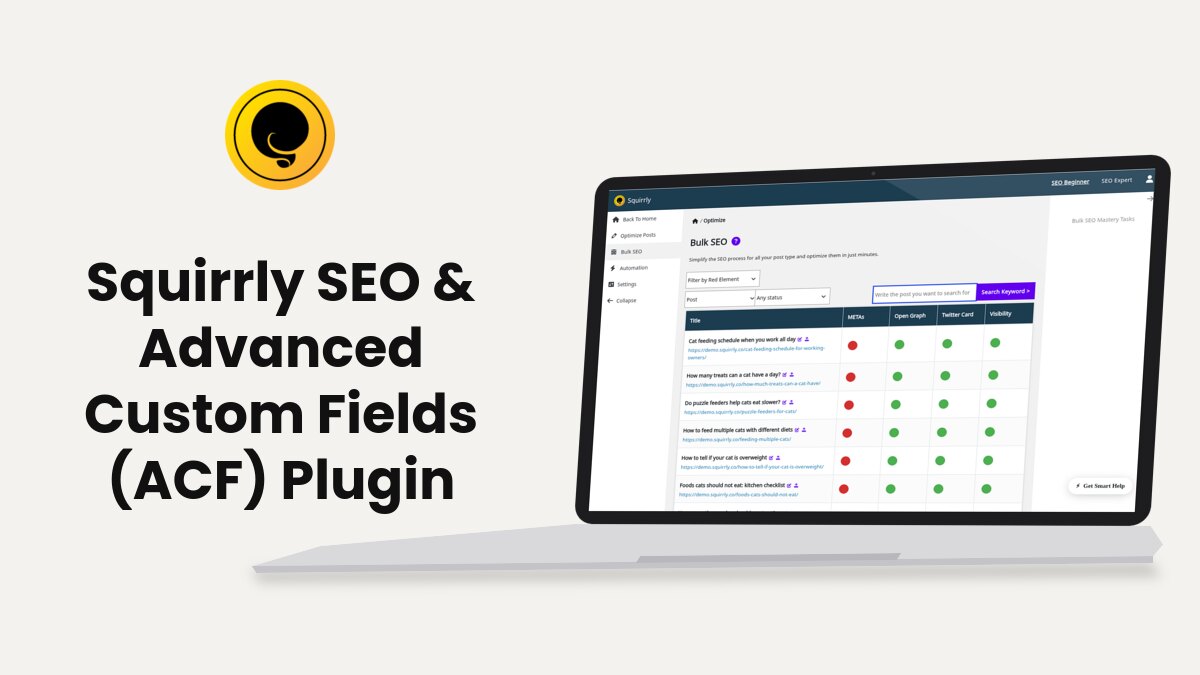
You can use ACF plugin to create custom title, description, keywords and even JSON-LD in Squirrly.
Squirrly SEO reads four field names: _sq_title, _sq_description, _sq_keywords and _sq_jsonld_custom. The SEO Snippet of the post comes first: Squirrly uses a field only when the snippet doesn’t have that value. The table shows when each field is used.
| ACF field name | Squirrly uses it when | Needs ACF active |
|---|---|---|
| _sq_title | The SEO Snippet of the post has no title of its own | No |
| _sq_description | The SEO Snippet of the post has no description of its own | No |
| _sq_keywords | The post has no keywords optimized in the Live Assistant | No |
| _sq_jsonld_custom | The SEO Snippet of the post has no Custom JSON-LD Code | Yes |
The first thing you need to do is to download ACF plugin and activated.
Download ACF Plugin: https://wordpress.org/plugins/advanced-custom-fields/
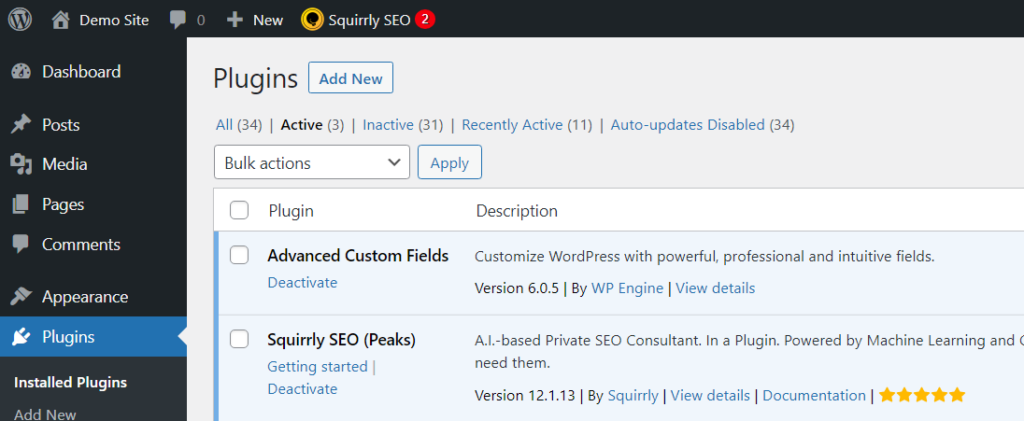
After activation, go to the Custom Fields menu and add a new field group for Squirrly.
Custom Title Meta
To create a custom Title Meta for your posts/pages, create a field name in ACF with the type Text and the name _sq_title:
_sq_title
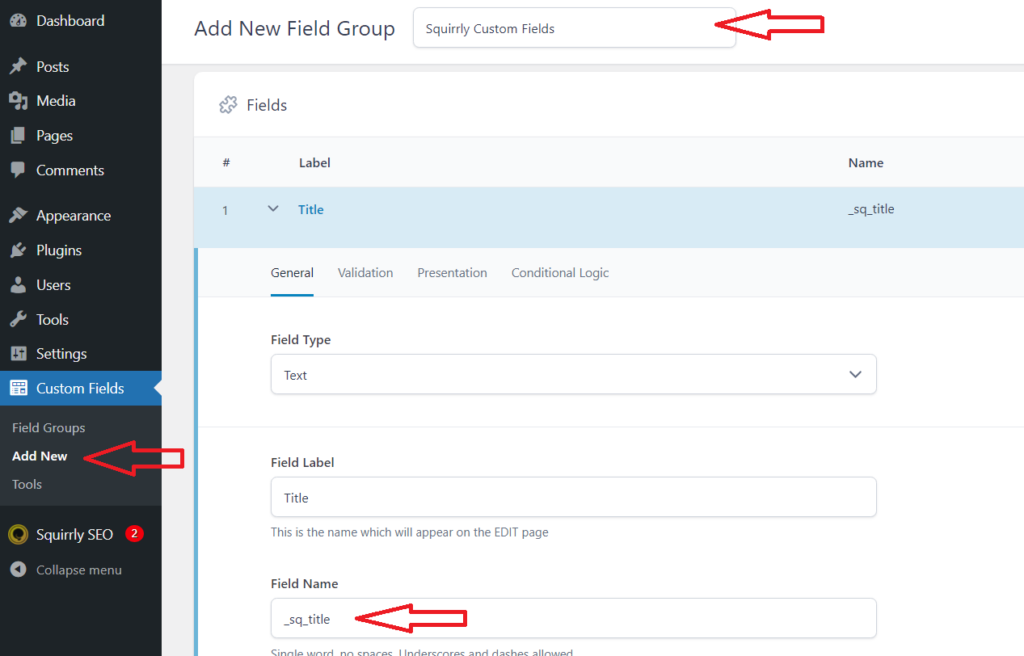
Save the settings and the field will appear in your Post Editor like
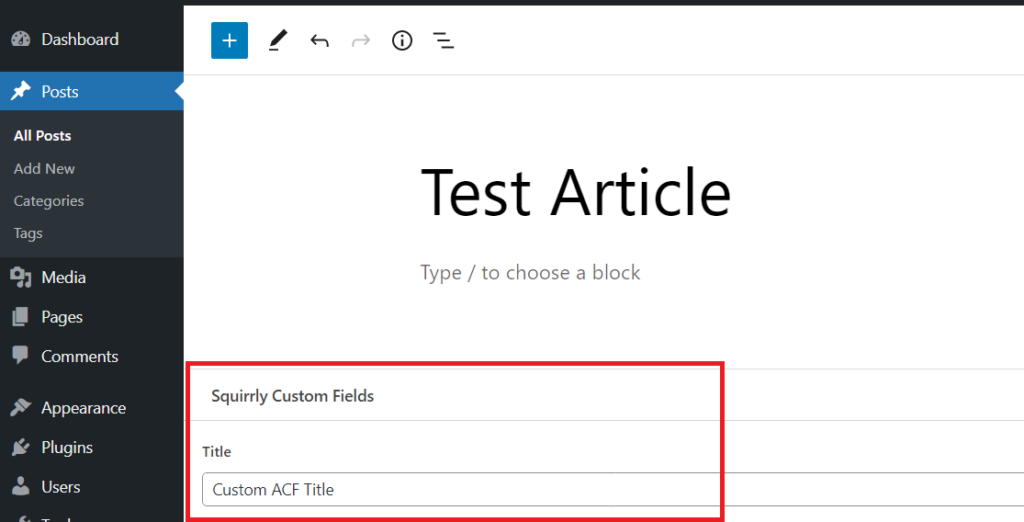
Note! If you deactivate ACF, the field disappears from the Post Editor, but the value stays saved on the post and Squirrly keeps using it. To go back to the Squirrly SEO Snippet, type a title in the snippet: it comes before the field.
Custom Description Meta
To create a custom Description Meta for your posts/pages, create a field name in ACF with the type Text and the name _sq_description:
_sq_description
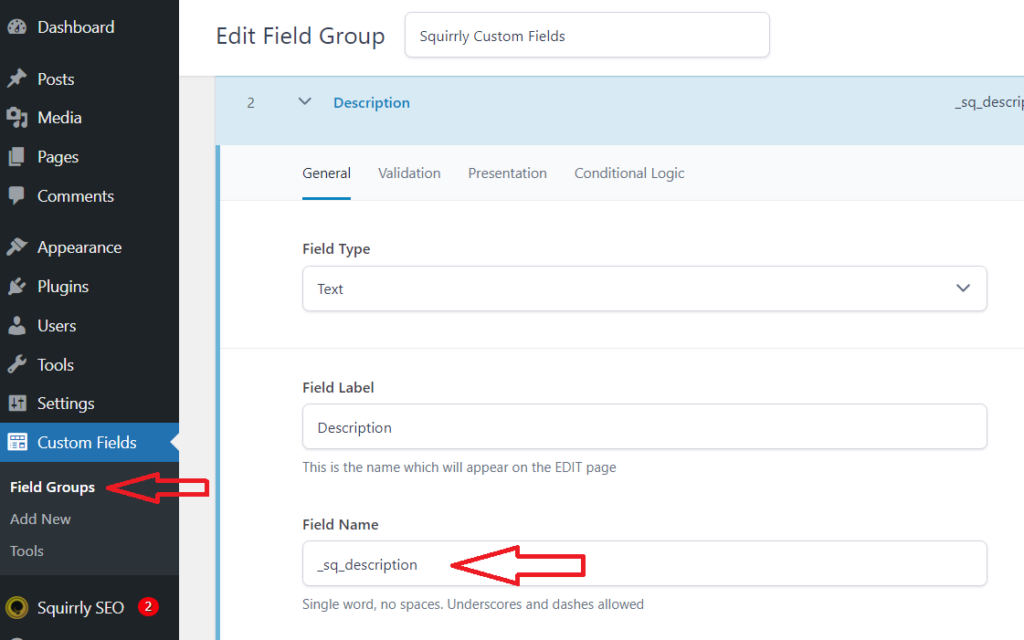
Save the settings and the field will appear in your Post Editor like:
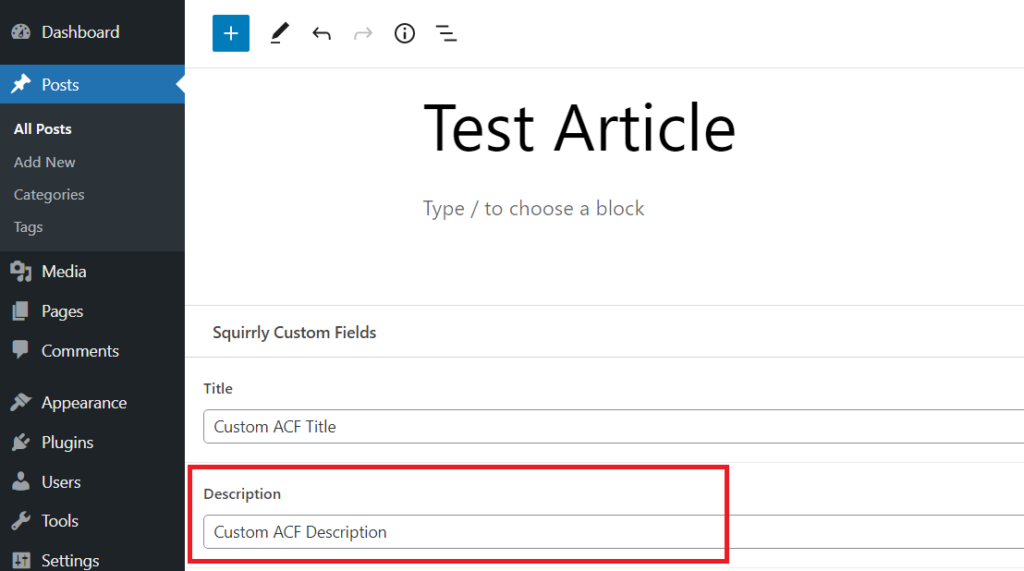
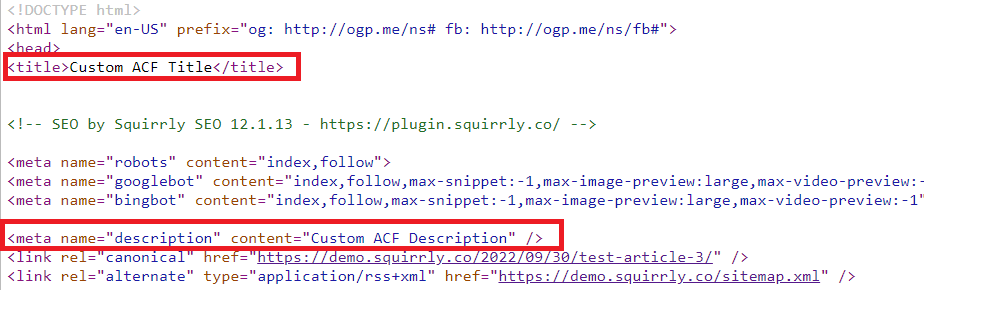
When the Squirrly SEO Snippet of the post has no title or description of its own, the website source code shows the Title and Description from the ACF fields.
Note! If you deactivate ACF, the field disappears from the Post Editor, but the value stays saved on the post and Squirrly keeps using it. A description typed in the Squirrly SEO Snippet comes before the field.
Custom Keywords Meta
To create a custom Keywords Meta for your posts/pages, create a field name in ACF with the type Text and the name _sq_keywords:
_sq_keywords
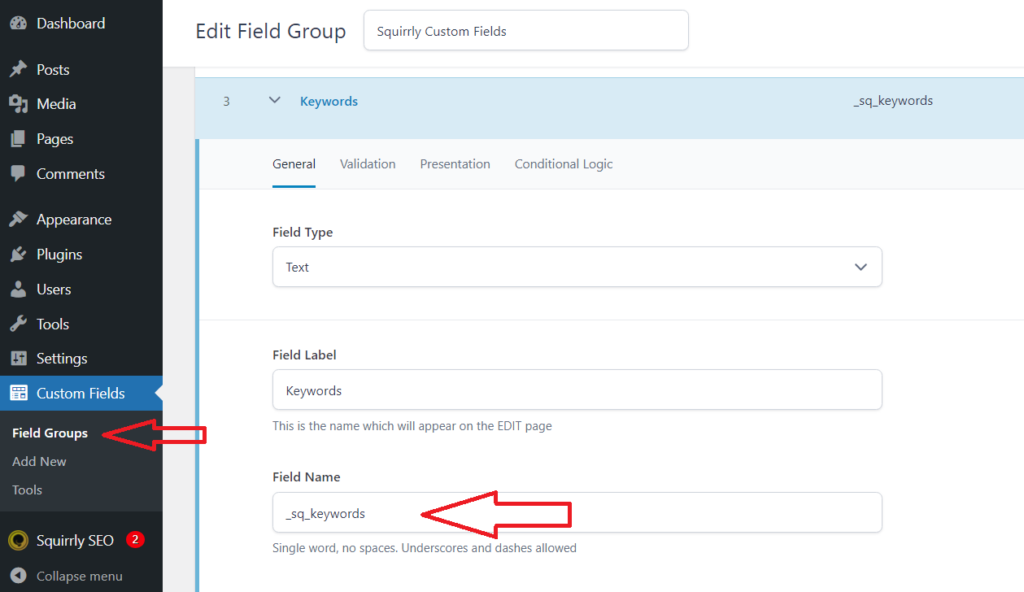
Save the settings and the field will appear in your Post Editor like:
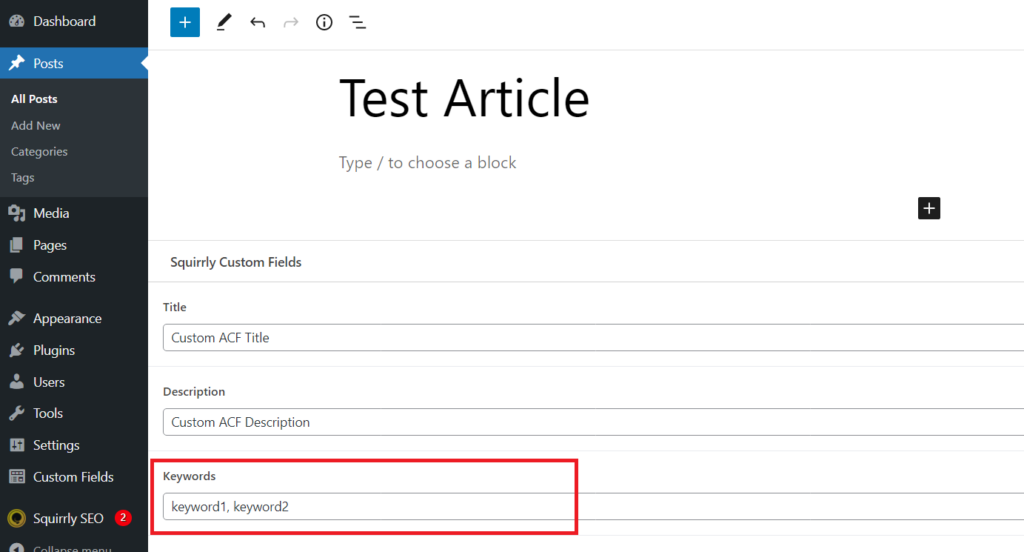
Squirrly uses _sq_keywords only for posts that have no keywords in the Live Assistant. Once you optimize the post for a keyword there, the Live Assistant keywords are used instead.
Custom JSON-LD Schema Meta
To create a custom JSON-LD Schema for your posts/pages, create a field name in ACF with the type TextArea and the name _sq_jsonld_custom:
_sq_jsonld_custom
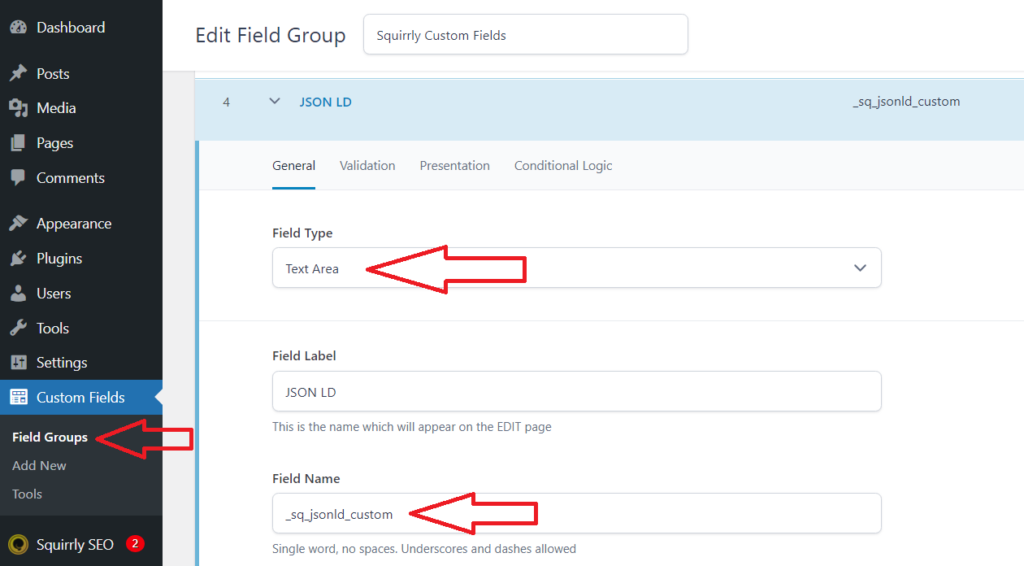
Save the settings and the field will appear in your Post Editor like:
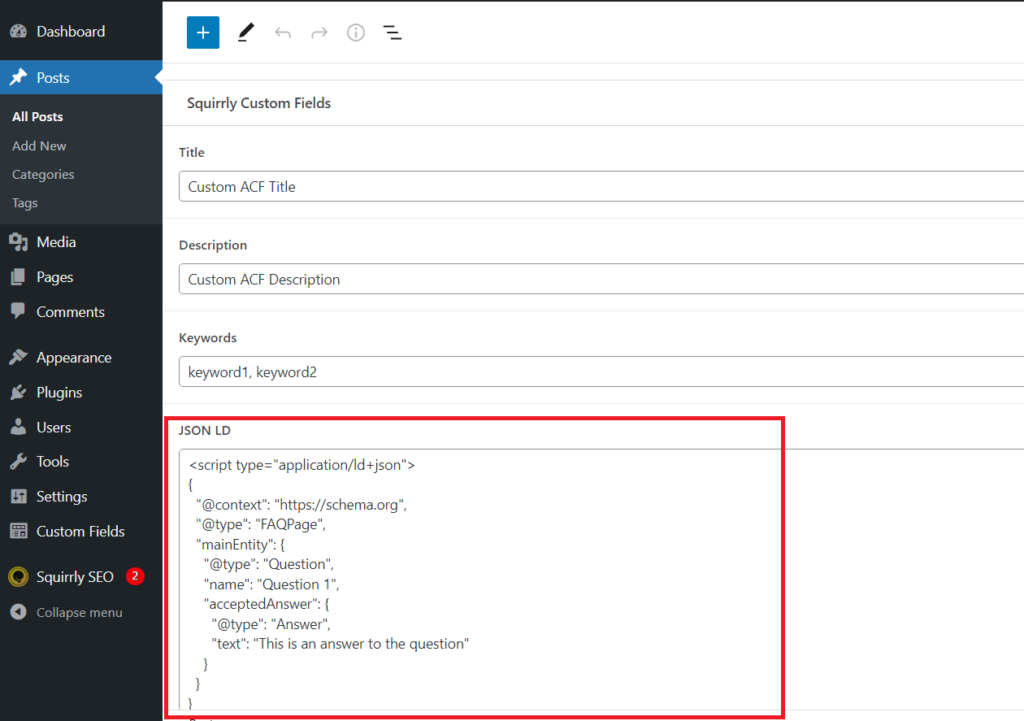
To create a custom JSON-LD code, use this website:
https://technicalseo.com/seo-tools/schema-markup-generator/
This field only works while ACF is active. Custom code saved in the SEO Snippet (Rich Snippets > Custom Schema > Custom Code) comes first, so Squirrly reads the ACF field only when the snippet has no custom code. Code that isn’t valid JSON isn’t printed. Add Custom JSON-LD Structured Data has more on custom code.
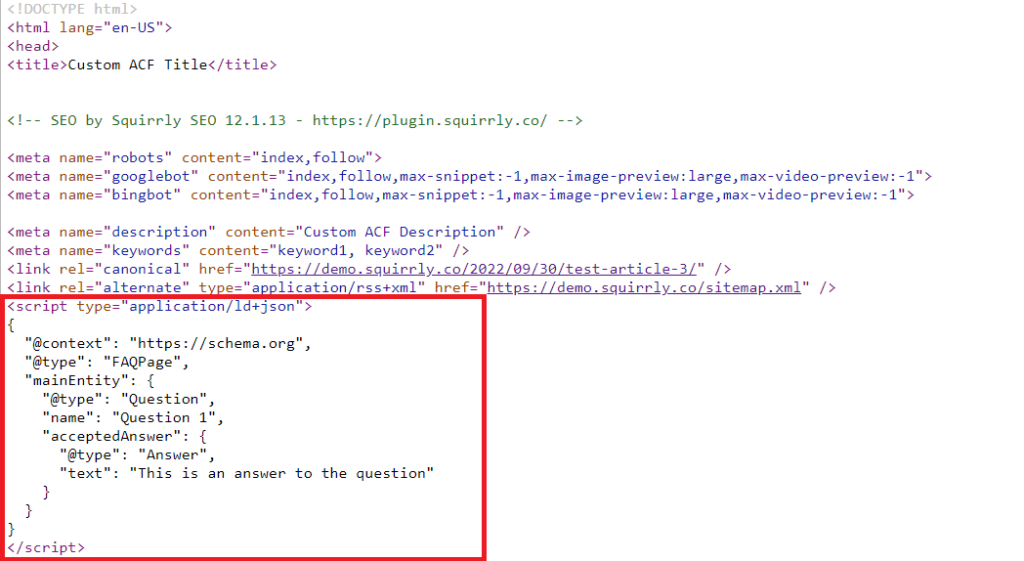
After the post is saved, the source code will look like this:
Download Squirrly Custom Fields for ACF
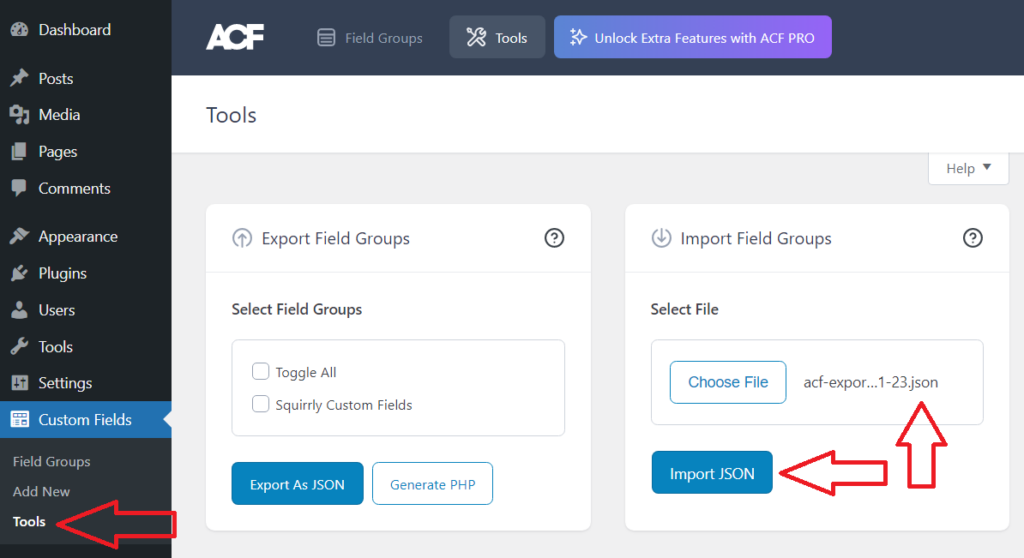
Here is the backup file you can download, unpack and add it into ACF plugin.
This backup will activate the custom fields in Squirrly like described above.
Unpack the json file and add it to Custom Fields > Tools > Import Fields Group.
With the Squirrly SEO Advanced Pack you can also fill any schema field from an ACF field, as Use ACF fields in Squirrly SEO schemas explains.