
Use Squirrly In Compatibility Mode with other SEO Plugins
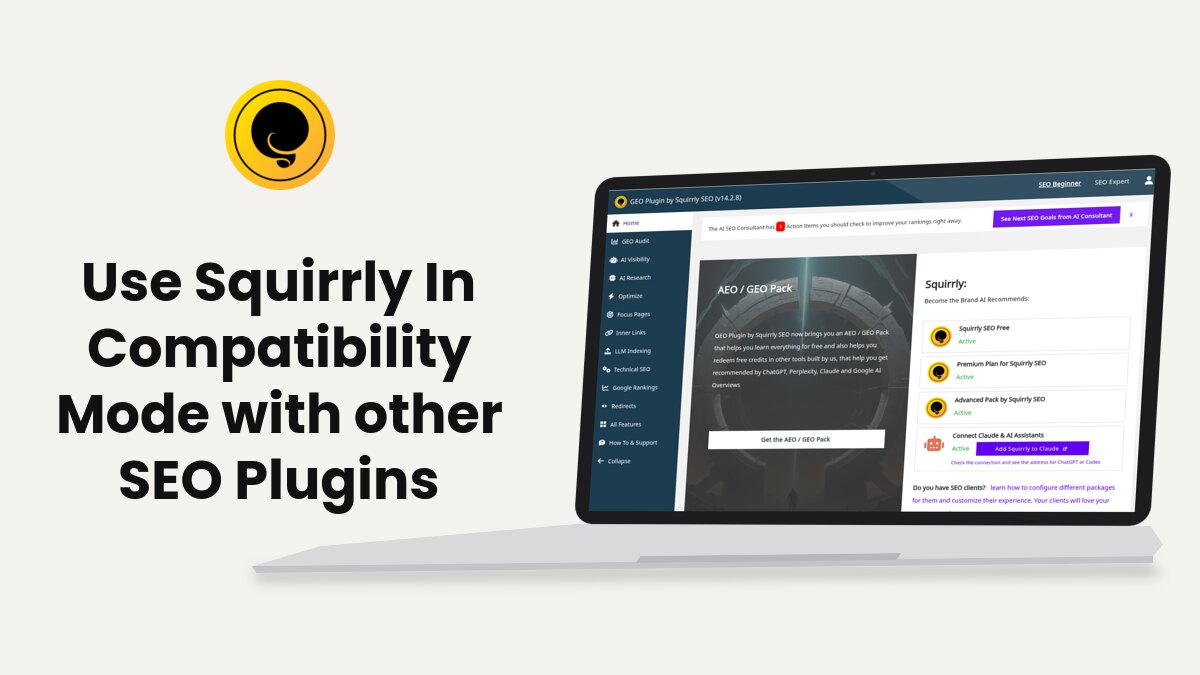
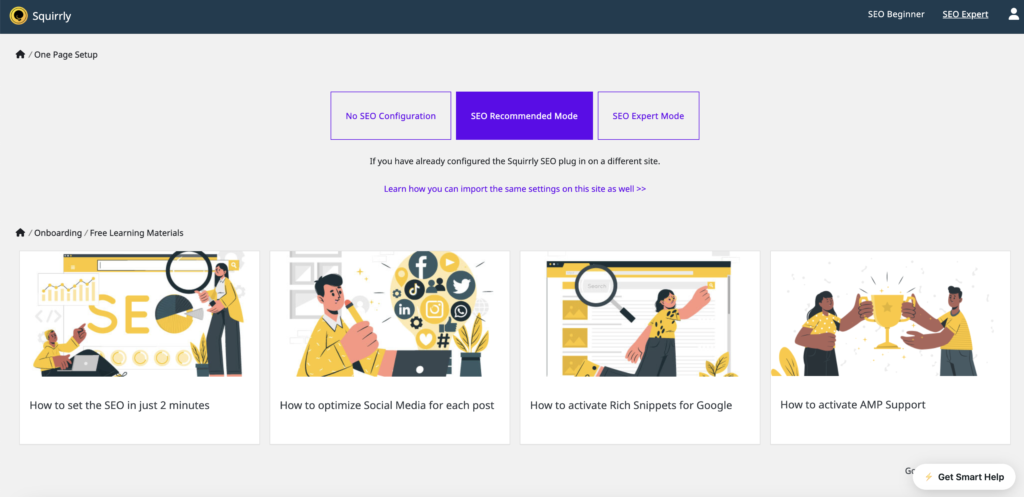
Since version 14.0.0, Squirrly SEO can run next to Yoast, Rank Math or SEOPress. Pick “No SEO Configuration” in the Squirrly onboarding and the other plugin keeps handling your SEO metas.
Squirrly SEO 14 brings new workflows for AEO and GEO (getting your brand found and recommended by AI answer engines).
Already using Yoast, Rank Math or SEOPress? Keep it. Squirrly SEO can work alongside your existing SEO plugin.
Go to the onboarding screen above and click No SEO Configuration. The click saves the choice right away and turns off Squirrly’s automatic SEO features. That’s all you need to do inside Squirrly SEO.
After that, the SEO side will be handled by the other SEO plugin. Your AEO and GEO work is done with the Squirrly workflows for getting your brand recommended by AIs.
The onboarding isn’t in the Squirrly menu, so you open it from the browser’s address bar. When you’re in Squirrly, the address looks like this:
https://example.com/wp-admin/admin.php?page=sq_dashboard
Change it to https://example.com/wp-admin/admin.php?page=sq_onboarding
Use your own domain in place of example.com. On the demo store, for example, the address is demo.squirrly.co/wp-admin/admin.php?page=sq_onboarding.
That will take you to the onboarding section of Squirrly and you’ll be able to make this setting.
And that’s how you make each version after 14.0.0 work in compatibility mode with other SEO plugins. The install guide explains the three onboarding buttons.
Turn off single Squirrly features
If you want to keep some Squirrly SEO features on, you can switch off only the ones that would overlap with the other plugin. The steps below still work in Squirrly SEO 14. The screenshots are from an earlier version, so the screens look different now.
Do you have another SEO plugin installed on your website and don’t want to import the SEO and Settings in Squirrly SEO just yet?
The Squirrly SEO plugin can be used alongside other SEO plugins. You don’t have to switch to Squirrly SEO entirely to use some of its features.
Here are the settings you can turn OFF in Squirrly SEO when you use it together with another SEO plugin that you already have installed on your site.
Switch Off METAs Globally
Here’s what you need to do to make sure Squirrly SEO is NOT loading its METAs, so it doesn’t overwrite the METAs from the SEO plugin you already have installed on your site.
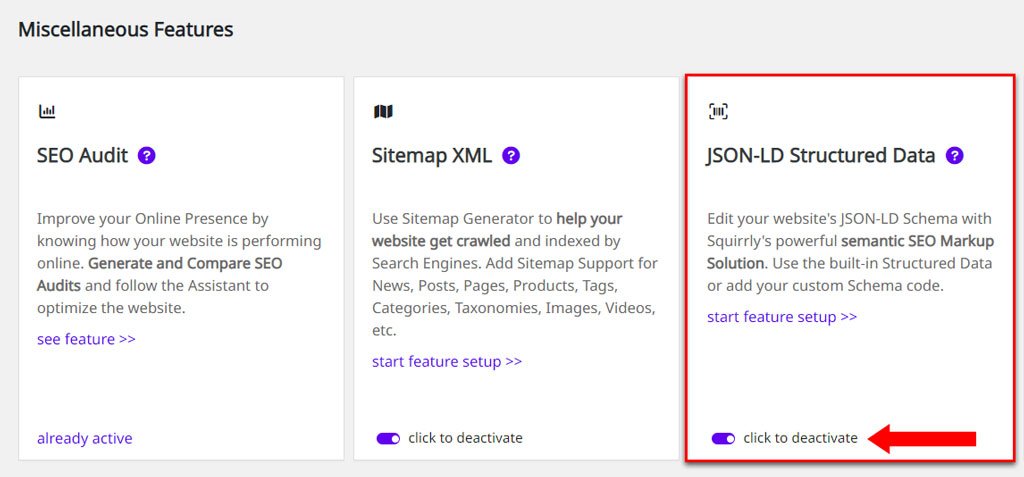
- Go to Squirrly > All Features
- Then switch OFF / deactivate the following features:
1. On-Page SEO METAs: switching this OFF tells Squirrly to NOT load META Title, Description, Keywords, Canonical, Robots;

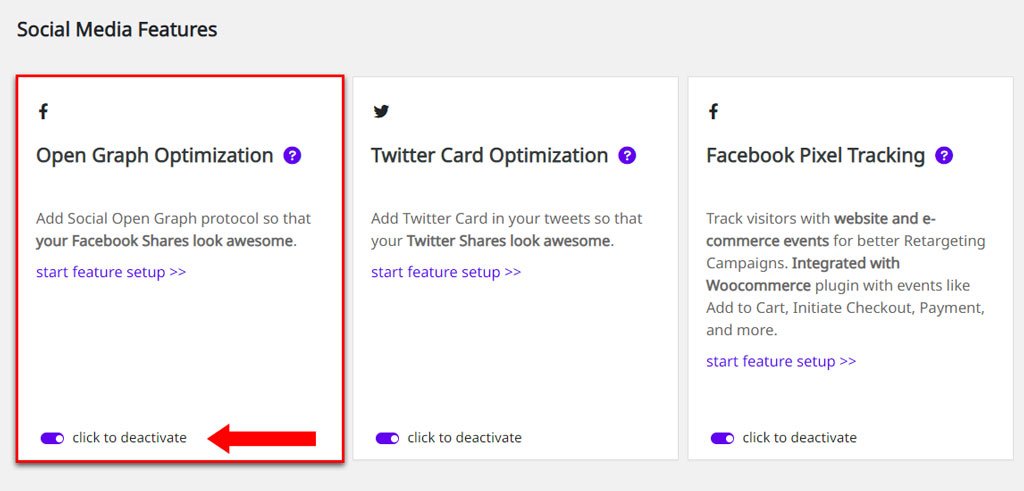
2. Open Graph Optimization: switching this OFF tells Squirrly to NOT load the Open Graph snippet for your website pages (switch this OFF if you want to use the Open Graph snippet from the other SEO plugin installed on your site)
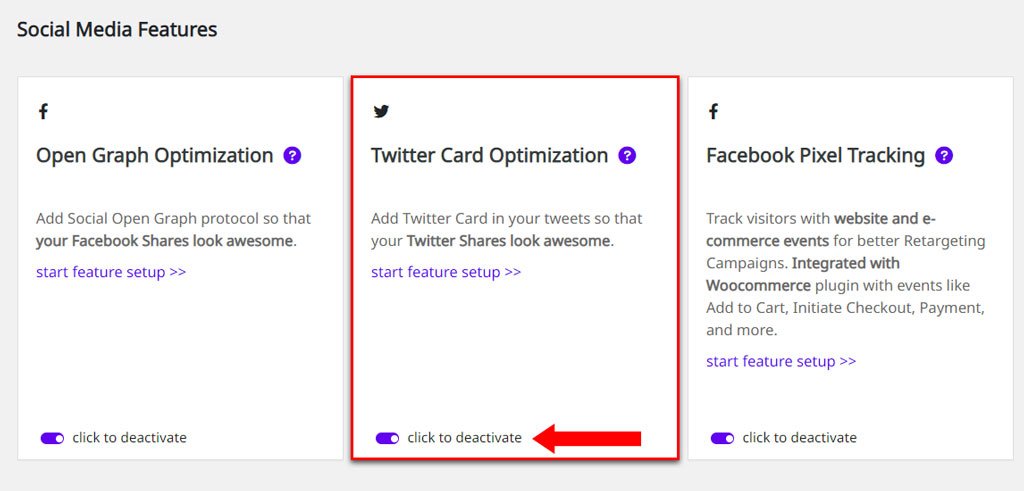
3. Twitter Card Optimization: switching this OFF tells Squirrly to NOT load the Twitter Card snippet for your website pages (switch this OFF if you want to use the Twitter Card snippet from the other SEO Plugin installed on your site)
4. JSON-LD Structured Data: switching this OFF tells Squirrly to NOT load the JSON-LD Schema for your website pages (switch this OFF if you want to use the JSON-LD Schema from the other SEO Plugin installed on your site)
Switch Off METAs by Post Type
Another solution is to disable Squirrly SEO METAs for certain Post Types. This lets the other SEO plugin you have installed on your site load the METAs for those Post Types.
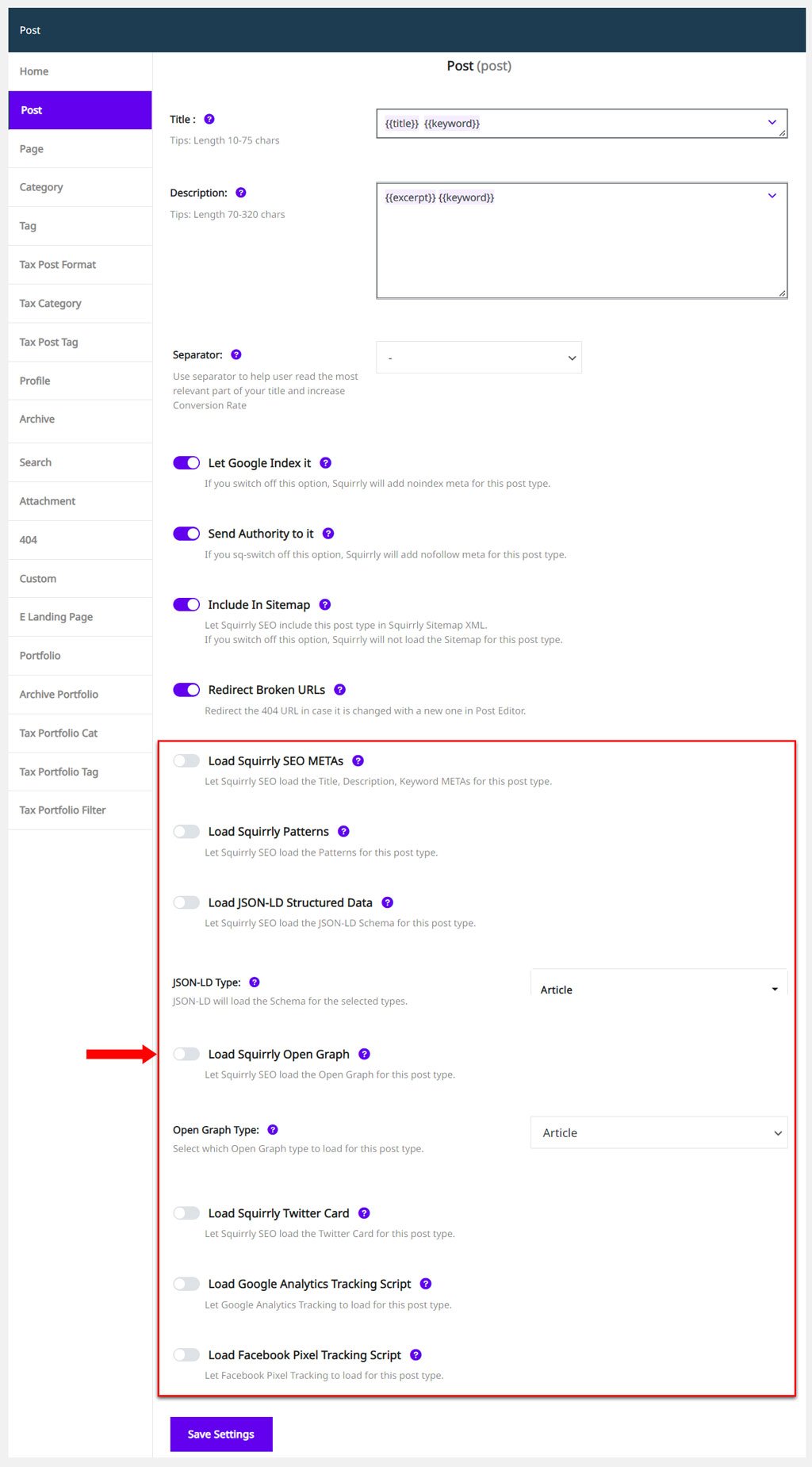
To deactivate the SEO for a Post Type:
- Go to Squirrly > Optimize > Automation > Configuration;
- Select the Post Type for which you want to disable the Squirrly SEO METAs;
- Switch OFF all the following :
- Load SEO Metas
- Load Squirrly Patterns
- Load JSON-LD Structured Data
- Load Squirrly Open Graph
- Load Squirrly Twitter Card
Optional! You can also switch OFF:
- Load Google Analytics Tracking Script
- Load Facebook Pixel Tracking Script
More about these switches in SEO Automation.




