
How to Connect MCP Plugins to Squirrly SEO
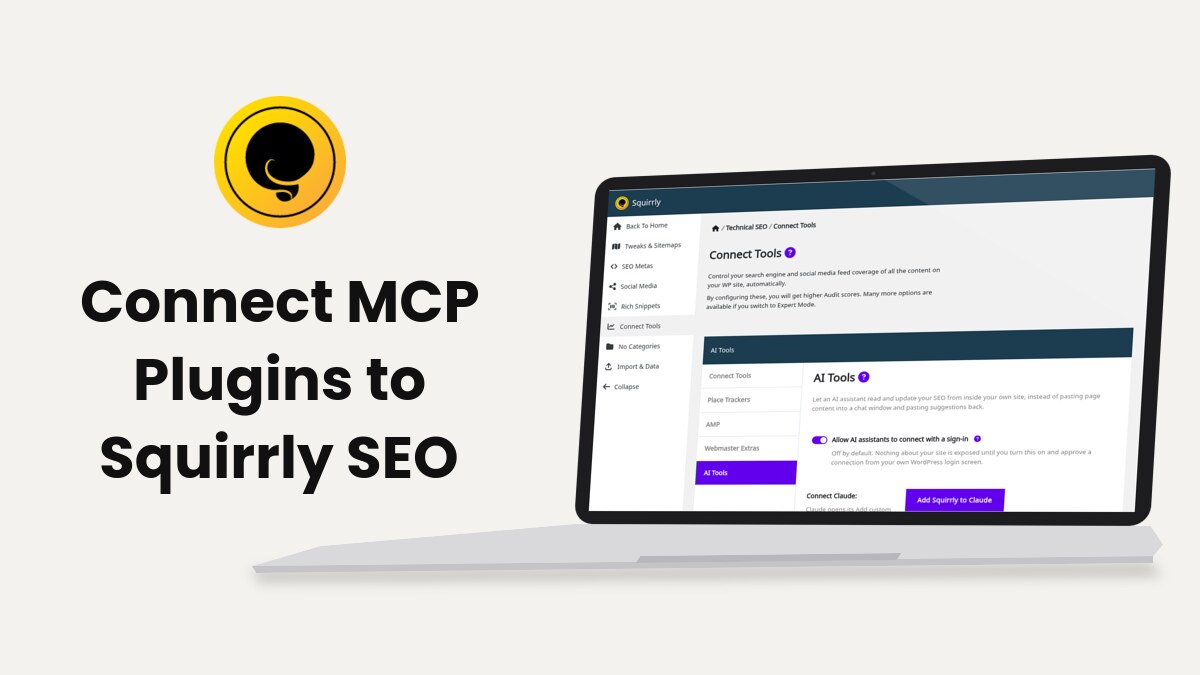
Squirrly SEO publishes 16 SEO tools to MCP clients such as Claude, ChatGPT, OpenAI Codex, Claude Desktop and Claude Code once you turn on Squirrly > Technical SEO > Connect Tools > AI Tools. This page is the reference: which tools exist, which WordPress role can run each one, how a local client connects with an Application Password, and how Squirrly works next to other MCP plugins.
For the click-by-click sign-in with Claude or ChatGPT, read Connect Squirrly to AI Assistants first. Everything below was checked against Squirrly SEO 14.2.9.
What Squirrly publishes to MCP clients
Squirrly registers its tools with the WordPress Abilities API, which is part of WordPress from version 6.9, under the squirrly/ namespace and the category Squirrly SEO. The MCP Adapter that ships inside Squirrly SEO turns those abilities into MCP tools. When another plugin (the MCP Adapter plugin, WooCommerce or Elementor) already loads an adapter, Squirrly uses that copy instead of its own.
Two MCP servers come out of this, at two addresses:
| Server | Address | Sign-in | Tools it lists |
|---|---|---|---|
| MCP OAuth Server | /wp-json/mcp/mcp-oauth-server | OAuth 2.1, approved on your WordPress login screen | The 16 Squirrly tools, one by one |
| MCP Adapter Default Server | /wp-json/mcp/mcp-adapter-default-server | Application Password | 3 generic tools (discover, get info, execute) that reach the same 16 abilities |
Both run only while Allow AI assistants to connect with a sign-in is on, unless another plugin already starts an MCP Adapter on your site.
The 16 Squirrly tools
The first column is the name Claude shows. The MCP name is what a client calls on the OAuth server.
| Tool | MCP name | Type | Needs Squirrly Cloud |
|---|---|---|---|
| Read page SEO | squirrly-get-seo | Read | No |
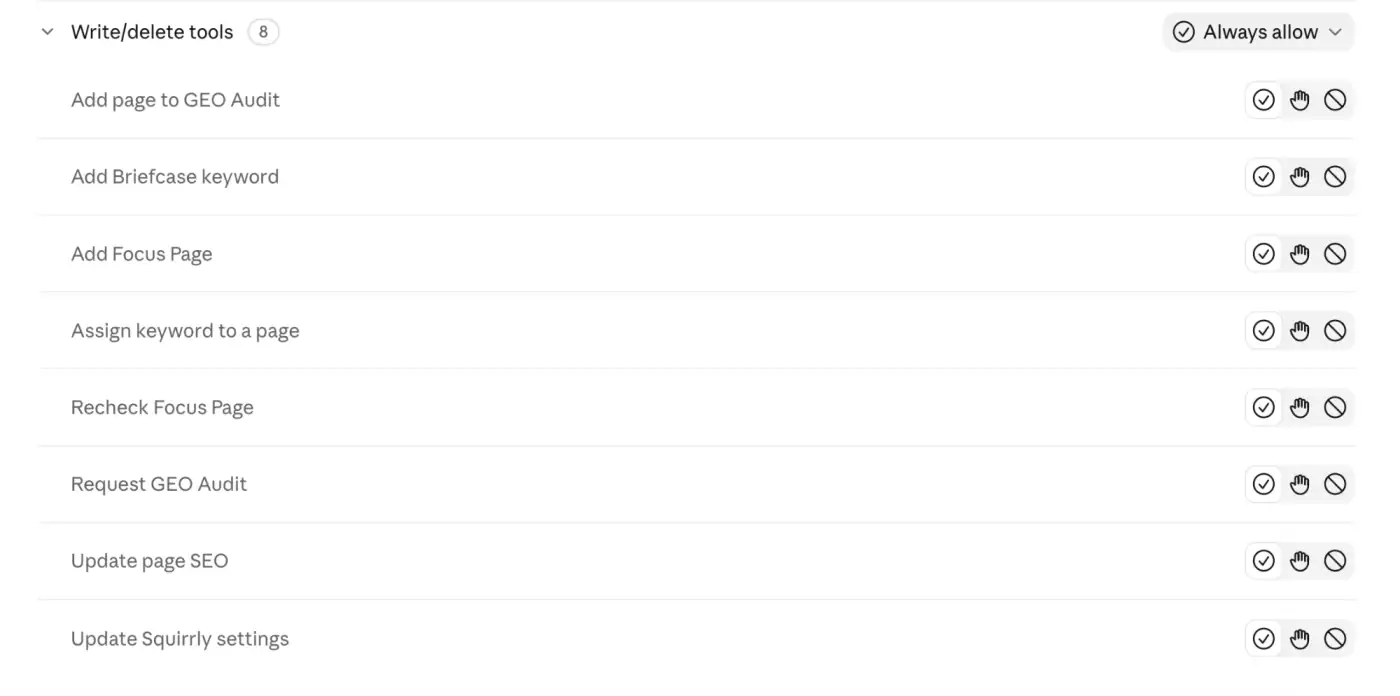
| Update page SEO | squirrly-update-seo | Write | No |
| Read Automation patterns | squirrly-get-patterns | Read | No |
| Read Squirrly settings | squirrly-get-settings | Read | No |
| Update Squirrly settings | squirrly-update-settings | Write | No |
| Read Briefcase keywords | squirrly-get-briefcase | Read | Yes |
| Read Google rankings | squirrly-get-ranks | Read | Yes |
| Read Focus Pages | squirrly-get-focus-pages | Read | Yes |
| Read keyword research history | squirrly-get-keyword-research-history | Read | Yes |
| Read Live Assistant tasks | squirrly-get-live-assistant-tasks | Read | Yes |
| Add Briefcase keyword | squirrly-add-briefcase-keyword | Write | Yes |
| Assign keyword to a page | squirrly-assign-keyword | Write | Yes |
| Add Focus Page | squirrly-add-focus-page | Write | Yes |
| Recheck Focus Page | squirrly-recheck-focus-page | Write | Yes |
| Add page to GEO Audit | squirrly-add-audit-page | Write | Yes |
| Request GEO Audit | squirrly-request-audit | Write | Yes |
The ability names behind them use a slash, for example squirrly/get-seo. The Cloud tools need the site connected to Squirrly Cloud, because the Briefcase, Rankings and Focus Pages are stored there.
Turn on the MCP connection
- Go to Squirrly > Technical SEO > Connect Tools and open the AI Tools tab.
- Turn on Allow AI assistants to connect with a sign-in.
- Click Save Settings.
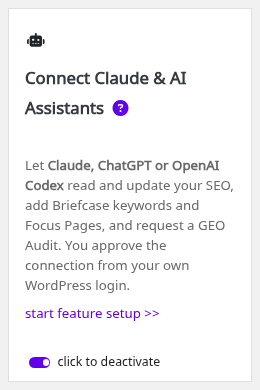
The same switch is on the Connect Claude & AI Assistants card in Squirrly > All Features, under Integration Features, where it saves as soon as you click it.
Connect Claude, ChatGPT or OpenAI Codex
Web assistants use the OAuth server. Click Add Squirrly to Claude on the AI Tools tab, or paste Your connector address into ChatGPT or Codex. Your site then shows Authorize access to your site?, and Allow creates an Application Password named after the assistant.
No Application Password is created by hand on this route. The steps and the screenshots are in Connect Squirrly to AI Assistants.
Connect Claude Desktop, Claude Code or another local client
A client that runs on your computer talks to the default server through a small bridge, @automattic/mcp-wordpress-remote, which holds an Application Password.
- Turn on the switch as in Turn on the MCP connection. This also starts the MCP Adapter that comes with Squirrly.
- Go to Users > Profile in WordPress, find Application Passwords, type a name in New Application Password Name and click Add Application Password.
- Copy the password. WordPress shows it only once.
- Add Squirrly to the client’s MCP configuration, with your WordPress username (not the email address):
{
  "mcpServers": {
    "squirrly": {
      "command": "npx",
      "args": [ "-y", "@automattic/mcp-wordpress-remote@latest" ],
      "env": {
        "WP_API_URL": "https://yoursite.com/wp-json/mcp/mcp-adapter-default-server",
        "WP_API_USERNAME": "your-wordpress-username",
        "WP_API_PASSWORD": "the Application Password"
      }
    }
  }
}
Claude Desktop keeps this in claude_desktop_config.json. Restart the client after you save, then ask “What is the SEO title of my home page?” to test it.
Make one Application Password per client, so you can revoke one without stopping the others.
Which WordPress roles can do what
The assistant works with the role of the user it connected as. Squirrly SEO gives these capabilities to the WordPress roles when it is activated, and there’s no screen to change them.
| What the assistant can do | Subscriber | Contributor, Author | Editor, Squirrly SEO Editor | Administrator, Squirrly SEO Admin |
|---|---|---|---|---|
| Read and update SEO of pages the user can edit | No | Yes | Yes | Yes |
| Read and update SEO of any page | No | No | Yes | Yes |
| Read Automation patterns | No | No | Yes | Yes |
| Read and change Squirrly settings | No | No | No | Yes |
| Briefcase, keyword research history, Live Assistant tasks, assign keyword | No | Yes | Yes | Yes |
| Rankings, Focus Pages, GEO Audit pages, audit requests | No | No | Yes | Yes |
“Pages the user can edit” follows WordPress: an Author edits their own posts, and a Contributor edits their own posts only before they are published. Assign keyword also needs edit rights on that page.
The two roles Squirrly adds
Squirrly SEO creates Squirrly SEO Editor and Squirrly SEO Admin, both built on the WordPress Editor role. You pick them under Users like any other role.
Squirrly SEO Editor works on the SEO of every page, Focus Pages and rankings, without site-wide settings. A dedicated user with that role is a good fit for an AI connection that shouldn’t touch the whole site.
What an assistant can’t do
- Delete anything. The write tools add or recheck; removing a Focus Page, a tracked keyword or a Briefcase keyword stays in the Squirrly screens.
- Start a new keyword research. Read keyword research history only reads researches already made, so it never spends Squirrly credits.
- Read your credentials. Read Squirrly settings leaves out the API key, the Cloud token and the site keys.
- Change any setting it wants. Update Squirrly settings accepts a fixed list of 30 settings, such as
sq_auto_sitemapandsq_auto_llms, and returns everything else inskipped. - Connect or disconnect the site from Squirrly Cloud.
The Automation patterns stay read-only for the same reason: one pattern sets the title of every page of its type.
Using Squirrly with another MCP plugin
Squirrly runs next to other MCP plugins. Each one keeps its own server and its own tools, so a client connected to another plugin’s server doesn’t see the Squirrly tools unless that server publishes them.
| Situation | What happens |
|---|---|
| Another plugin loads the MCP Adapter | Squirrly uses that adapter and registers no second copy |
| Another plugin embeds the same OAuth library (WP Rocket does) | Squirrly uses the copy already loaded |
| A generic tool writes post meta | Squirrly keeps per-page SEO in its own qss database table, so post-meta tools don’t reach it |
| A generic tool writes WordPress options | Squirrly’s settings sit in one option next to the Cloud credentials, so use Read and Update Squirrly settings instead |
If your assistant connects but finds no Squirrly tools, check which server address it uses. The Squirrly tools are on the two addresses in the first table.
Developer reference
Calling the abilities over REST
WordPress core serves every ability at /wp-json/wp-abilities/v1/abilities. Read abilities use GET with the input in the query string, and write abilities use POST with the fields inside an input object.
curl -u "user:xxxx xxxx xxxx xxxx xxxx xxxx" \
  "https://yoursite.com/wp-json/wp-abilities/v1/abilities/squirrly/get-seo/run?input%5Bpost_id%5D=42"

curl -u "user:xxxx xxxx xxxx xxxx xxxx xxxx" -X POST \
  -H 'Content-Type: application/json' \
  -d '{"input":{"post_id":42,"seo":{"title":"New title"}}}' \
  https://yoursite.com/wp-json/wp-abilities/v1/abilities/squirrly/update-seo/run
A POST to a read ability returns “Read-only abilities require GET method.” Testing the Squirrly abilities walks through every layer.
How get-seo and update-seo behave
Read page SEO returns seo (what is saved for that page) and computed (what the page outputs now). When seo is empty and computed has values, the page follows an Automation pattern, and computed.source names it.
Update page SEO is a partial update: fields you leave out keep their value. The exception is jsonld_types, a full list, so a type you leave out loses its saved schema data.
Filters
| Filter | What it does |
|---|---|
sq_mcp_trusted_publishers | Add another AI client that may reach the approval page. Claude and OpenAI are in the list by default |
sq_mcp_server_tools | Change the list of tools the OAuth server publishes |
Troubleshooting
“This site is not connected to Squirrly Cloud, so this data is not available.”
A Cloud tool ran on a site without the Cloud connection. Connect the site from Squirrly > First Step (the menu item is called Home once the site is connected); page SEO, settings and patterns work either way.
“This page is not published, so it can’t be a Focus Page. Publish it first.”
Squirrly Cloud has to open the page to audit it, and the GEO Audit tool returns the same message with “audited”. Publish the page and ask again.
“You have reached the maximum number of focus pages for this website (max: 10).”
The number comes from your plan (10 on the demo site), and audit pages and tracked keywords have their own limits. Remove a Focus Page in Squirrly > Focus Pages or upgrade the plan.
“You’ve made too many requests, please wait a few minutes.”
Rechecks are rate limited, and a page audit can be requested about once an hour. A site-wide audit request that is still waiting is reused, so asking again doesn’t queue a second one.
The keyword data looks out of date
Cloud answers are cached for 5 minutes. A write through Squirrly clears that cache, so only changes made elsewhere take a few minutes to show.
“You don’t have permission to edit this page.”
The connected user can’t edit that page. Check the role table, or connect a user with Squirrly SEO Editor.
Frequently asked questions
How many tools does Squirrly publish?
Sixteen, five that work on any site and eleven that need the Squirrly Cloud connection.
Can an assistant delete my Focus Pages or keywords?
No tool removes data, so deletions stay in the Squirrly screens.
Does a keyword research through the assistant use credits?
The assistant can only read past researches, which uses no credits.
Which address do I give a local MCP client?
Give it /wp-json/mcp/mcp-adapter-default-server together with an Application Password.
Related tutorials
- Connect Squirrly to AI Assistants: the sign-in steps for Claude, ChatGPT and Codex.
- Testing the Squirrly abilities: WP-CLI, REST and MCP checks, one layer at a time.
- Automation: the patterns behind the computed titles and descriptions.
- Focus Pages & Page Audits: what Add Focus Page starts tracking.
- SEO Audit Suite: the audit that Request GEO Audit refreshes.







0 Comments