Add Custom Noindex Meta
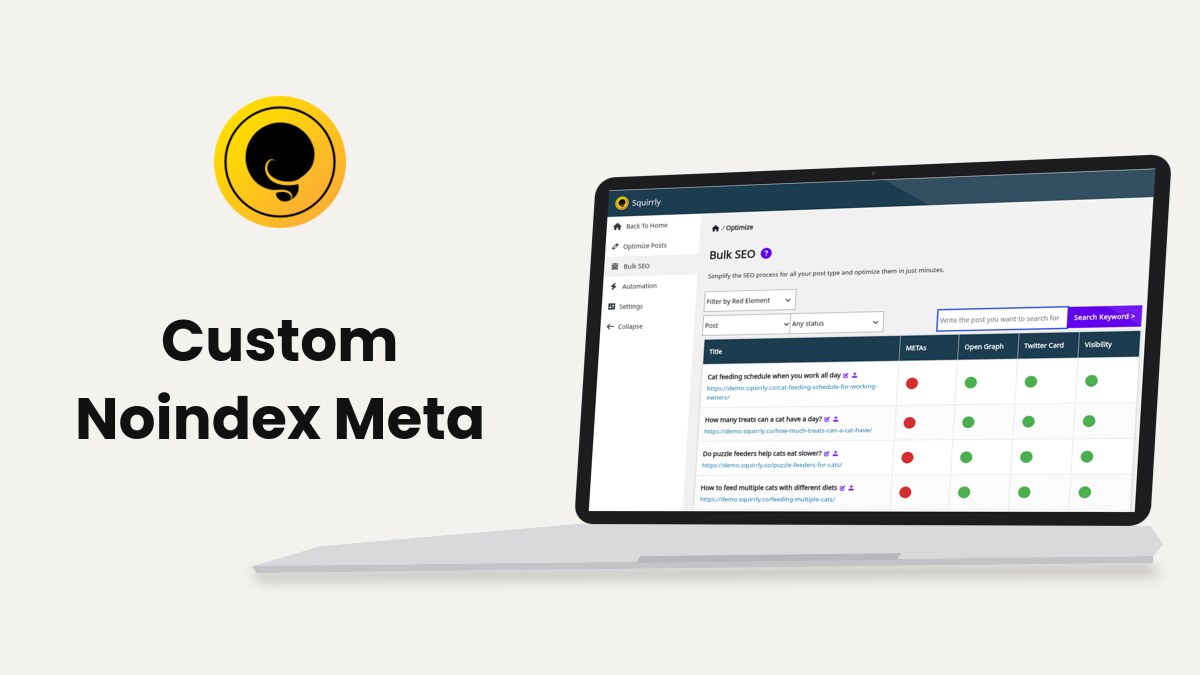
Squirrly SEO writes a robots meta on every page, index,follow by default. You can switch one page to noindex or nofollow in its SEO Snippet, a whole post type in SEO Automation, or any page with the sq_noindex filter.
Before you start
The robots meta needs Add Robots Meta on in Squirrly > Technical SEO > SEO Metas. It is on by default and shows in SEO Expert mode. SEO Metas covers the switch.
When Discourage search engines from indexing this site is ticked in Settings > Reading, Squirrly writes no index or noindex value at all.
Noindex one page
- Go to Squirrly > Optimize > Bulk SEO and pick the post type, or open the page in the editor and scroll to the SEO Snippet box.
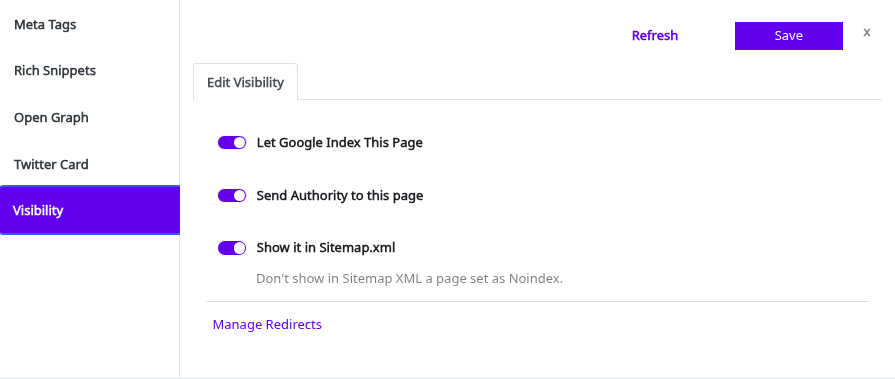
- Click the Visibility dot of the page, then Edit Visibility.
- Switch Let Google Index This Page off. Switch Send Authority to this page off too if you also want nofollow.
- Switch Show it in Sitemap.xml off, so the sitemap doesn’t list a page you hide.
- Click Save.
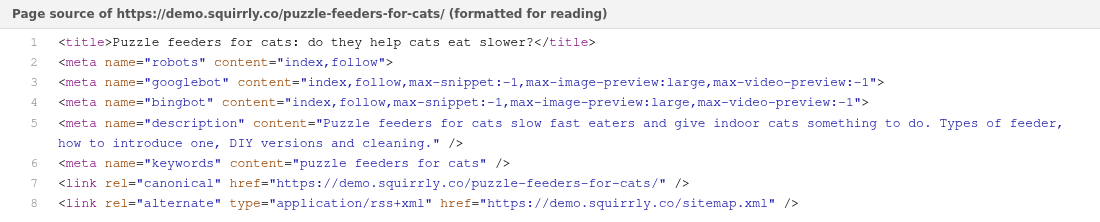
The page source then shows:
<meta name="robots" content="noindex,follow">
<meta name="googlebot" content="noindex,follow,max-snippet:-1,max-image-preview:large,max-video-preview:-1">
<meta name="bingbot" content="noindex,follow,max-snippet:-1,max-image-preview:large,max-video-preview:-1">
The Visible on Google task in Bulk SEO turns red for that page, so you can find every noindex page with Filter by Red Element > Visibility.
Example on the demo store
The Visibility tab holds the switches. With Let Google Index This Page on, the robots meta in the page source says index,follow; turn it off and it says noindex.
Noindex a whole post type
Go to Squirrly > Optimize > Automation, open the post type and switch off Let Google Index it, then save. The snippet of each page of that type then says, for posts, “This Post Type (post) has Noindex set in Automation.” SEO Automation explains the visibility switches.
Change the robots meta with the sq_noindex filter
Add the code to your child theme’s functions.php or a code snippets plugin. Change 45 to your page ID.
add_filter( 'sq_noindex', 'my_squirrly_noindex', 12 );
function my_squirrly_noindex( $robots ) {
    if ( get_queried_object_id() === 45 ) {
        return array( 'noindex', 'nofollow' );
    }
    return $robots;
}
Before priority 99 the filter gets an array of values, for example array( 'index', 'follow' ). Squirrly joins them into the robots, googlebot and bingbot metas at priority 99. Priority 12 runs after Squirrly’s own rules at 10 and 11. Return $robots unchanged for the other pages.
Frequently asked questions
What is the difference between noindex and nofollow?
Noindex keeps the page out of search results, and nofollow tells search engines not to follow its links.
Do I need to remove a noindex page from the sitemap too?
Yes, the snippet’s hint says “Don’t show in Sitemap XML a page set as Noindex.”
Why don’t the Visibility switches change anything?
Check that Add Robots Meta is on in SEO Metas, then clear the page cache.
Related tutorials
- Bulk SEO: the Visibility tab of every page in one list.
- SEO Automation: index and follow defaults per post type.
- Sitemap XML Settings: which content goes in your sitemap.
- Check METAs with and without Squirrly SEO: confirm the robots meta on the page.