Add Custom META Description
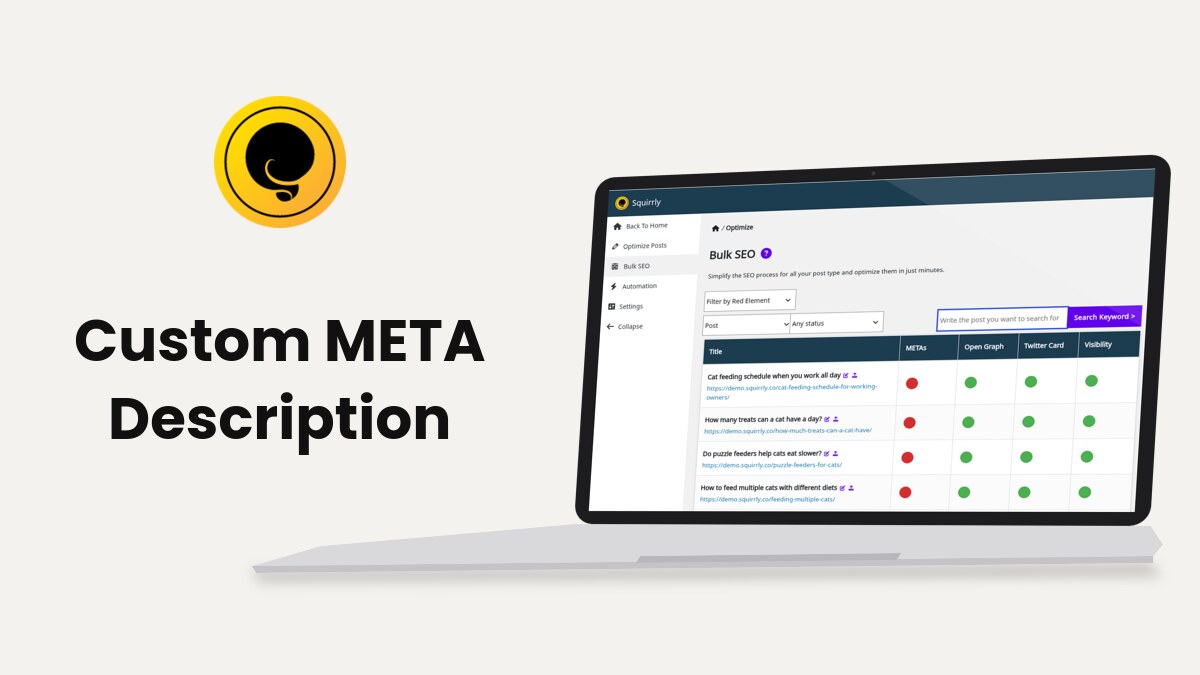
Squirrly SEO writes the meta description of a page from the Meta Description field of its SEO Snippet, from the description pattern of its post type, or from the sq_description filter in code. A description in the snippet wins over the pattern.
Before you start
- Go to Squirrly > Technical SEO > SEO Metas.
- Check that Optimize Descriptions is on.
- Click Save Settings.
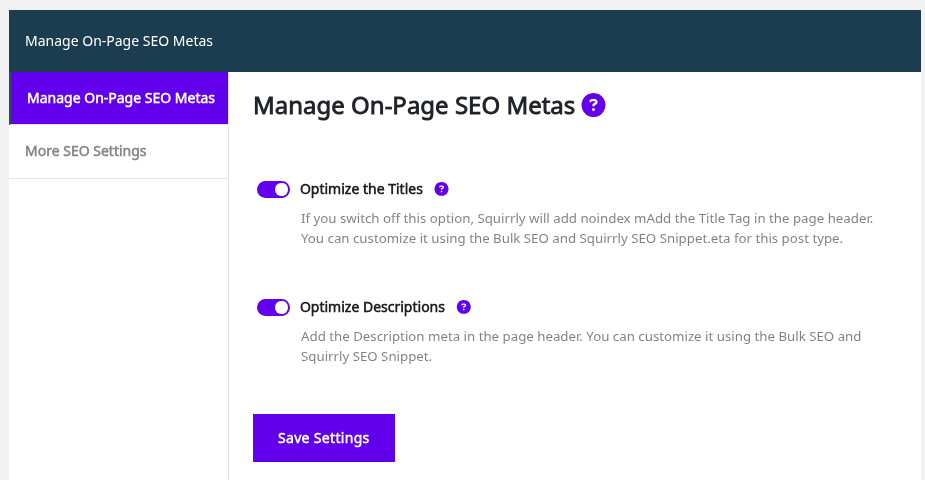
With the switch on, Squirrly also removes any other description meta from the page, so the page keeps one. SEO Metas covers the switch.
Set the description of one page
- Go to Squirrly > Optimize > Bulk SEO, or open the page in the editor and scroll to the SEO Snippet box.
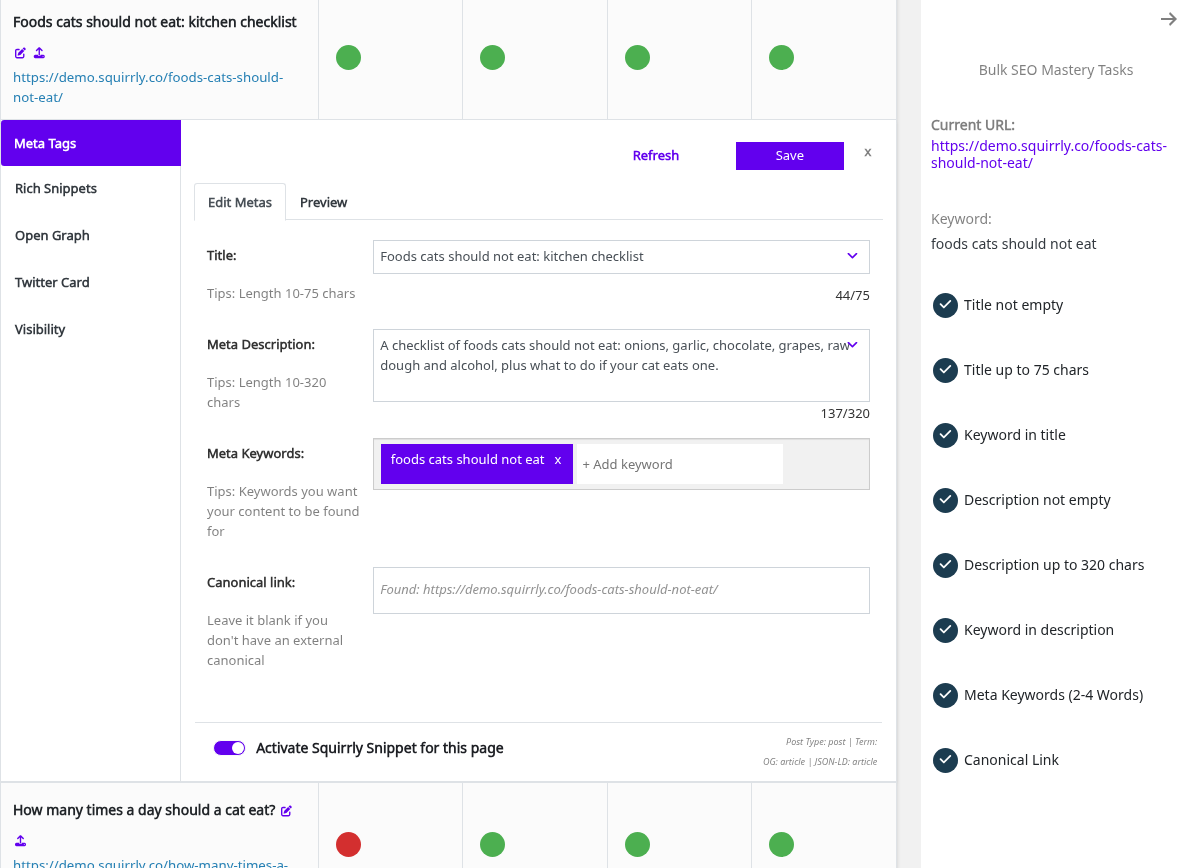
- Click the METAs dot of the page, then Edit Metas.
- Write the text in Meta Description.
- Click Save.
Bulk SEO then checks the description with three tasks: Description not empty, the length task (320 characters by default) and Keyword in description. The keyword task looks for one of the phrases in Meta Keywords, word for word. Edit the meta tags in Bulk SEO shows the whole tab.
Example on the demo store
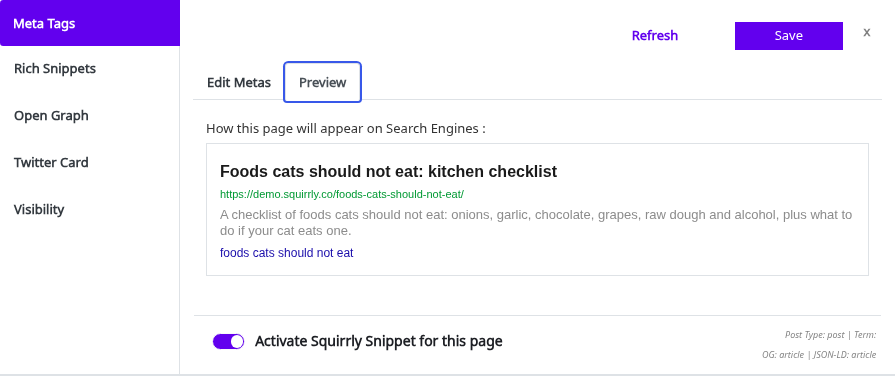
On the demo post “Foods cats should not eat”, the description now starts with the keyword. Preview shows it the way a search engine will:
Set the description of a post type
Go to Squirrly > Optimize > Automation, open the post type and change its Description pattern. The default for posts is {{excerpt}}: the post excerpt, or the start of the content when the excerpt is empty, cut to the Description Length. SEO Automation lists the other patterns.
Change the description with the sq_description filter
Add the code to your child theme’s functions.php or a code snippets plugin, and change 123 to your post ID.
add_filter( 'sq_description', 'my_squirrly_description', 11 );
function my_squirrly_description( $description ) {
    if ( get_queried_object_id() === 123 ) {
        return 'Soft pate and gravy recipes for cats over 10, with feeding amounts per day.';
    }
    return $description;
}
At priority 11 the filter gets the plain description text. Squirrly wraps it in <meta name="description"> afterwards, so return text, not HTML, and return $description for every other page.
Frequently asked questions
What does Squirrly use when a post has no excerpt?
The start of the post content, cut to the Description Length (320 characters by default).
Is a custom description cut to the length limit?
No, only descriptions built from patterns are cut.
Does the Open Graph description follow the meta description?
Yes, unless you write a separate description in the Open Graph tab of the snippet.
Related tutorials
- Add Custom META Title: the same three ways for the title.
- Bulk SEO: fix the descriptions of many pages from one list.
- SEO Metas: all meta tags Squirrly can write.
- Hook Squirrly Title & Description With Custom Data: more filter examples.